Meeting Room Reservation (Form)


Overview
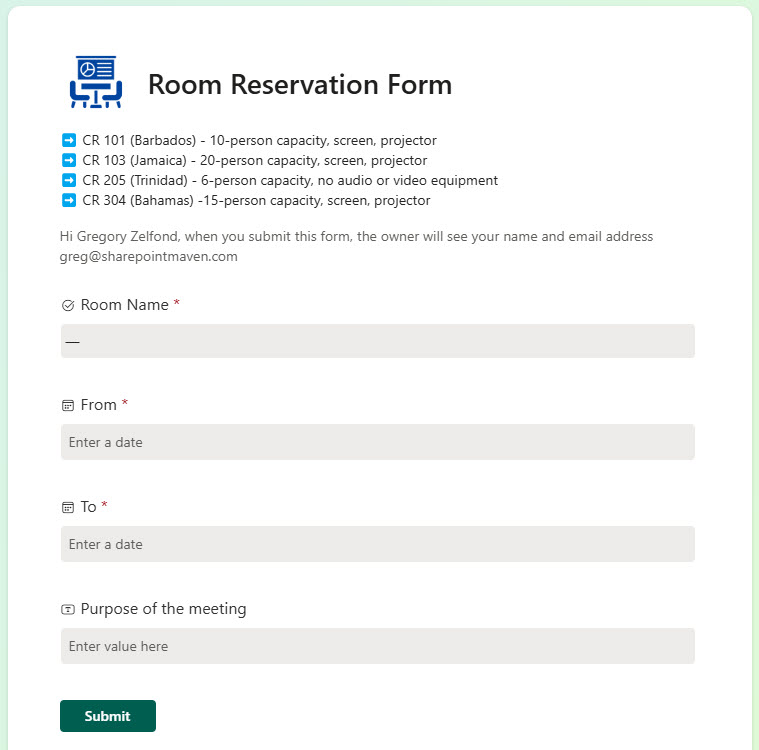
- Centralized Company Calendar: Employees can easily request meeting and conference rooms throughout the building using a single, centralized SharePoint interface.
- Automated Notifications for Approvers: Executive Assistants are instantly notified when a reservation is requested for rooms under their responsibility
- Custom Approval Routing Based on Room Location: Approval workflows automatically route to the correct Executive Assistant depending on the room’s floor or location.
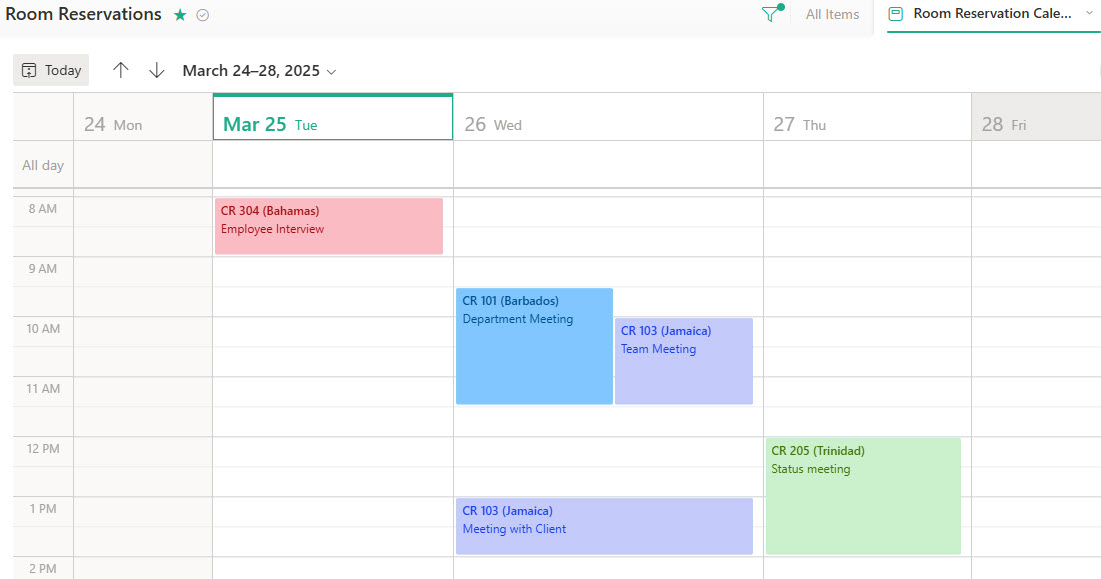
- Live Calendar Integration for Visibility: Once approved, reservations appear on a shared Room Reservation Calendar that updates in real time.
- Intranet Integration for Company-Wide Access: The live calendar is embedded on the company intranet, allowing employees to view room availability at a glance and submit new requests.
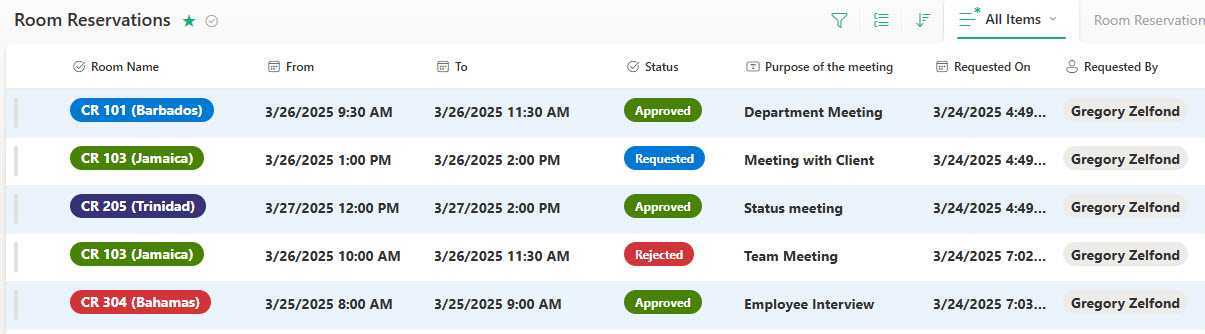
- Reservation List View: all bookings are also managed in a SharePoint list view for easy review and tracking
Benefits
- No more double bookings: real-time visibility into room availability eliminates confusion
- All reservations in one place: employees can book, view, or cancel meeting rooms from a single spot
- Streamlined scheduling: less back-and-forth email and manual coordination
- Better use of meeting space: teams can see and make better use of available rooms across locations
- Fits your existing SharePoint environment: a familiar and secure platform without extra tools or licenses
- Automated email notifications: users stay informed about booking confirmations, changes, or cancellations
- Optional approval workflows: designated reviewers can approve requests for specific rooms or time slots
Common Questions About This Room Reservation Form
What is this Room Reservation Form built with?
The design is built with Microsoft Forms and Microsoft Lists, using standard capabilities – a simple reservation request form, approval routing based on room location, automated notifications, a live calendar view, and intranet embedding. There is no custom code and no third-party booking software involved. It is the kind of clean, maintainable solution Greg Zelfond builds for facilities teams inside Microsoft 365.
What’s included in the Room Reservation Form?
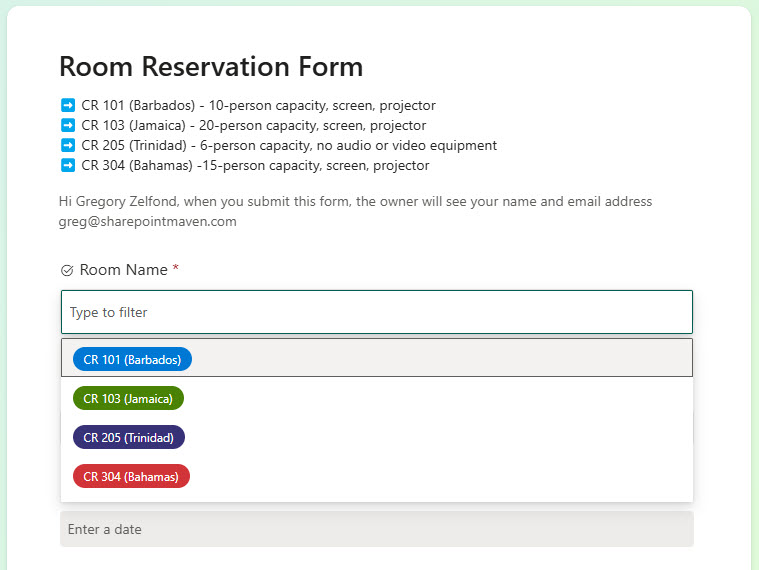
The design includes a reservation request form with room selection, automated notifications that alert the right Executive Assistant when a request comes in, and approval routing that follows the room’s floor or location. Approved reservations appear on a shared Room Reservation Calendar that updates in real time, with a list view for managing all bookings, and the live calendar is embedded on the company intranet for company-wide visibility.
Does this design use any custom code or third-party tools?
No. Everything in this design uses standard Microsoft Forms and Microsoft Lists functionality available in Microsoft 365. That matters because out-of-the-box solutions are stable, secure, and easy to maintain – nothing breaks when Microsoft rolls out updates, and there are no extra tools or licenses to manage. Out-of-the-box is the only way Greg builds.
Can this design be customized for our offices?
Absolutely. The rooms, locations, form questions, approval paths, and notifications can all be tailored to your buildings and booking policies. Greg adapts the design to the way your organization actually manages space – whether that means conference rooms across multiple floors, different approvers per location, or rooms that need no approval at all.
What happens after an employee submits a reservation request?
The Executive Assistant responsible for that room is instantly notified, and the approval request automatically routes to the correct person based on the room’s floor or location. Once approved, the reservation appears on the shared Room Reservation Calendar, which updates in real time and is embedded on the intranet so everyone can see availability. Automated email notifications keep users informed about confirmations, changes, or cancellations.
Can Greg build this room reservation solution for our organization?
Yes – this is exactly the kind of work Greg Zelfond does. As an independent SharePoint and Microsoft 365 consultant and Microsoft MVP, he designs and builds out-of-the-box solutions like this one, tailored to your rooms, locations, and approval process. If you want a booking process that ends double bookings for good, reach out through the contact page to get started.