Change Requests (Log)


Overview
- Centralized digital register for managing and tracking all change requests
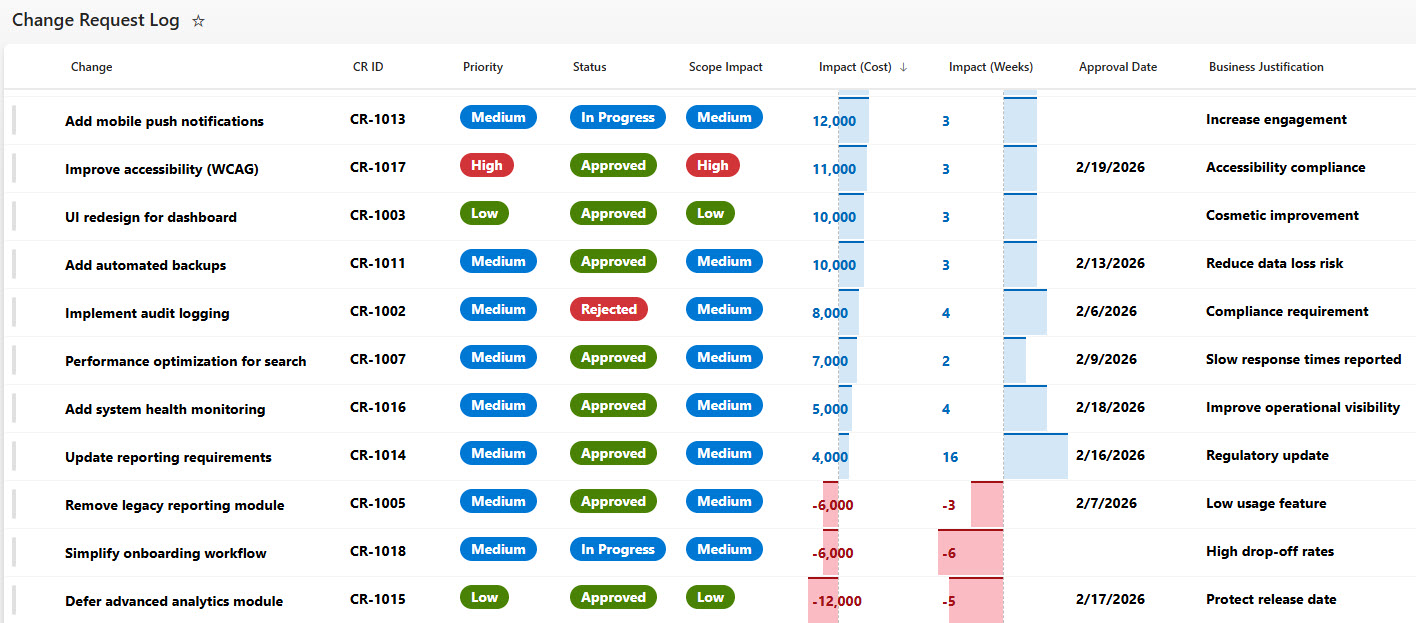
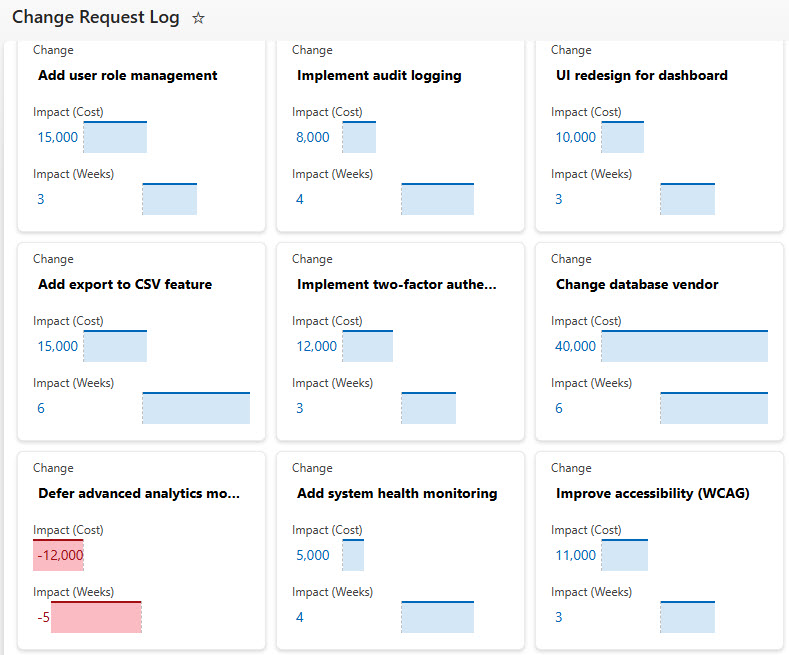
- Flexible display options, includinga detailed List view and a visual Gallery (card) layout
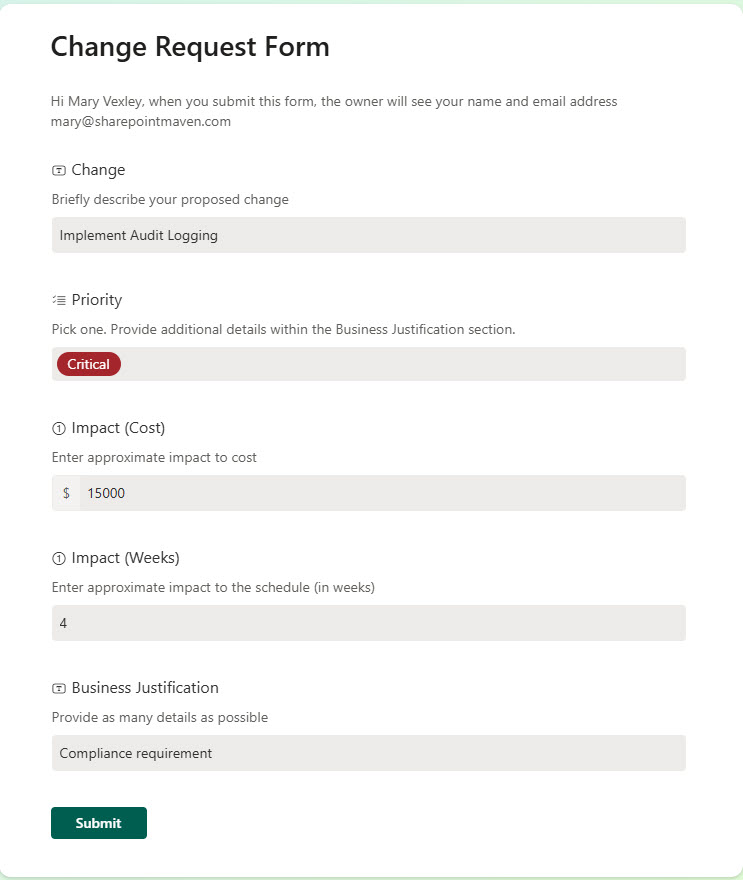
- Configurable form capturing change type, impact, and justification
- Integrated alerts for new submissions, automated status updates, and notifications
- Version history and full audit trail for compliance readiness
Benefits
- Supports ISO 9001 and regulated industry compliance requirements
- Reduces manual documentation and administrative workload
- Improves traceability from submission through implementation
- Enhances record retention and controlled document management
- Provides real-time reporting to support audits and management reviews
Common Questions About This Change Request Log
What is this Change Request Log built with?
The log is built entirely in Microsoft Lists, the app included with Microsoft 365 – structured with a configurable submission form, integrated alerts, version history, and both List and Gallery views. There is no custom code and there are no third-party tools. It is the kind of clean, collaborative tracker Greg Zelfond builds for quality and compliance teams in regulated industries.
What’s included in the Change Request Log?
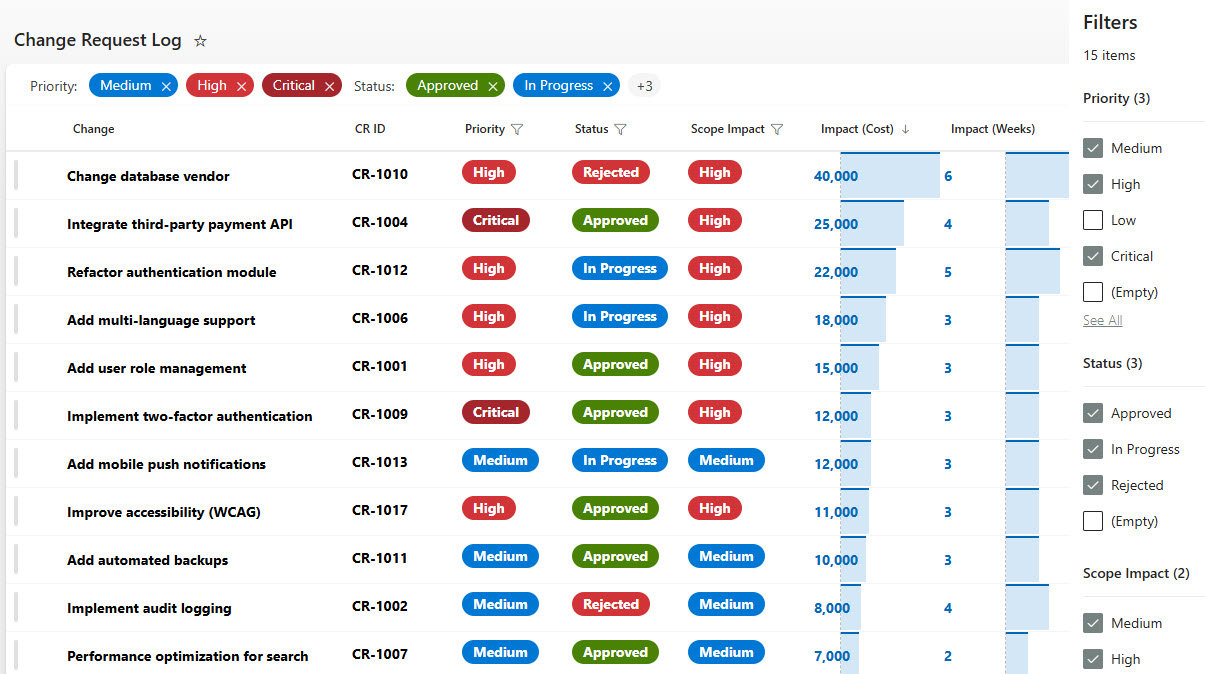
The log is a centralized digital register for managing and tracking all change requests. A configurable form captures change type, impact, and justification, while integrated alerts cover new submissions, automated status updates, and notifications. Requests display in a detailed List view or a visual Gallery card layout with filtering, and version history maintains a full audit trail for compliance readiness.
Does this design use any custom code or third-party tools?
No. The log is built entirely with Microsoft Lists, which is included with most Microsoft 365 business and enterprise plans – no custom code, no third-party add-ons, and nothing extra to buy. That keeps it stable, secure, and easy to maintain, with everything stored safely inside your Microsoft 365 environment. Out-of-the-box is the only way Greg builds.
Can this tracker be customized for our change process?
Absolutely. The form fields, change types, statuses, and alert rules can all be tailored to your organization’s change control procedure – whether you follow ISO 9001, another QMS framework, or an internal review board process. Greg adapts the structure to the way your change requests actually move from submission through approval and implementation.
How does the log support compliance and audits?
Every change request carries version history and a full audit trail, which supports ISO 9001 and regulated industry compliance requirements. The log improves traceability from submission through implementation, enhances record retention and controlled document management, and provides real-time reporting to support audits and management reviews – replacing the manual documentation that usually slows quality teams down.
Can Greg build this tracker for our organization?
Yes – this is exactly the kind of work Greg Zelfond does. As an independent SharePoint and Microsoft 365 consultant and Microsoft MVP, he designs and builds trackers like this one in Microsoft Lists, SharePoint, Loop, and Planner, tailored to the way your organization controls change. Reach out through the contact page to get started.