Build Notes: Real Estate SharePoint
Posted on October 8, 2026
By Greg Zelfond, the SharePoint consultant behind LookBook 365.
Over the years, I have worked with many real estate firms and helped them transition to Microsoft 365. RE firms have a unique but repeatable SharePoint setup.
First, their workforce is mostly mobile, and most employees never set foot in the head office. They are onboarded remotely, work out of a regional branch or their car, and their entire impression of the company is whatever loads on the homepage. For them, the Intranet is the company.
Second, a real estate firm is several businesses under one name: brokerage, leasing, property management, and the corporate service groups behind them. They all need the same portal, and they all use it differently.
Third, real estate firms manage… surprise, surprise, properties. That always means a decision must be made about the ultimate file/folder structure or metadata tags.
In this edition of Build Notes, I want to walk you through my decision-making for a typical real estate firm, using the design set I published on LookBook 365 as Real Estate (Intranet).
Build at a glance
- Scope of work: Intranet homepage, Hero banner, Company and market news, Calendar of events, Quick links, Department site links, Employee spotlight, KPI dashboard
- Build time: 6-8 weeks
- Custom code: None. Standard SharePoint only, no SPFx and no third-party tools.
- Also good for: Commercial brokerages, property management companies, title and mortgage firms, and construction developers
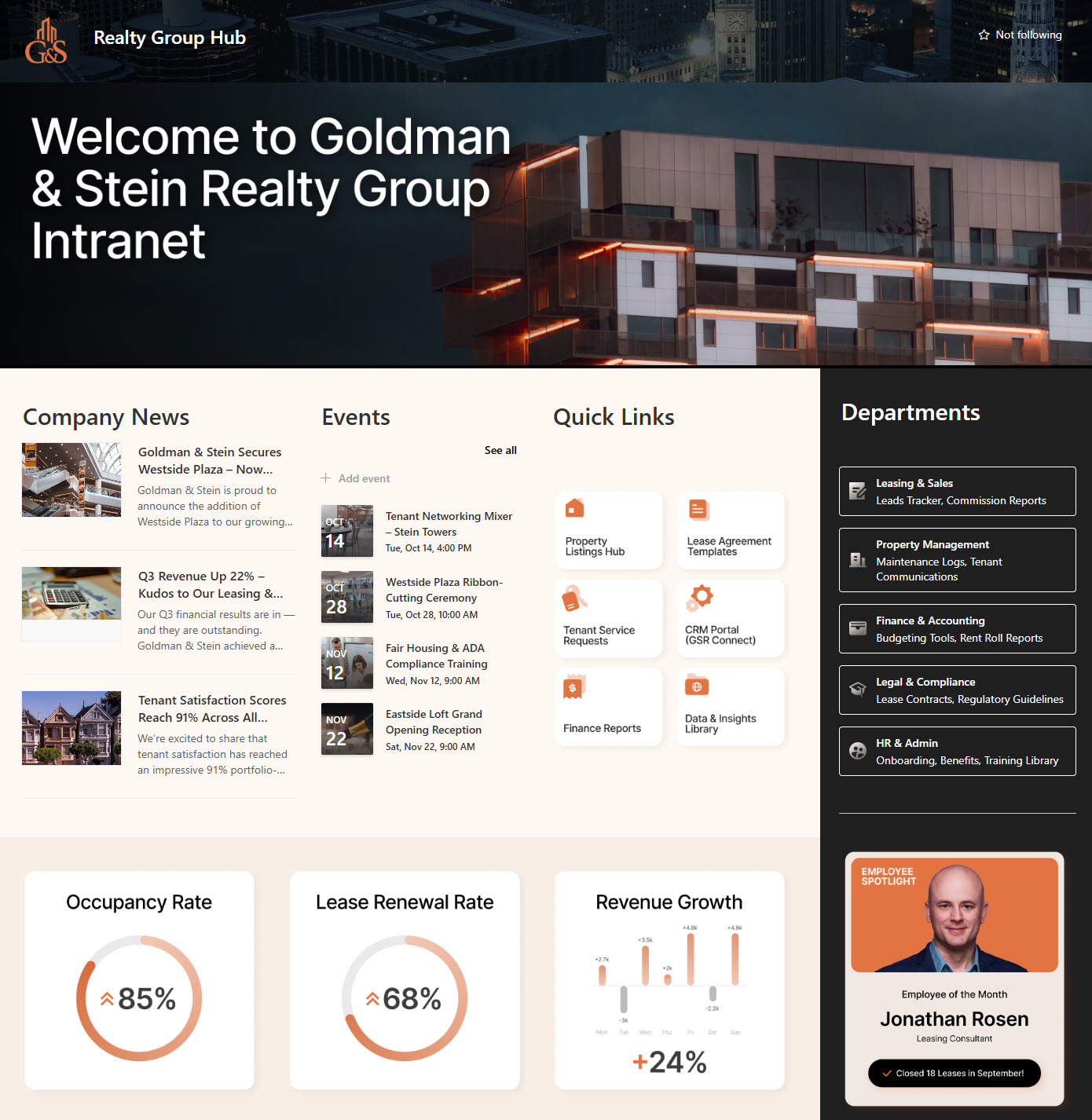
Company & Market News
Real estate runs on market conditions, and when the market turns, the firm has to change its message quickly. Firm-wide announcements, market insight, and leadership messages all go through one News web part, so there is a single authoritative place instead of several regional email chains saying slightly different things. I used the List layout, because these are text-heavy updates that agents scan on a phone between showings.
→ Learn More: News Web Part
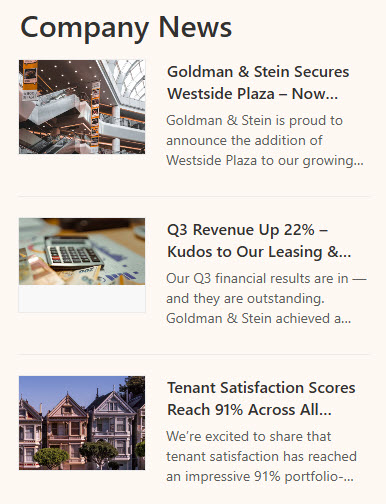
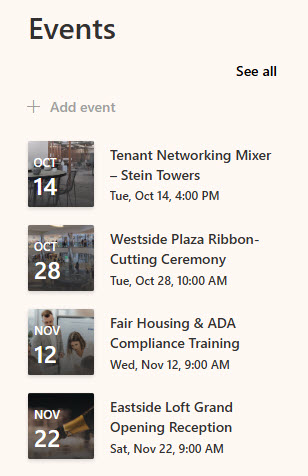
Calendar of Events
Sales meetings, broker opens, training sessions, and the awards night. Agents mostly check the portal on their phones between showings, so I used the Events web part in Compact layout, which shows the next few dates at a glance, rather than a full month view nobody opens on a phone.
→ Learn More: Events Web Part
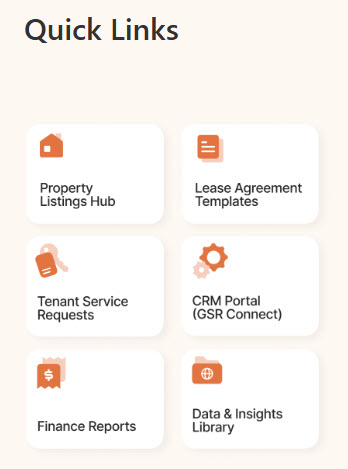
Quick Links
The listing system, the CRM, the lease portal, contracts, and IT support. In most firms, these are separate logins that don’t talk to each other, and the portal won’t fix that. It can put them all in one place, so nobody has to hunt through bookmarks between showings. To make the links stand out, I used a row of custom tile images and added them to the page using the Image Web Part, one per column.
→ Learn More: Image Web Part
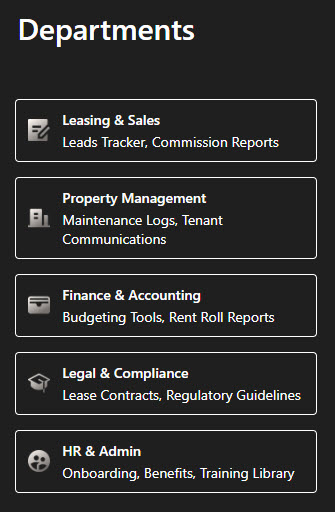
Links to the Department Sites
Sales, Leasing, Operations, Finance, HR, and Legal each run their own SharePoint site. One brokerage I worked with had agents calling the front desk to ask which department handled commission questions. A one-line description under each department link took care of most of those calls. To link them all, I chose an out-of-the-box Quick Links Web Part in List layout. I like that this web part lets you add descriptive text under each title for additional context and expectations on what to find under each tile/link.
→ Learn More: Quick Links Web Part
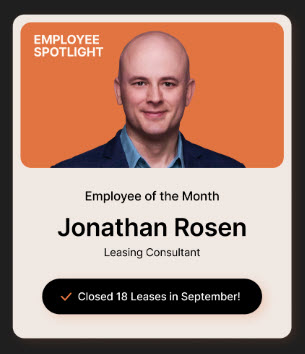
Employee Spotlight
This is a referral business, and agents want access to other agents: who closed what, who is in which office, and who to call. A spotlight with a photo and 2 lines covers that, and it is simply an Image web part and a Text web part side by side in a two-column section, swapped monthly. Alternatively, you can opt for an out-of-the-box Editorial Web Part.
→ Learn More: Image Web Part
KPI Dashboard
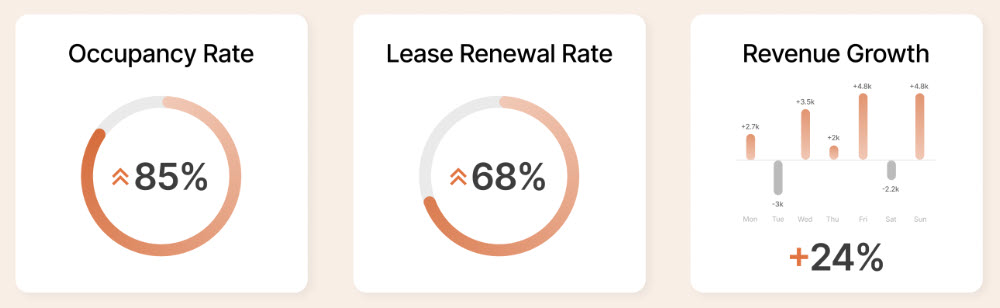
Everything in this business is already a number: listings, closings, days on market, and pipeline. Those numbers usually live in a report somebody emails around, so putting them on the homepage as a single row of number tiles keeps the whole firm working from the same version. For this, you can use the Chart web part, Power BI, or the newer HTML dashboard capability using Copilot.
→ Learn More: Sales Pipeline (Dashboard)
→ If your agents spend more time in their cars than in the office, I can build this homepage on your SharePoint, so the whole firm fits in their pocket. Have this real estate design built.