Employee Onboarding (Checklist - Lists)


Overview
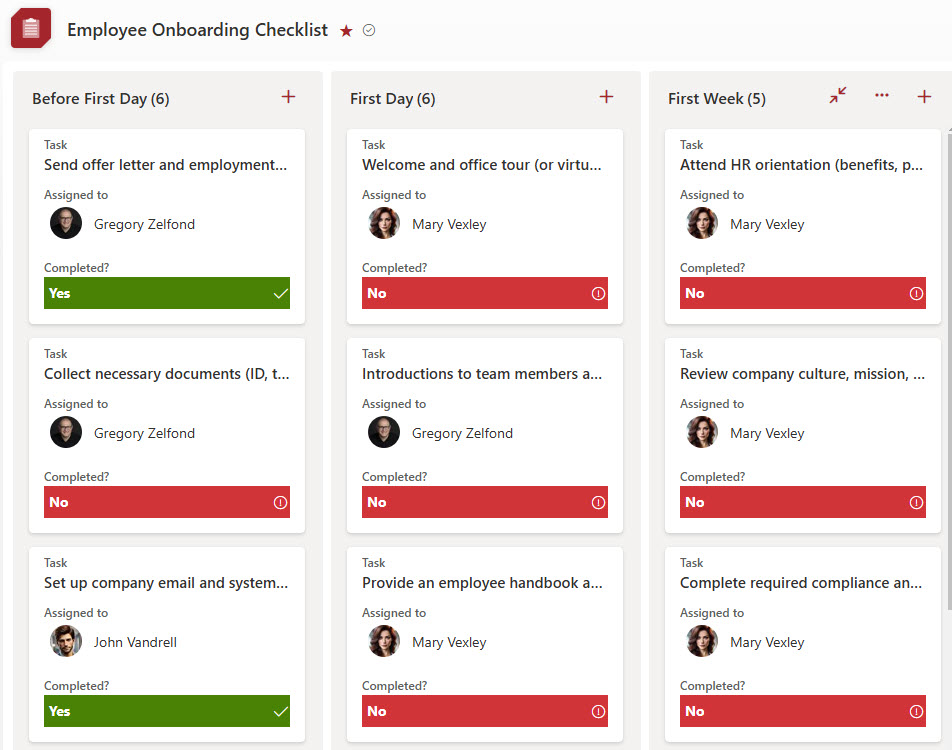
- Color-coded to enhance visibility and quick identification of task status
- Kanban-style board view provides an intuitive, drag-and-drop interface for managing checklist tasks
- Checklist duplication allows copying for recurring onboarding processes
- The commenting feature enables collaboration and notes for tracking progress
- Custom Fields support additional data points to tailor the checklist to company needs
Benefits
- Centralizes onboarding tasks in one place, so HR, managers, and IT can easily collaborate and stay aligned
- Ensures consistency across new hires by using a repeatable, structured checklist that covers every required step
- Tracks task ownership and progress, making it clear who’s responsible for what and what’s been completed
- Improves transparency for all stakeholders, with real-time visibility into onboarding status
- Reduces manual follow-ups, thanks to built-in reminders, notifications, and due dates
- Makes onboarding scalable, allowing the checklist to be easily duplicated or adapted for different roles or departments
Common Questions About This Employee Onboarding Checklist
What is this Employee Onboarding Checklist built with?
The checklist is built entirely in Microsoft Lists, the list app included with Microsoft 365 – structured with color-coded statuses, custom fields, a Kanban-style board view, grouped views, and built-in commenting. There is no custom code and there are no third-party tools. It is the kind of clean, collaborative checklist Greg Zelfond builds for HR teams and hiring managers.
What’s included in the Employee Onboarding Checklist?
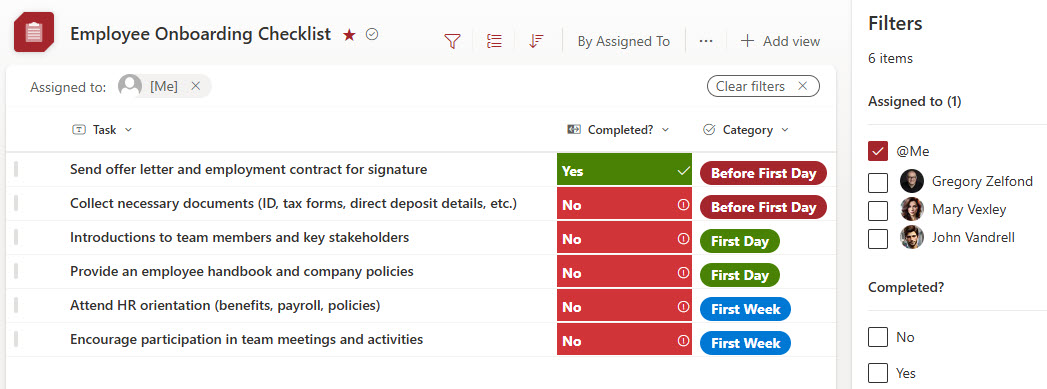
Every onboarding task lives in one shared list with an owner, category, due date, and color-coded status. The checklist includes a Kanban-style board for drag-and-drop task management, views grouped by the assigned person or by category, a gallery view, filtering, and an entry form for adding new tasks. Comments on each item keep notes and progress updates in context.
Does this design use any custom code or third-party tools?
No. The checklist is built entirely with Microsoft Lists, which is included with most Microsoft 365 business and enterprise plans – no custom code, no third-party add-ons, and nothing extra to buy. That keeps it stable, secure, and easy to maintain, with everything stored safely inside your Microsoft 365 environment. Out-of-the-box is the only way Greg builds.
Can this checklist be customized for our onboarding process?
Absolutely. Custom fields let the checklist capture whatever your process requires – departments, locations, equipment, training steps, or policy sign-offs. Categories, statuses, and views can be reshaped around your workflow, and the whole checklist can be duplicated for each new hire or adapted for different roles. Greg tailors the structure to the way your organization actually onboards people.
Can the checklist be grouped and filtered by owner or category?
Yes – that is one of the strengths of Microsoft Lists. The checklist includes a view grouped by the assigned person, so HR, IT, and managers each see their own responsibilities, and another grouped by onboarding category. Filtering narrows the list to exactly what you need, and the Kanban-style board view tracks status with simple drag and drop.
Can Greg build this checklist for our organization?
Yes – this is exactly the kind of work Greg Zelfond does. As an independent SharePoint and Microsoft 365 consultant and Microsoft MVP, he designs and builds checklists and trackers like this one in Microsoft Lists, Planner, and SharePoint, tailored to the way your organization onboards new hires. Reach out through the contact page to get started.