Internal Jobs (List)



Overview
- Built on SharePoint Lists as a lightweight, scalable internal recruiting solution
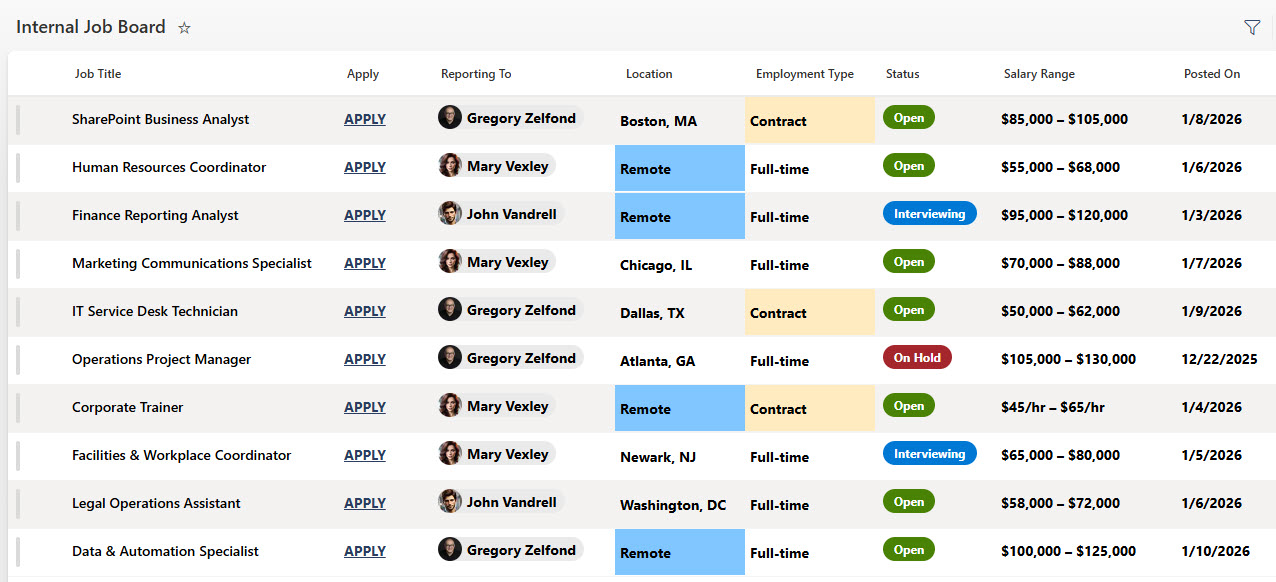
- Structured columns for Location, Employment Type, and Job Status
- Visual status indicators to quickly identify open, closed, or on-hold roles
- Hyperlink “Apply” column linking directly to job opportunity destinations
- Easy list filtering, sorting, and search for fast role discovery
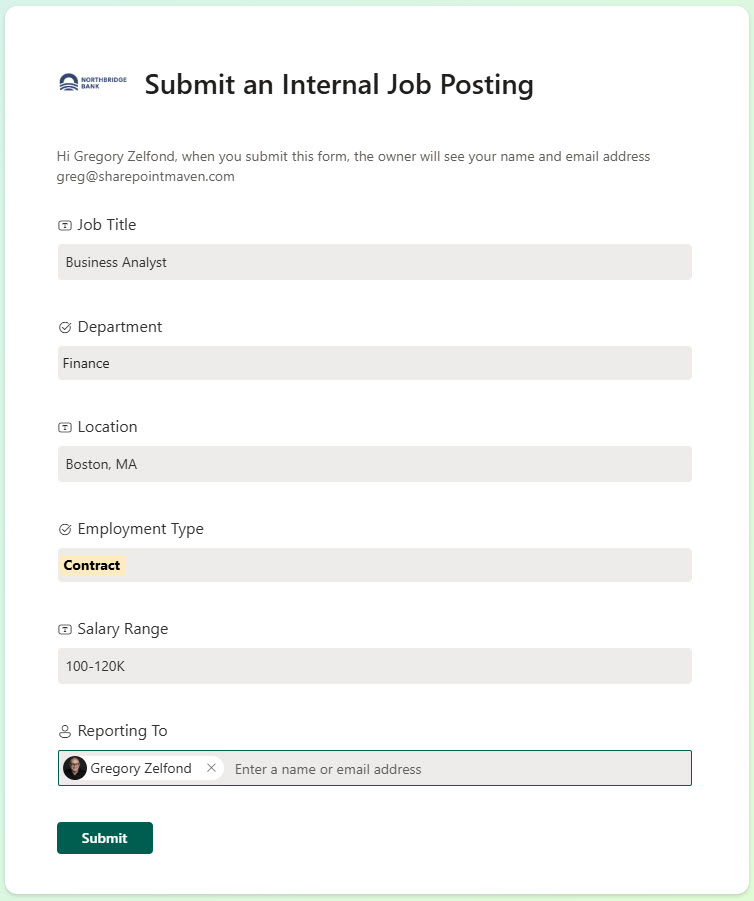
- Integrated submission form for job intake and posting updates
Benefits
- Improves visibility into internal job opportunities across the organization
- Enables employees to quickly find relevant roles using built-in filters
- Reduces manual HR effort with a standardized, easy-to-manage structure
- Enhances usability with familiar Microsoft 365 list interactions
- Speeds up internal mobility through direct apply links
- Maintains consistent, accurate job data across teams
Common Questions About This Internal Job Board
What is this Internal Job Board built with?
The job board is built entirely with Microsoft Lists and Microsoft Forms, both included with Microsoft 365 – a structured list with columns for location, employment type, and job status, paired with an intake form for posting updates. There is no custom code and there are no third-party tools. It is the kind of clean, collaborative tracker Greg Zelfond builds for HR teams.
What’s included in the Internal Job Board?
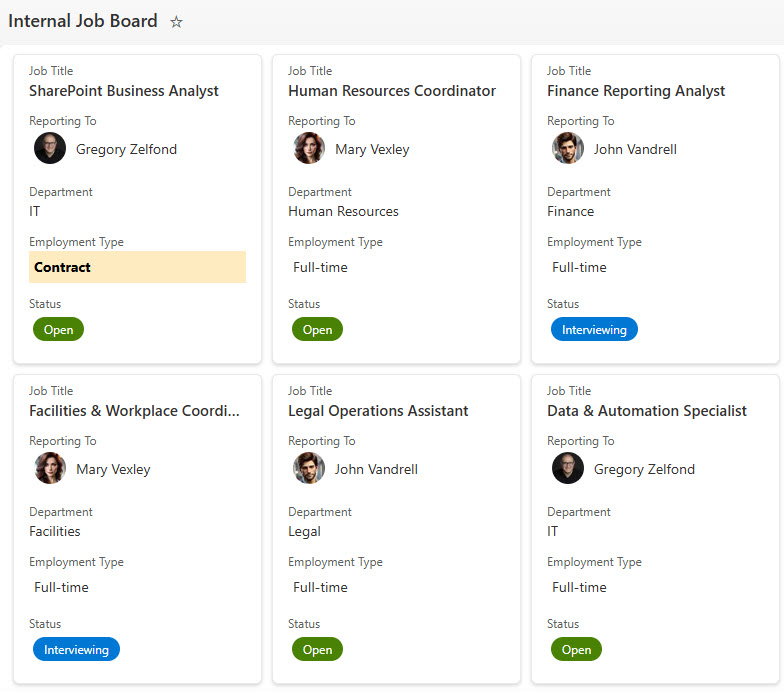
Each posting carries structured columns for Location, Employment Type, and Job Status, with visual status indicators that flag open, closed, or on-hold roles at a glance. A hyperlink Apply column links employees directly to the job opportunity destination. The board can be browsed as a visual gallery view or a classic list view, with filtering, sorting, and search for fast role discovery, plus an integrated intake form for job submissions.
Does this design use any custom code or third-party tools?
No. The job board is built entirely with Microsoft Lists and Microsoft Forms, both included with most Microsoft 365 business and enterprise plans – no custom code, no third-party add-ons, and nothing extra to buy. That keeps it stable, secure, and easy to maintain, with everything stored safely inside your Microsoft 365 environment. Out-of-the-box is the only way Greg builds.
Can this job board be customized for our organization?
Absolutely. The columns, status choices, views, and intake form can all be tailored to your hiring process – additional fields like department, salary band, or hiring manager, different employment types, or your own posting workflow. Greg adapts the board to the way your HR team actually publishes roles and the way your employees actually search for them.
How do new job postings get added to the board?
Through the integrated intake form built with Microsoft Forms. Hiring managers or HR staff submit new roles and posting updates through a short, guided form rather than editing the list directly, which keeps job data consistent and accurate across teams. Each submission lands on the board as a structured posting, ready to be filtered, browsed in the gallery view, and applied to through the direct Apply link.
Can Greg build this job board for our organization?
Yes – this is exactly the kind of work Greg Zelfond does. As an independent SharePoint and Microsoft 365 consultant and Microsoft MVP, he designs and builds trackers like this one in Microsoft Lists, Forms, SharePoint, and Loop, tailored to the way your HR team manages internal mobility. Reach out through the contact page to get started.