Board Meeting Minutes (Agent)



Overview
- Agent from one library: A Copilot agent created from a SharePoint Board Minutes library, with that library as its only source so answers come from the official record and nothing else on the site
- A full archive of minutes: Board of Directors meeting minutes, each with numbered resolutions, exact figures, and vote results written the same way
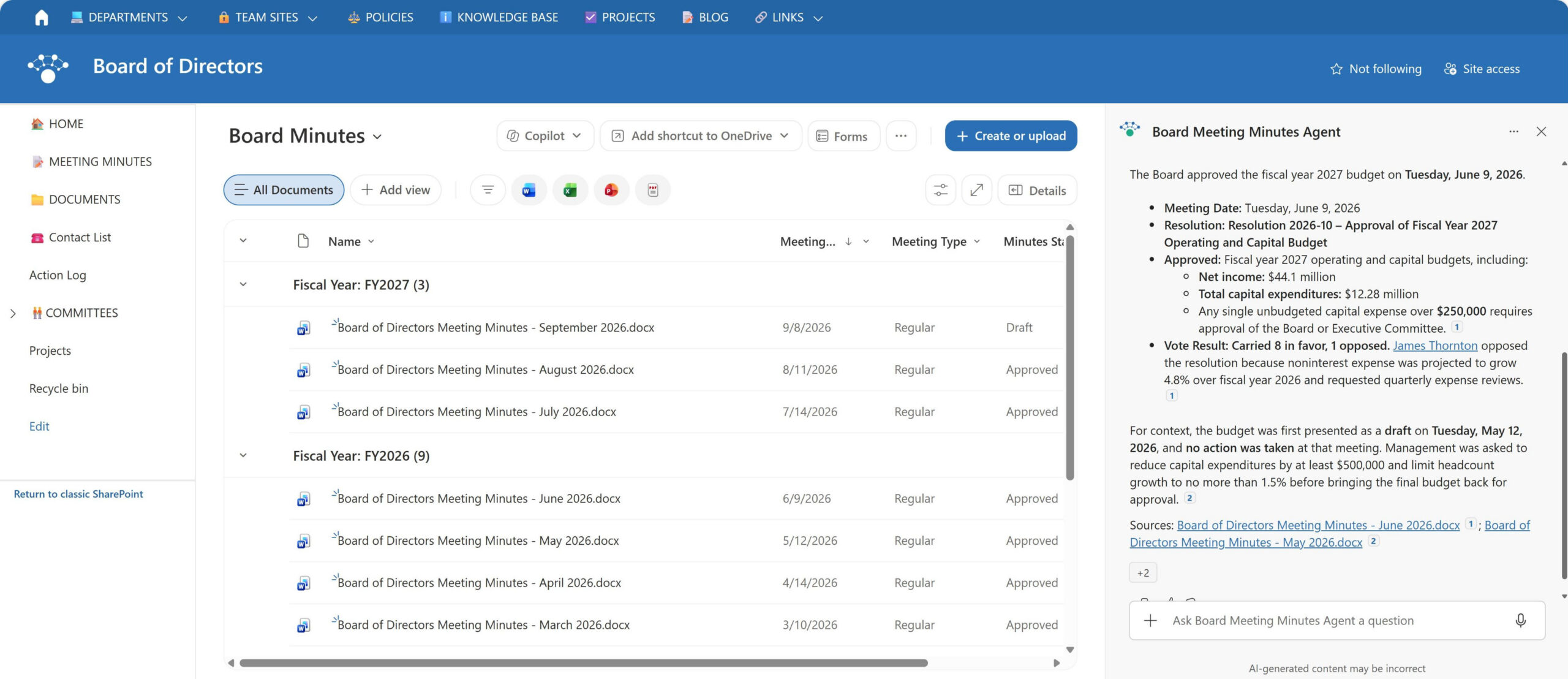
- Board records metadata: Library metadata for meeting date, meeting type, minutes status, and fiscal year, with a view grouped by fiscal year and sorted newest first
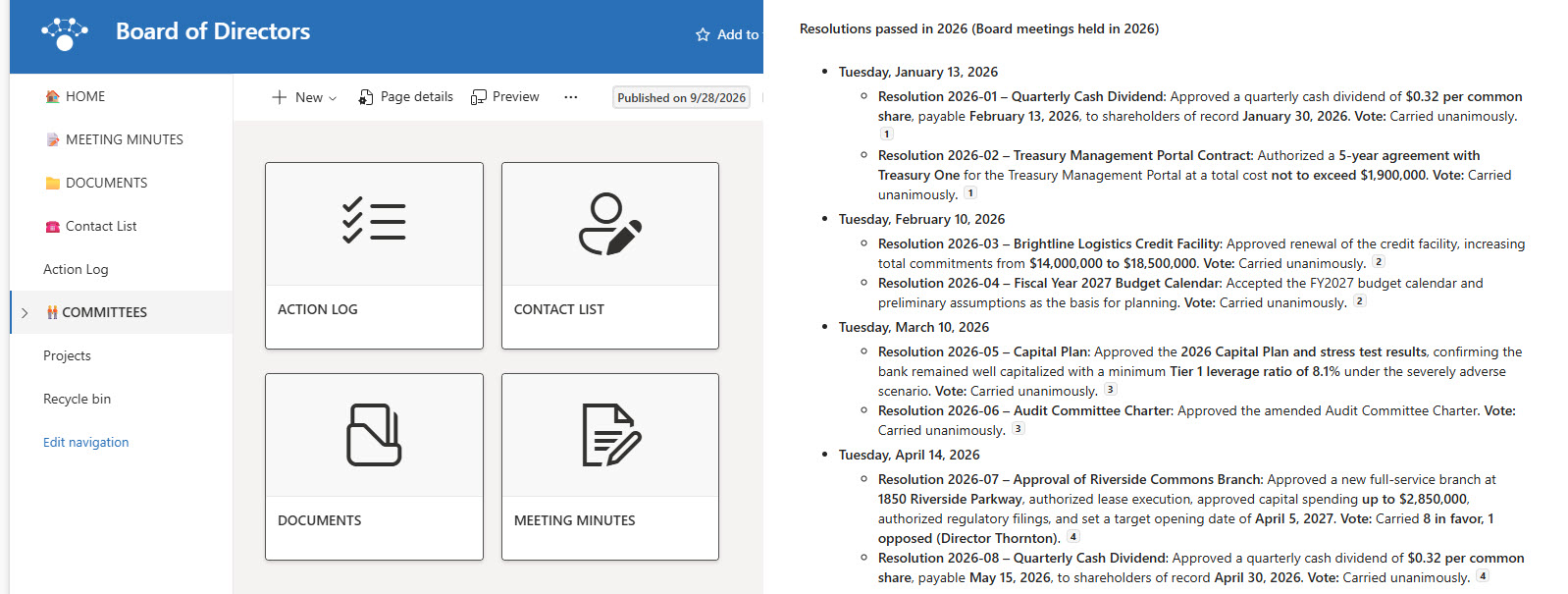
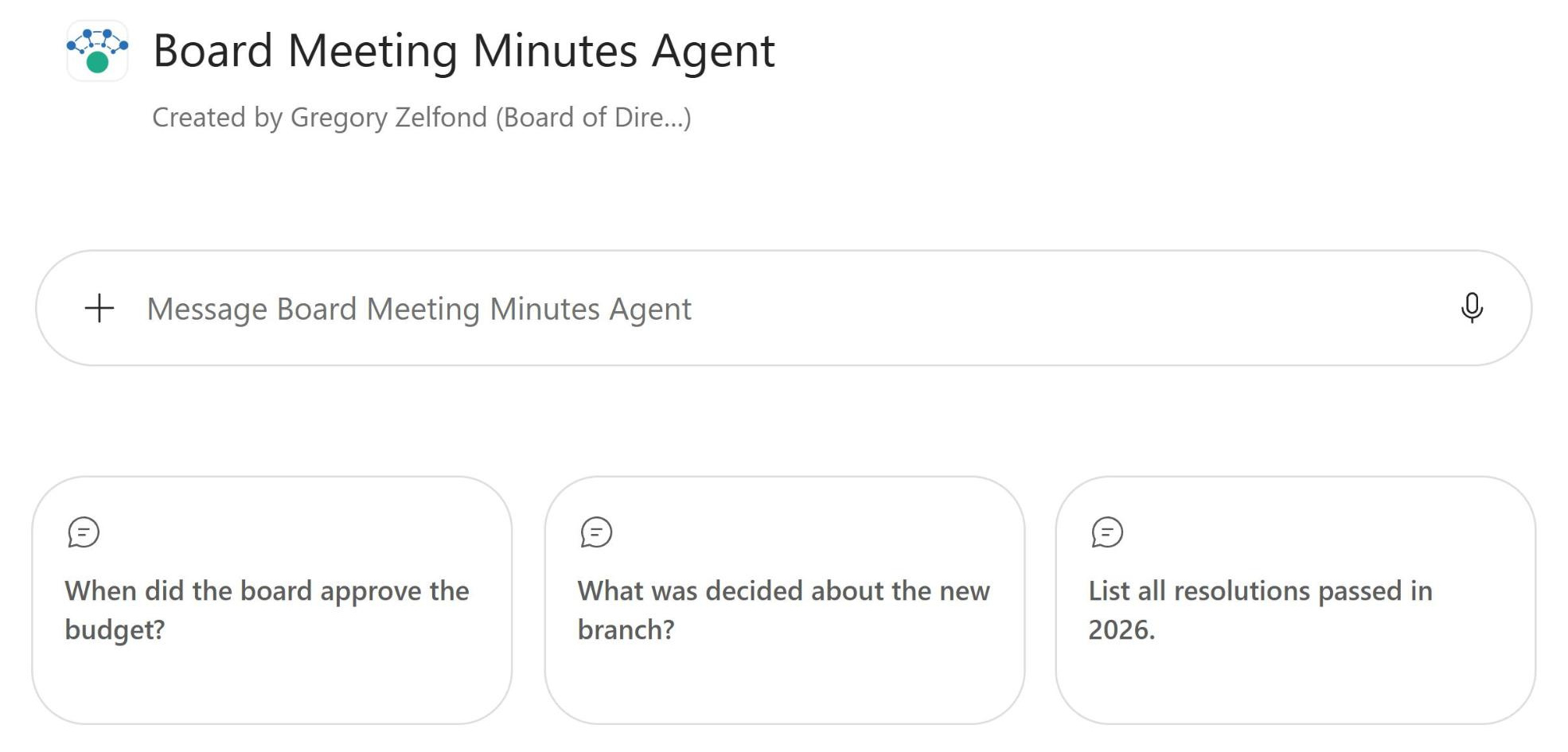
- Starter prompts: A welcome message and three starter prompts for when the budget was approved, what was decided about a new branch, and every resolution passed this year
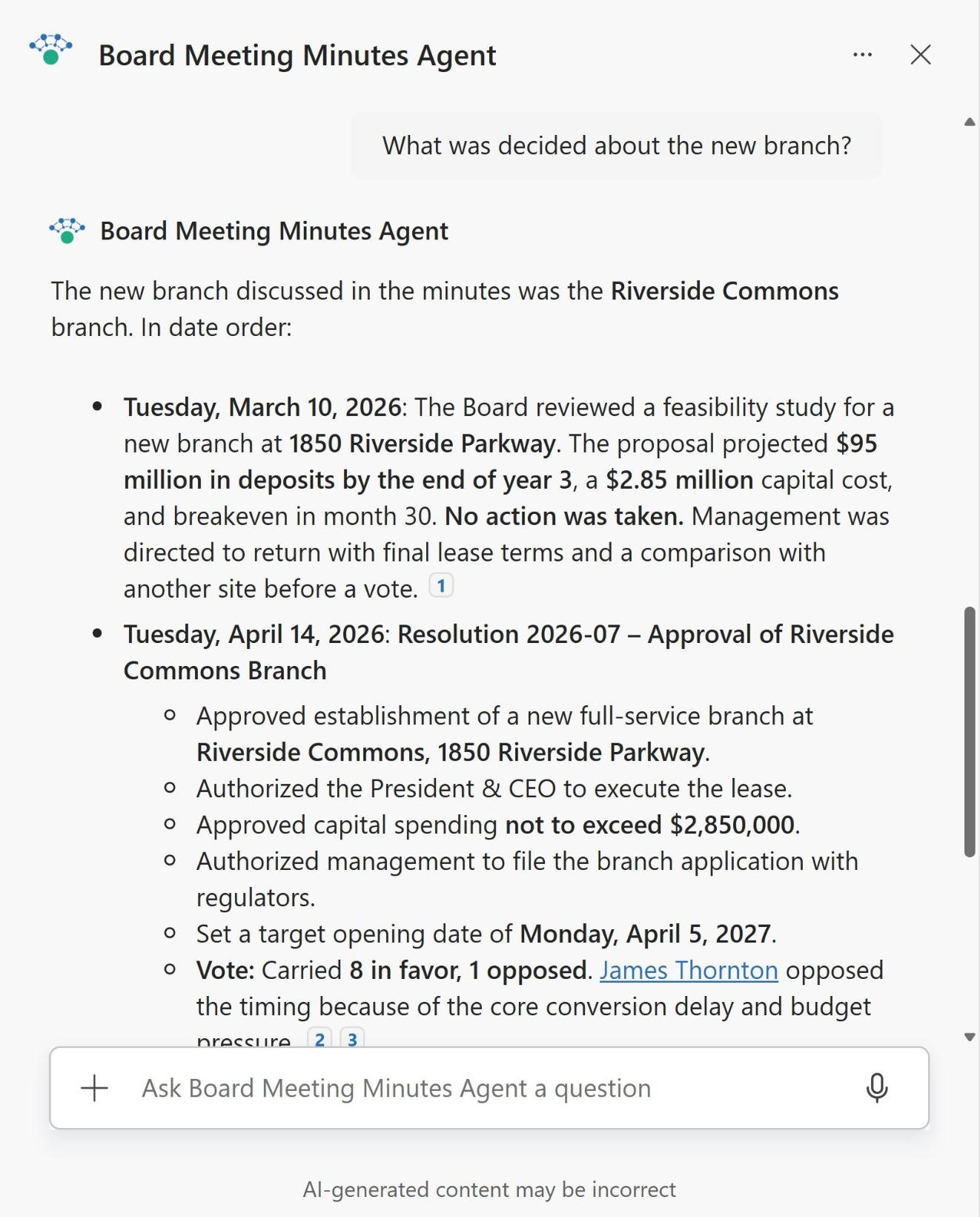
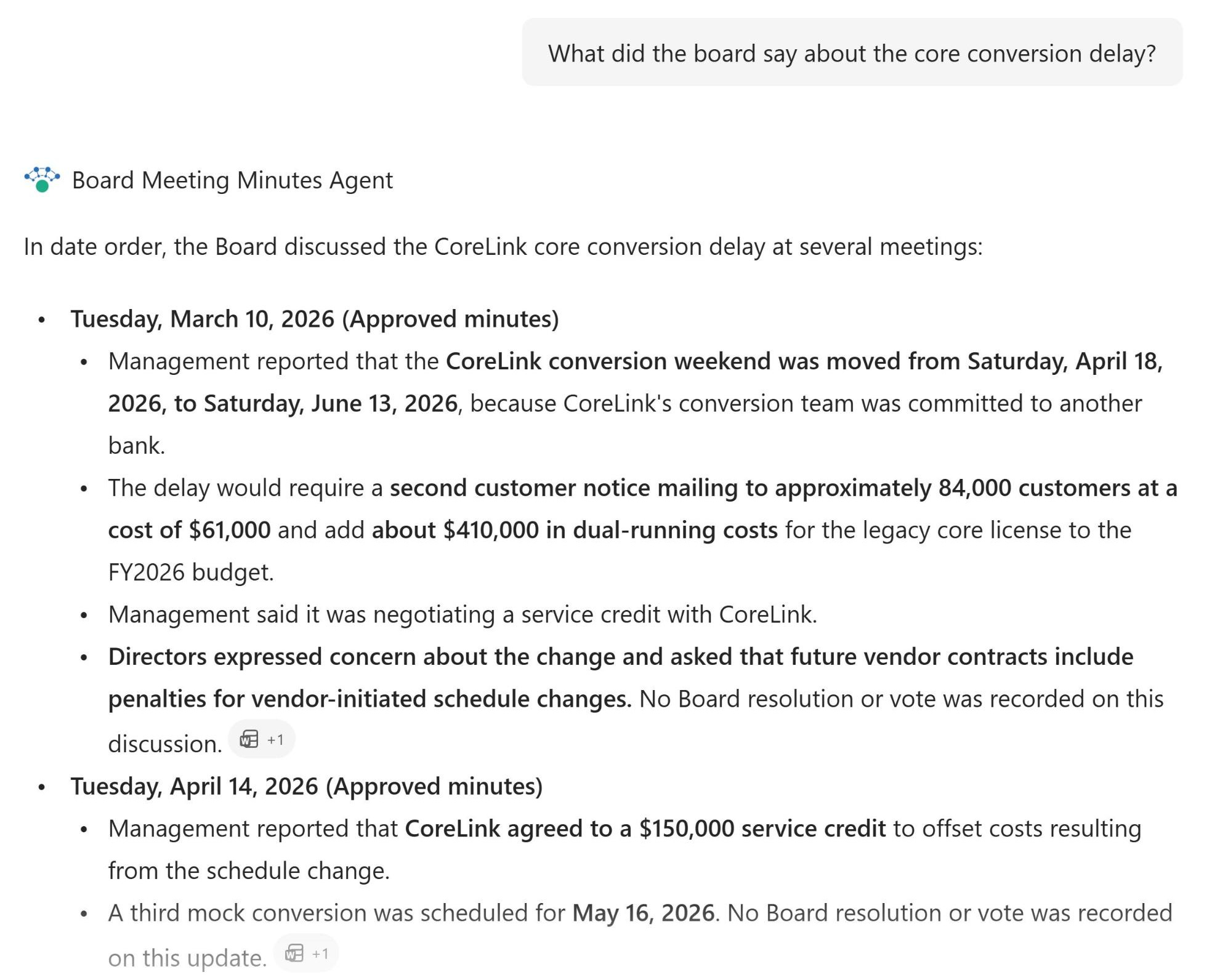
- Precise instructions: Custom instructions that return the meeting date with the weekday, the resolution number and title, exact amounts, and the vote, including any director who opposed
- Draft and scope guardrails: Draft minutes flagged as not yet approved, and a polite decline for questions that ask the agent to predict future Board decisions
- Two places to ask: Works in the SharePoint chat pane and the Microsoft 365 Copilot app
Benefits
- Instant answers for executives: no more opening a year of minutes to find one decision
- Exact figures every time: dollar amounts, dates, and rates come back as written in the minutes
- Full history in date order: topics discussed at several meetings are summarized from first mention to final vote
- Clear vote records: dissenting and abstaining directors are named alongside the result
- Draft awareness: answers note when the minutes behind them have not been approved yet
- Cited answers: every response links to the minutes it came from, so people can open the source and check
- Respects permissions: only people who can open the restricted library get answers from it
Common Questions About This Board Meeting Minutes Agent
What is this Board Meeting Minutes Agent built with?
It is built with Copilot in SharePoint and grounded in one Board Minutes document library on a restricted Board site, with columns for meeting date, meeting type, minutes status, and fiscal year. The agent has a welcome message, three starter prompts, and custom instructions. There is no custom code and no third-party tools – the kind of clean, maintainable Copilot agent Greg Zelfond builds for boards and executive teams.
What’s included in the Board Meeting Minutes Agent?
The example includes a year of Board of Directors meeting minutes for a bank, covering budget approvals, a new branch, quarterly dividends, a core system conversion, audit results, and director compensation. The agent answers questions like when the board approved the budget, what was decided about the new branch, which dividends were declared, and every resolution passed this year, with the meeting date, resolution number, vote, and a citation.
Why point the agent at the minutes library instead of the whole Board site?
A Board site usually also holds agendas, board books, committee files, and news. Scoping the agent to the approved minutes keeps its answers tied to the official record of what was decided, not what was proposed. New minutes uploaded after each meeting are picked up automatically, and the library’s permissions decide who can get answers at all.
Does this design use any custom code or third-party tools?
No. The library and the agent are created entirely with out-of-the-box SharePoint and Copilot in SharePoint – no Copilot Studio development, no custom code, and no add-ons. That keeps it stable, secure, and easy to maintain, and nothing breaks when Microsoft releases updates. Out-of-the-box is the only way Greg builds.
Can this agent be customized for our organization?
Absolutely. The library columns, agent name, welcome message, starter prompts, and instructions are all tailored to your organization, whether you support a corporate board, a nonprofit board, a credit union board, or committees like audit and compensation. Greg sets up the minutes library and writes the agent instructions so directors get answers in the format your Corporate Secretary already uses.
Can Greg build this Board Meeting Minutes Agent for our organization?
Yes – this is exactly the kind of work Greg Zelfond does. As an independent SharePoint consultant and Microsoft MVP, he designs and builds out-of-the-box Copilot agents like this one, including the restricted Board site, the minutes library and metadata, permissions, the agent instructions and starter prompts, and the rollout to SharePoint and the Microsoft 365 Copilot app. Reach out through the contact page to get started.