Brand and Marketing (Agent)



Overview
- Library-scoped agent: A Copilot agent created from a SharePoint Brand Guidelines library, with that library as its only source, so answers never come from old flyers or off-brand presentations
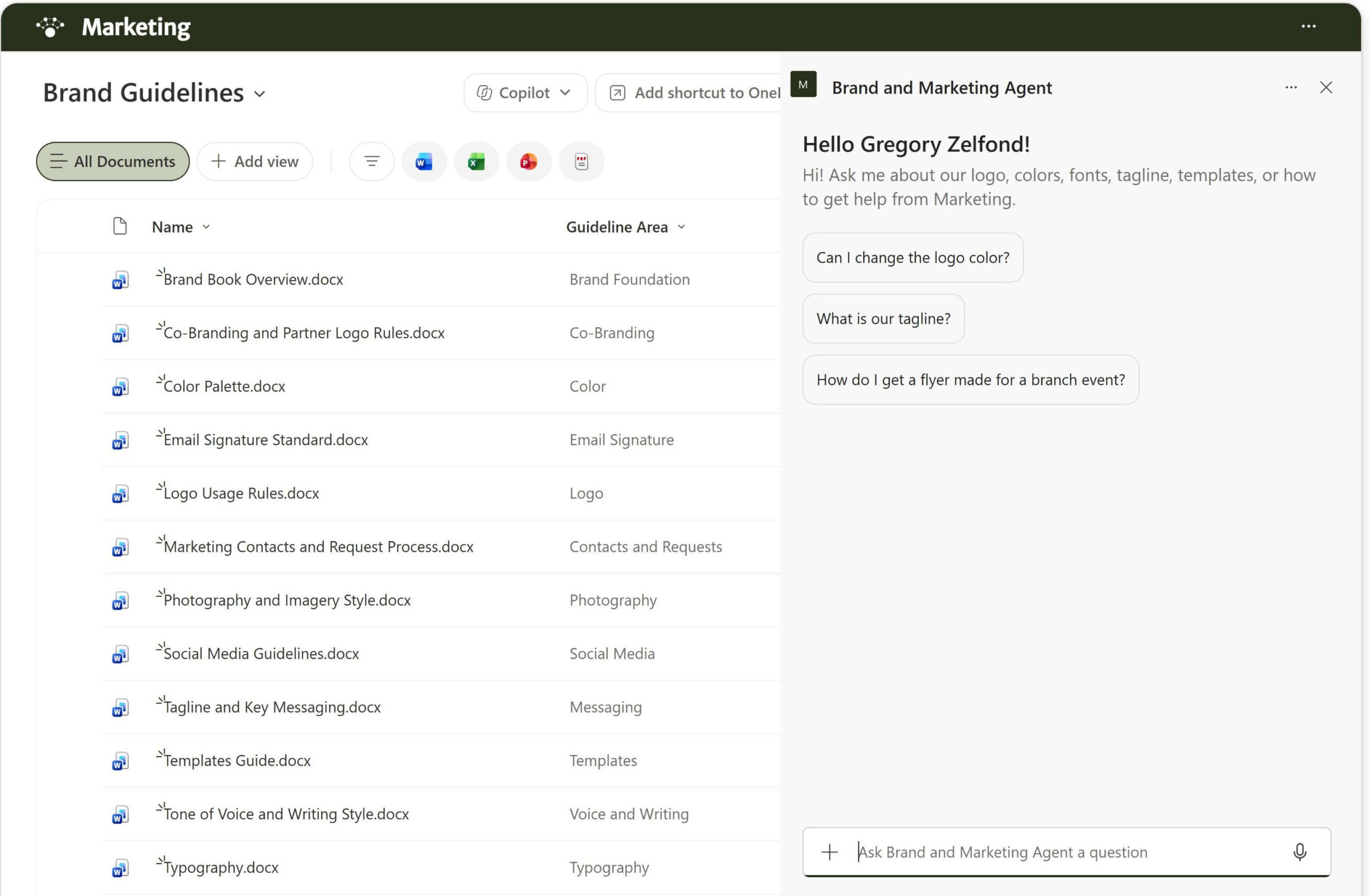
- Guideline documents: The brand book, logo usage, color palette, typography, tone of voice, tagline and messaging, photography, social media, email signatures, templates, co-branding, and Marketing contacts
- Tagged documents: Library columns for guideline area, brand version, and last reviewed date, so every document is tagged and easy to keep current
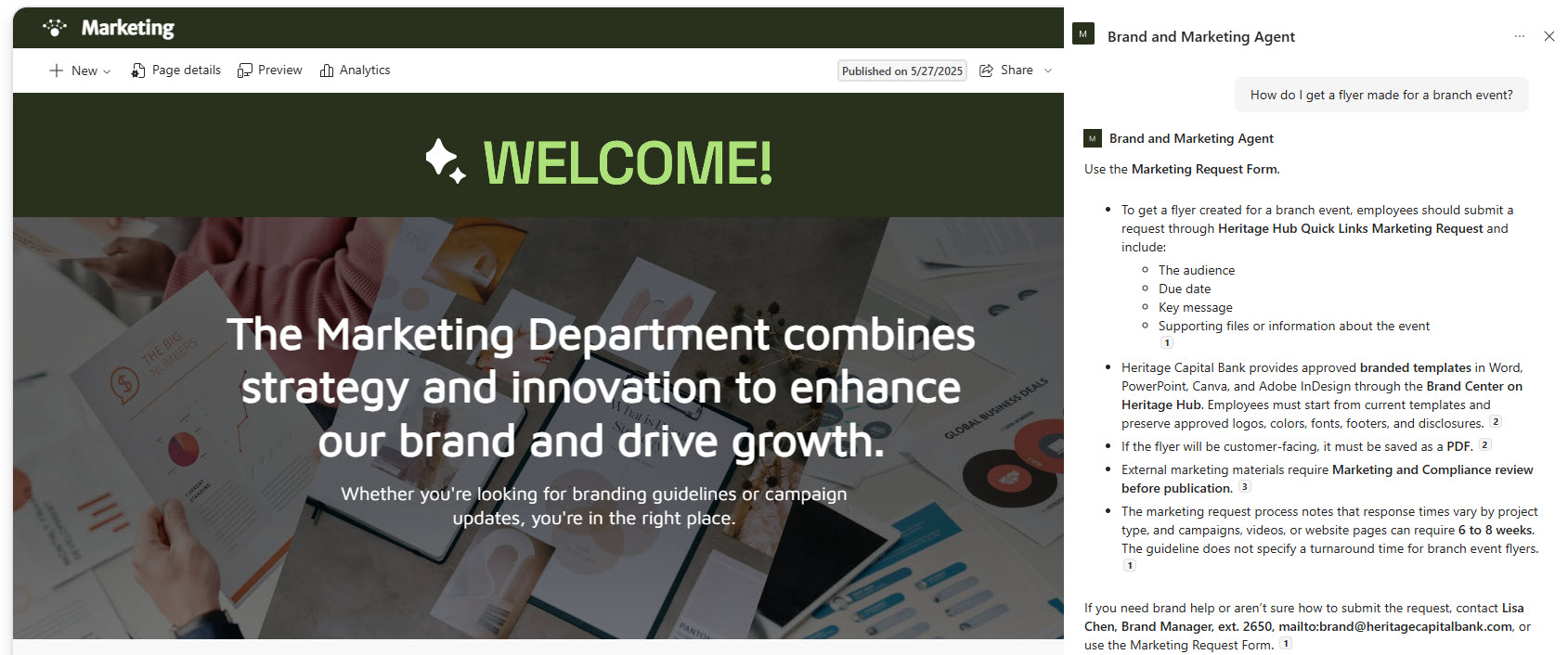
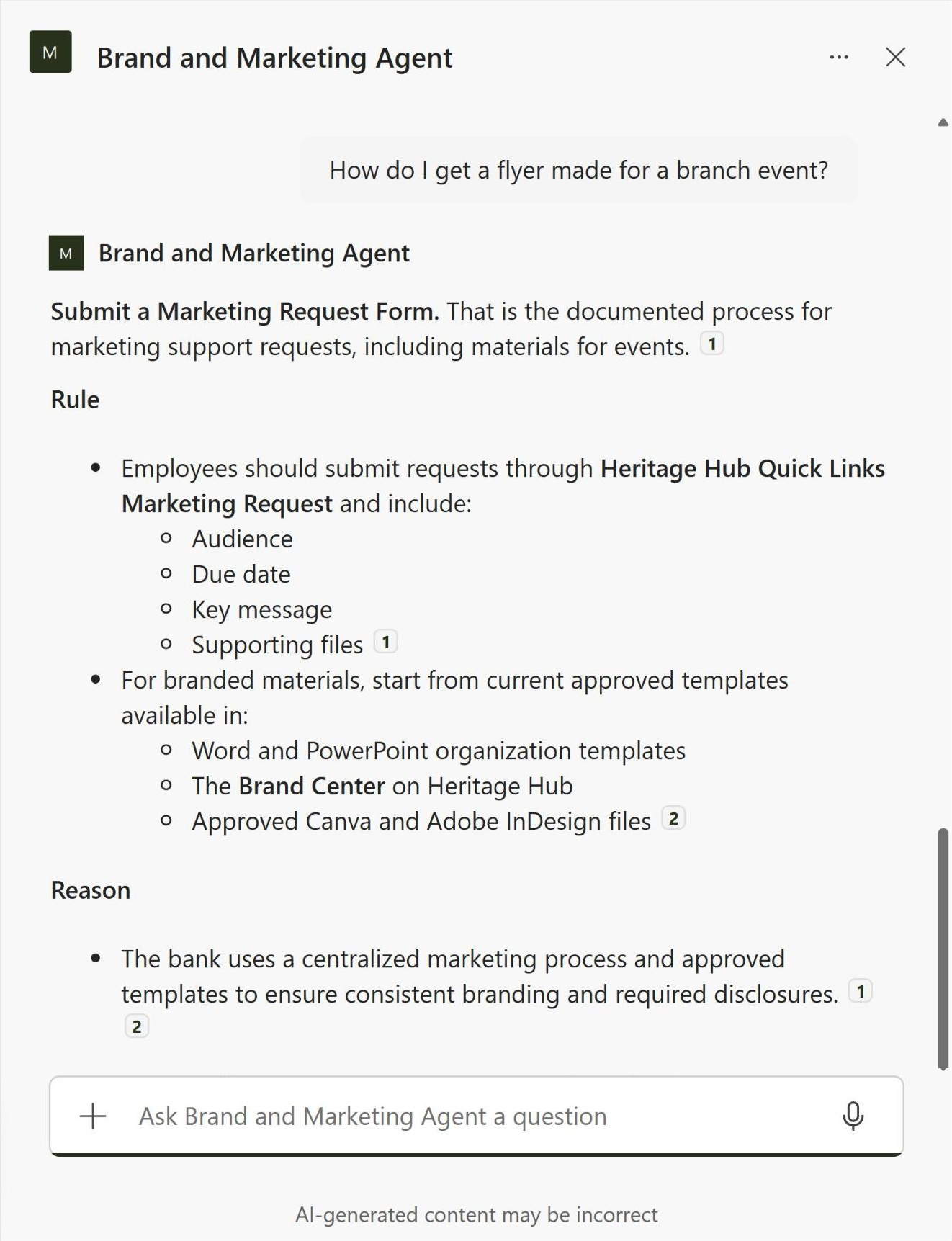
- Starter prompts: A welcome message and three starter prompts for changing the logo color, the official tagline, and getting a flyer made for a branch event
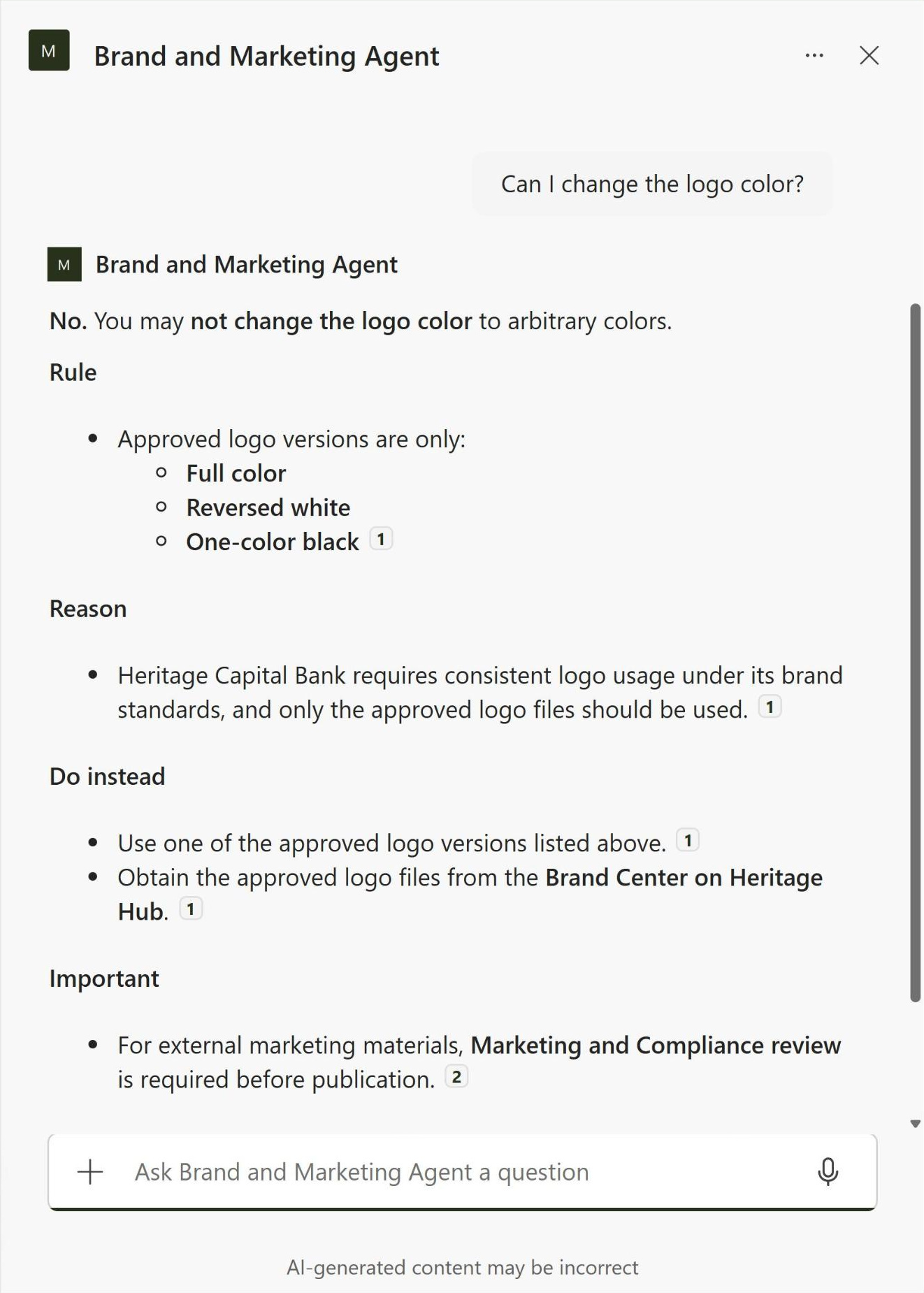
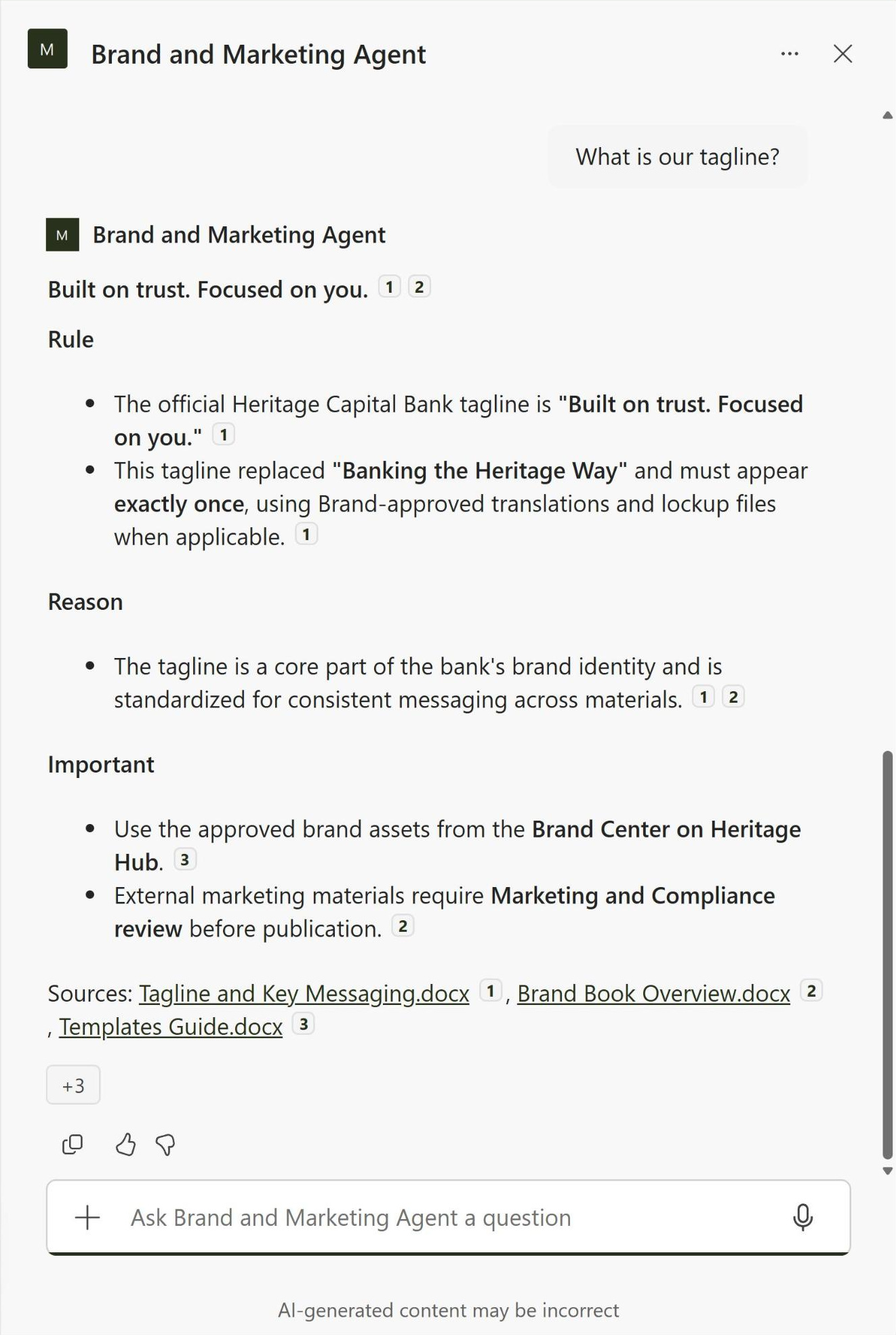
- Custom instructions: Answers that lead with a direct yes, no, or exact value, quote HEX, RGB, and Pantone codes word for word, and cite the guideline used
- Helpful redirects: When something is not allowed, the agent says what to do instead and where to get approved files
- SharePoint chat pane: Opens in the SharePoint chat pane on any page or library of the Marketing site
Benefits
- Fewer brand mistakes: people get the rule before they change a logo color or invent a tagline
- Fewer questions for Marketing: employees and agencies answer brand questions themselves instead of emailing the brand team
- Exact values every time: color codes, fonts, sizes, and turnaround times come back exactly as written
- Clear next steps: off-brand requests are redirected to approved templates and the marketing request process
- Trustworthy answers: every response cites the guideline it came from, so people can open the source and check
- Current guidelines only: retired versions stay out of the library, so the agent never quotes an old tagline
- Easy upkeep: updating a guideline document updates the agent’s answers with no changes to the agent itself
Common Questions About This Brand and Marketing Agent
What is this Brand and Marketing Agent built with?
It is built with Copilot in SharePoint and grounded in one SharePoint Brand Guidelines library, where each guideline document is tagged with a guideline area, brand version, and last reviewed date. The agent has a welcome message, three starter prompts, and custom instructions. There is no custom code and no third-party tools – the kind of clean, maintainable Copilot agent Greg Zelfond builds for marketing and communications teams.
What’s included in the Brand and Marketing Agent?
The example includes a Brand Guidelines library for a bank’s Marketing team, from logo usage, colors, and typography to tone of voice, social media, email signatures, templates, and co-branding, plus a Marketing contacts and request process guide. The agent answers questions like whether the logo color can change, what the tagline is, and how to get a flyer made for an event, with every answer cited.
Why point the agent at a brand guidelines library instead of the whole Marketing site?
A Marketing site usually holds campaign files, old flyers, presentations, and drafts that do not always follow the current brand rules. Scoping the agent to the Brand Guidelines library keeps its answers limited to approved, current guidelines, so it never repeats an outdated tagline or an off-brand example. When the brand team updates a guideline, the agent picks up the change automatically.
Does this design use any custom code or third-party tools?
No. The library and the agent are created entirely with out-of-the-box SharePoint and Copilot in SharePoint – no Copilot Studio development, no custom code, and no add-ons. That keeps it stable, secure, and easy to maintain, and nothing breaks when Microsoft releases updates. Out-of-the-box is the only way Greg builds.
Can this agent be customized for our organization?
Absolutely. The guideline documents, library columns, agent name, welcome message, starter prompts, and instructions are all tailored to your organization, whether you manage a single brand, several sub-brands, or co-branding with partners. Greg structures the library and writes the agent instructions so employees and agencies get answers that match how your brand and marketing teams actually work.
Can Greg build this Brand and Marketing Agent for our organization?
Yes – this is exactly the kind of work Greg Zelfond does. As an independent SharePoint consultant and Microsoft MVP, he designs and builds out-of-the-box Copilot agents like this one, including the Brand Guidelines library and its metadata, permissions, the agent instructions and starter prompts, and the rollout to your Marketing site and teams. Reach out through the contact page to get started.