RAID (Log)

Overview
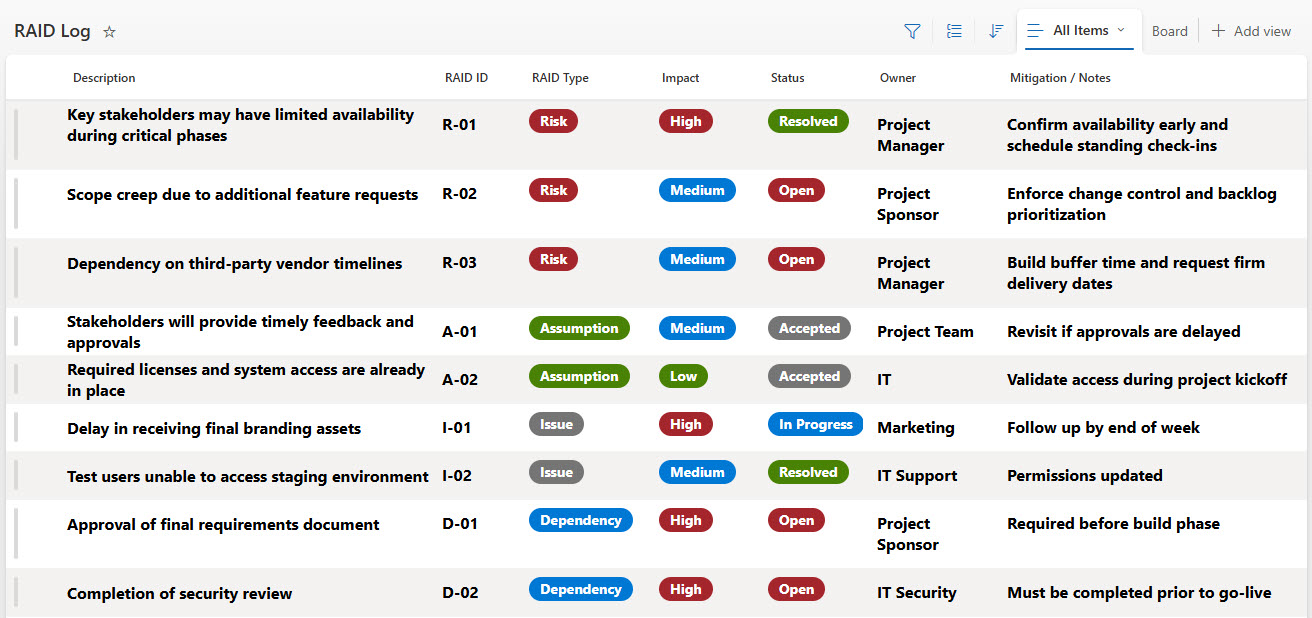
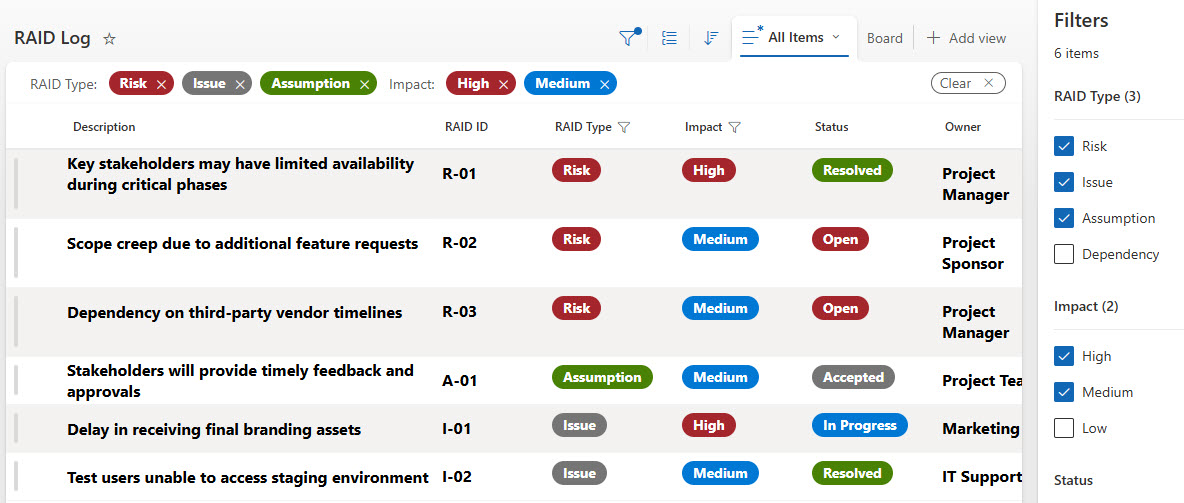
- Built in Microsoft Lists: group, filter, and sort risks, assumptions, issues, and decisions instantly
- Everything in one place: the RAID Log consolidates key project elements (risks, assumptions, issues, and decisions) into one structured list
- Proactive project teams: risks are monitored early and active issues are tracked through every project phase
- Accountability on every entry: each item includes owner, status, priority, due dates, and impact for clarity
- Keyword search built in: quickly find items without scrolling through spreadsheets
- Full auditability: version history tracks and records every update
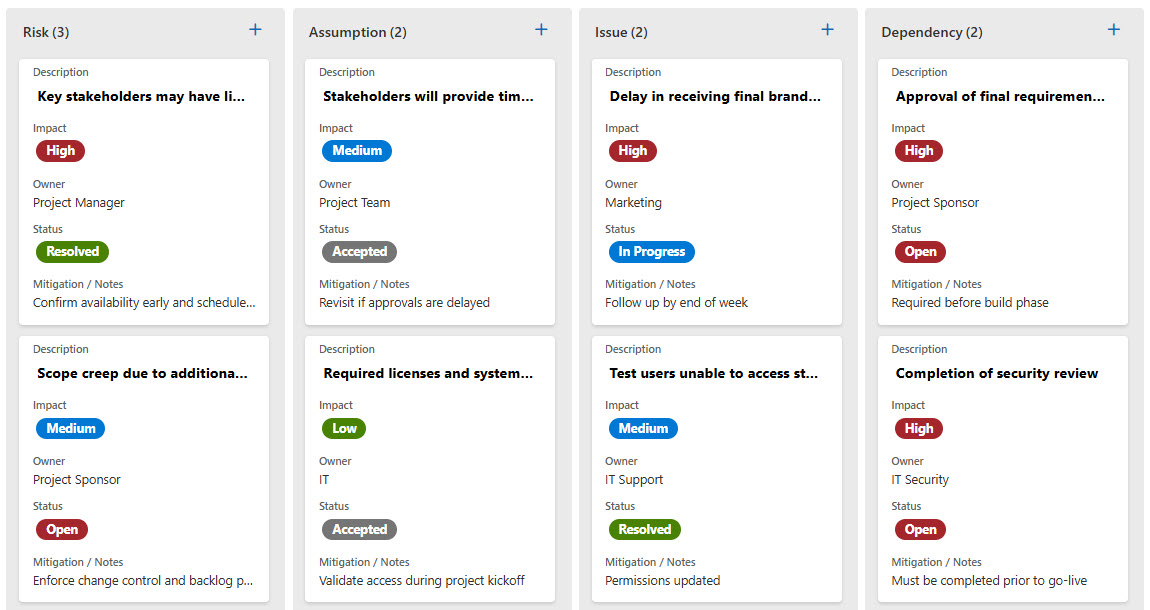
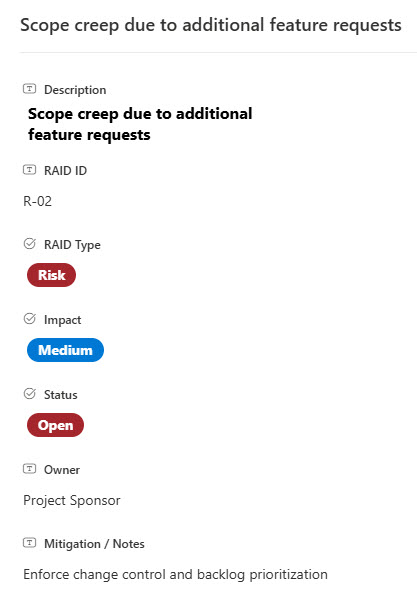
- Multiple views: the same log can be shown as a standard grid or a Kanban-style board, with a simple entry form for new items
Benefits
- Single Source of Truth: Everything is centralized, reducing scattered documents, emails, and spreadsheets
- Clear Project Visibility: Stakeholders can easily see project health, priorities, and potential blockers
- Accountability Built In: Each RAID item has clear ownership and deadlines
- Flexible Views: Create executive views or team dashboards using grouping, filters, and sorting
- Faster Insights: Quickly locate historical risks, issues, or decisions with search and metadata
- Strong Governance: SharePoint security + version history ensures accuracy, control, and compliance
Common Questions About This RAID Log
What is this RAID Log built with?
The RAID Log is built entirely with Microsoft Lists, part of Microsoft 365. It uses standard list capabilities – grouping, filtering, sorting, keyword search, and version history – with no custom code and no third-party tools. It is the kind of clean, maintainable project tracker Greg Zelfond builds for project managers and teams who want one structured place for risks, assumptions, issues, and decisions.
What’s included in the RAID Log?
The log captures four types of project entries – risks, assumptions, issues, and decisions – each with owner, status, priority, due dates, and impact fields. It includes a grid view for working with the full list, filtering to slice the log by any field, a Kanban-style board view, and a simple entry form for adding new items. Keyword search and version history round out the design.
Does this design use any custom code or third-party tools?
No. Everything in this RAID Log uses standard Microsoft Lists functionality available in Microsoft 365. That matters because out-of-the-box solutions are stable, secure, and easy to maintain – nothing breaks when Microsoft rolls out updates, and there are no third-party licenses to manage. Out-of-the-box is the only way Greg builds.
Can this RAID Log be customized for our projects?
Absolutely. The columns, categories, views, and formatting can all be tailored to your project methodology – whether you track additional fields like severity or mitigation plans, group entries by project phase, or build executive views for leadership. Greg adapts the log to the way your team actually manages projects, so it reflects your real process rather than a generic template.
Can we create different views of the RAID Log for different audiences?
Yes. Microsoft Lists supports multiple saved views of the same data, so the one log can serve everyone. An executive view might group items by priority and hide the detail columns, while a team dashboard filters to open issues with the nearest due dates. Grouping, filtering, sorting, and conditional formatting all work out of the box – no extra tools required.
Can Greg build this RAID Log for our organization?
Yes – this is exactly the kind of work Greg Zelfond does. As an independent SharePoint and Microsoft 365 consultant and Microsoft MVP, he designs and builds out-of-the-box project trackers like this one, tailored to your projects, teams, and governance needs. If you want a RAID Log your team will actually keep up to date, reach out through the contact page to get started.