Employee Suggestion (Form)


Overview
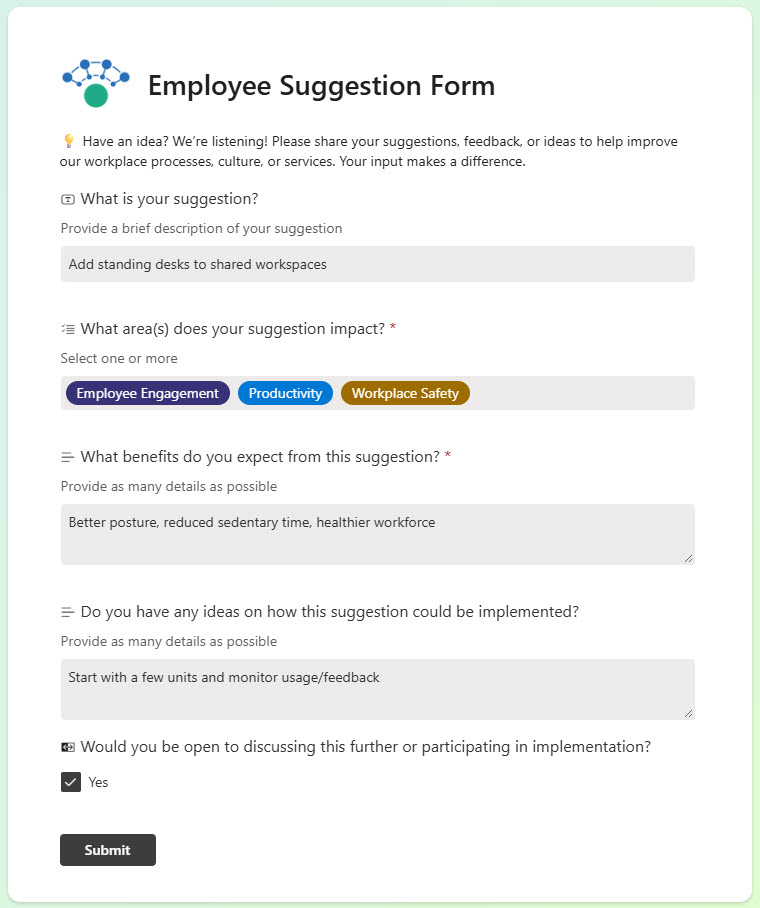
- Simple Web Interface: Easy-to-use, web-based form for submitting employee suggestions
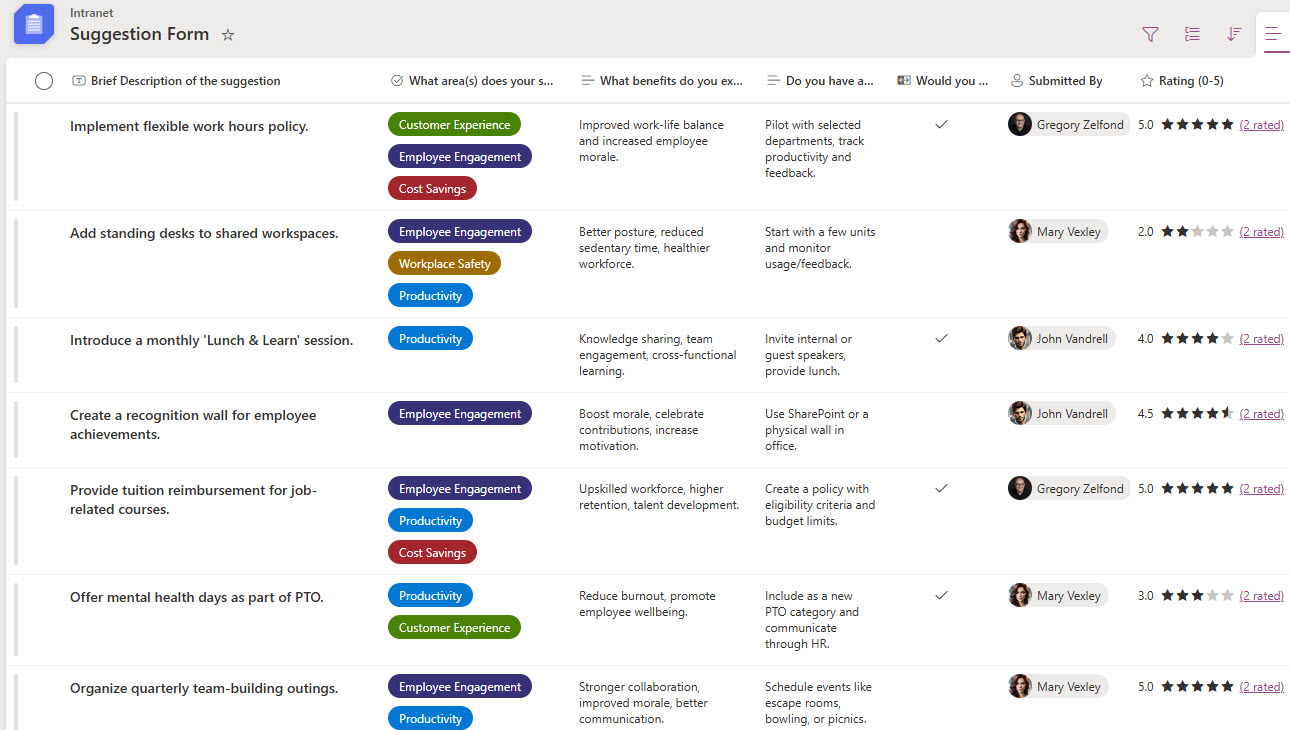
- Automatic List Integration: Submissions are instantly captured in a connected SharePoint list
- Employee Ratings: Users can view and rate suggestions submitted by peers
- Custom Fields Support: Add tailored fields for better tracking and data collection
- Customizable Design: Personalize the form with images, branding, and layout options
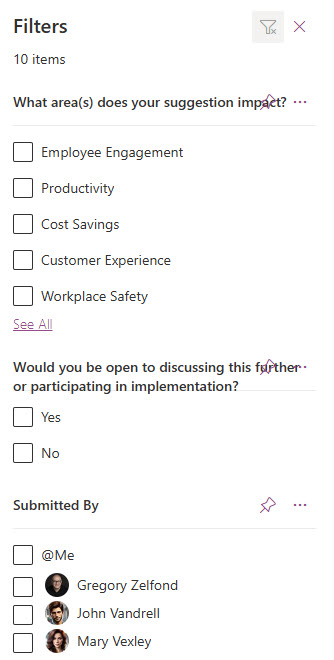
- Filtering and Comments: suggestions can be filtered in the list view and discussed through comments while editing
Benefits
- Encourages Employee Engagement: Provides a simple way for staff to share ideas and contribute to improvement
- Streamlined Submission Process: Easy-to-use interface ensures quick and accessible input from any device
- Centralized Data Collection: All responses are automatically stored in a connected SharePoint list for easy tracking
- Customizable for Your Needs: Add fields or logic to tailor the form to your organization’s goals
- Real-Time Collaboration: Share results or top-rated suggestions across teams to promote transparency
- No-Code Implementation: Built entirely with out-of-the-box Microsoft 365 tools – no custom development needed
Common Questions About This Employee Suggestion Form
What is this Employee Suggestion Form built with?
The form is built with Microsoft Forms connected to a SharePoint list in Microsoft Lists, using standard capabilities – a simple web-based form, automatic list integration, custom fields, and a customizable design with images and branding. There is no custom code and no third-party form software involved. It is the kind of clean, maintainable form Greg Zelfond builds for HR teams inside Microsoft 365.
What’s included in the Employee Suggestion Form?
The design includes an easy-to-use web form for submitting suggestions, automatic capture of every submission in a connected SharePoint list, and support for custom fields for better tracking and data collection. In the list, suggestions can be filtered, edited, and discussed through comments, and employees can view and rate ideas submitted by their peers – so the best suggestions rise to the top.
Does this design use any custom code or third-party tools?
No. Everything in this design uses standard Microsoft Forms and Microsoft Lists functionality available in Microsoft 365. That matters because out-of-the-box solutions are stable, secure, and easy to maintain – nothing breaks when Microsoft rolls out updates, and there are no third-party licenses to manage. Out-of-the-box is the only way Greg builds.
Can this form be customized for our organization?
Absolutely. The questions, custom fields, and visual design – including your own images, branding, and layout – can all be tailored to the ideas you want to collect. Greg adapts the form and the connected list to your improvement process, whether that means department categories, safety suggestions, cost-saving ideas, or a simple open suggestion box.
What happens after an employee submits a suggestion?
Every submission is instantly captured in the connected SharePoint list – no manual data entry required. From there, HR or the review team can filter the list, open and edit individual suggestions, and discuss ideas through comments. Employees can also view and rate suggestions from their peers, which keeps the process transparent and helps popular ideas get noticed.
Can Greg build this form for our organization?
Yes – this is exactly the kind of work Greg Zelfond does. As an independent SharePoint and Microsoft 365 consultant and Microsoft MVP, he designs and builds out-of-the-box forms like this one, tailored to your HR processes and workplace culture. If you want a suggestion box your employees will actually use, reach out through the contact page to get started.