Legal Contract Submission Form



Overview
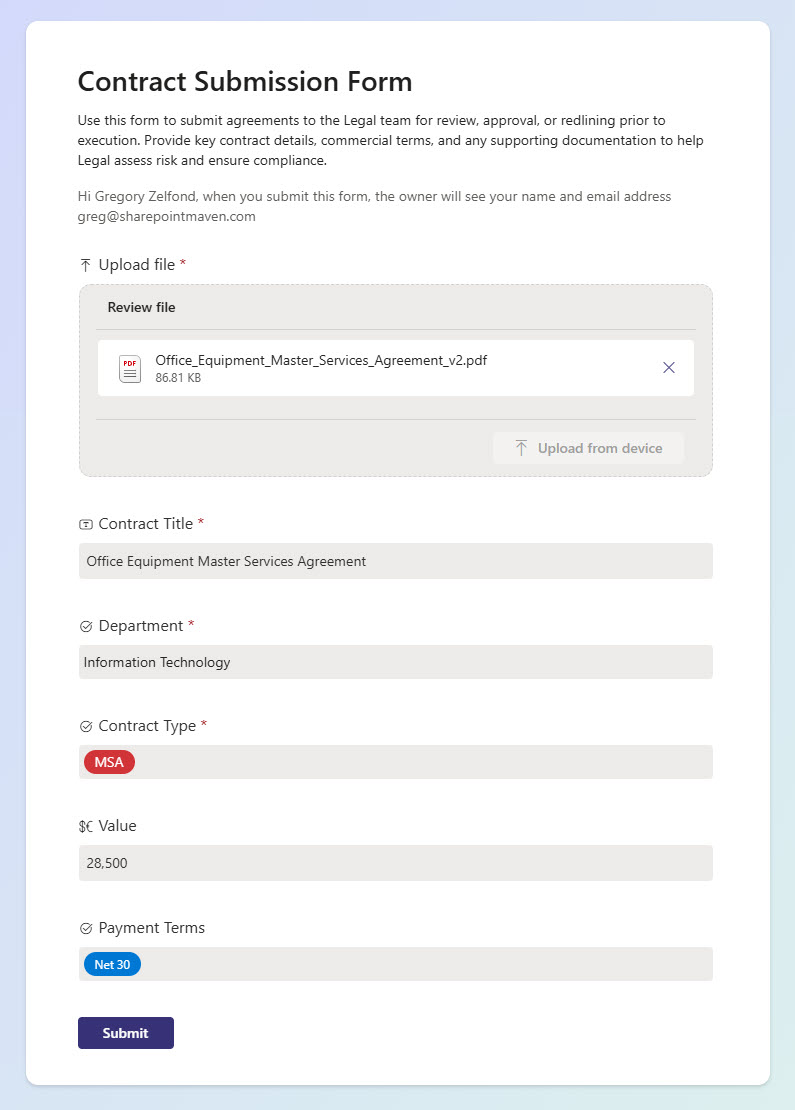
- Centralized legal intake: one or multiple forms for submitting SOWs, MSAs, NDAs, and other legal documents
- Flexible form structure: support for multiple form types tailored to different contract scenarios
- Branching logic: dynamically skip or display questions based on user responses
- Business metadata capture: collect payment terms, department, contract value, and key details
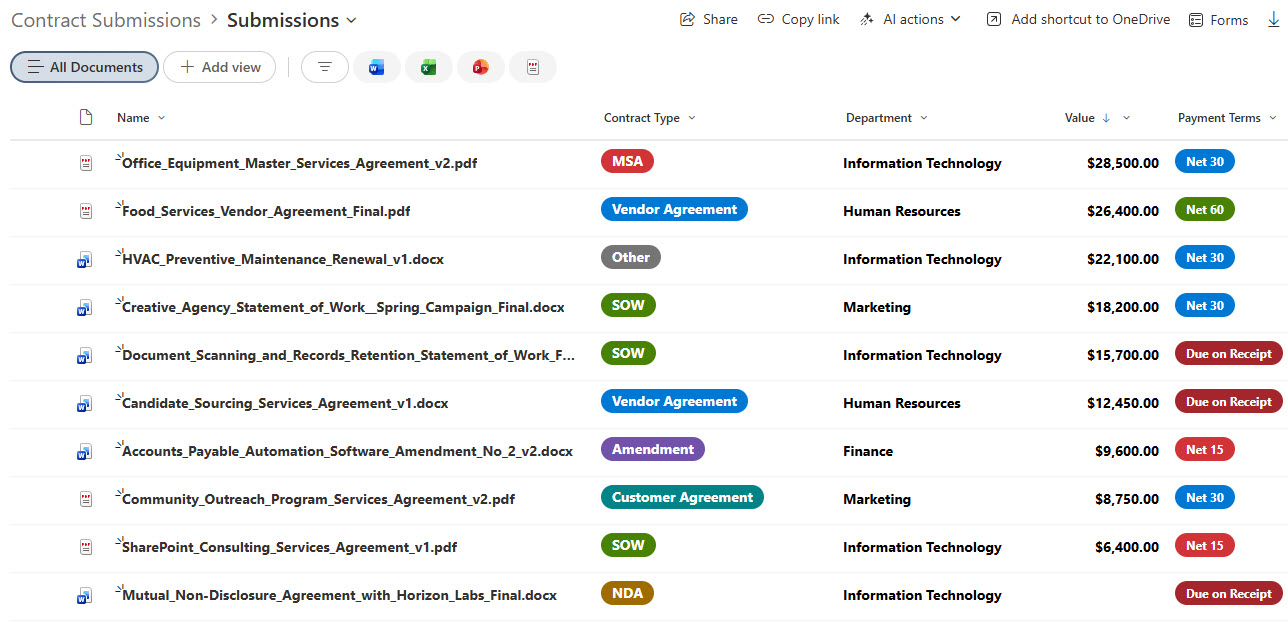
- Automatic library population: submitted files are stored in a central document library
- Metadata-driven organization: documents are tagged on upload for easier sorting and review
Benefits
- Faster intake process: reduces back-and-forth with guided, dynamic form experiences
- Improved user experience: branching logic keeps forms relevant and easy to complete
- Greater flexibility: multiple forms support different legal workflows and use cases
- Better data quality: ensures accurate and complete information based on responses
- Easier prioritization: metadata helps Legal quickly assess urgency and value
Common Questions About This Legal Contract Submission Form
What is this Legal Contract Submission Form built with?
It is built with Microsoft Forms for the intake experience and a SharePoint document library for storage, with metadata applied to every submission. There is no custom code and there are no third-party tools. It is the kind of clean, maintainable document management Greg Zelfond builds for legal teams and the departments that support them.
What’s included in the Legal Contract Submission Form?
The solution includes one or more Microsoft Forms tailored to different contract scenarios – SOWs, MSAs, and NDAs – with branching logic that shows or hides questions based on earlier answers. Submitted files flow into a central SharePoint document library where each one is tagged with business metadata such as payment terms, department, and contract value for sorting and review.
Does this design use any custom code or third-party tools?
No. Everything is out-of-the-box Microsoft 365 – Microsoft Forms, the SharePoint document library, and metadata columns are all standard capabilities included with your subscription. That keeps the solution stable, secure, and easy to maintain, and nothing breaks when Microsoft updates the platform. Out-of-the-box is the only way Greg builds, which matters even more for legal intake.
Can this submission form be customized for our team?
Absolutely. The form questions, the number and type of forms, the branching logic, and the metadata captured on each submission are all tailored to the contracts your team actually handles and the details Legal needs to prioritize them. Greg adapts the design for in-house legal departments, law firms, and any team that needs structured contract intake.
How does the submission form move documents into the library?
Each request starts in a Microsoft Form, where branching logic guides the submitter to only the relevant questions and document uploads. When the form is submitted, the file and its answers land in the SharePoint document library and are tagged with the captured metadata automatically. Legal then works from one organized, filterable library instead of chasing email attachments and shared drives.
Can Greg build this submission form for our organization?
Yes – this is exactly the kind of work Greg Zelfond does. As an independent SharePoint and Microsoft 365 consultant and Microsoft MVP, he builds document and knowledge management solutions like this one, including the forms, library structure, and metadata that make them work. Reach out through the contact page to get started.