Policies Library


Overview
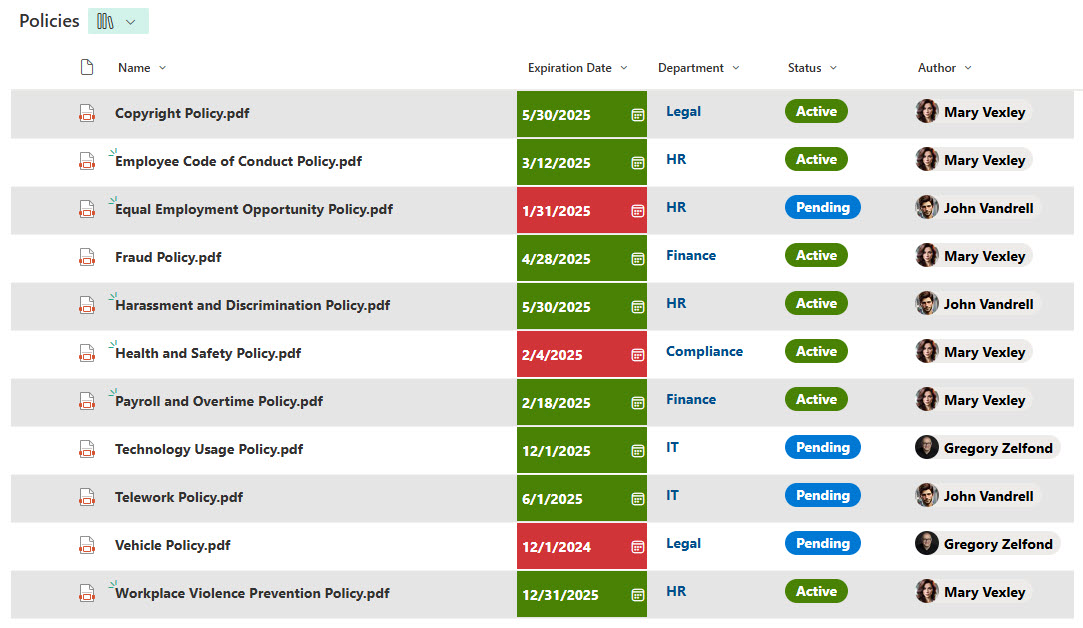
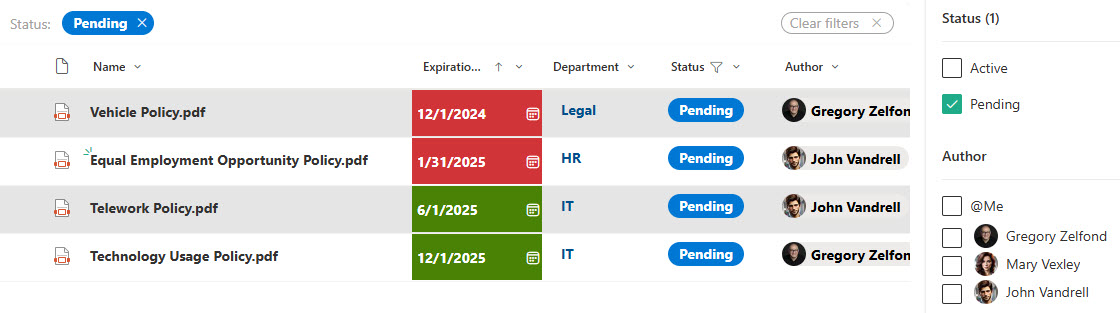
- Custom metadata columns enable tracking of key details such as Owner, Author, Status, and Expiration Date for better organization
- Advanced filtering & sorting allow users to efficiently organize policies based on different criteria
- Built-in Expiry Date Reminders & Approvals ensure timely updates and compliance
- Powerful Search & Metadata Filtering enables employees to quickly locate policies using keywords or metadata tags
- Version control & change tracking maintain a complete history of edits and updates, ensuring employees always access the latest approved version
Benefits
- Improves document organization and searchability, allowing users to quickly filter policies by type, department, or status
- Ensures consistent access to the latest versions, with version control and a single source of truth for all policy documents
- Supports compliance and audit readiness by making it easy to track when policies were updated and by whom
- Reduces time spent looking for documents, thanks to custom metadata tags and structured views
- Enables automated reminders for policy review or expiration dates, helping ensure policies stay current and compliant
- Supports approval workflows, so policy changes can be reviewed, approved, and published with proper oversight
Common Questions About This Policies Library
What is this Policies Library built with?
The library is built with a standard SharePoint document library and custom metadata columns – Owner, Author, Status, and Expiration Date – that organize every policy. There is no custom code and there are no third-party tools. It is the kind of clean, maintainable document management Greg Zelfond builds for HR, compliance, and operations teams that need a single source of truth.
What’s included in the Policies Library?
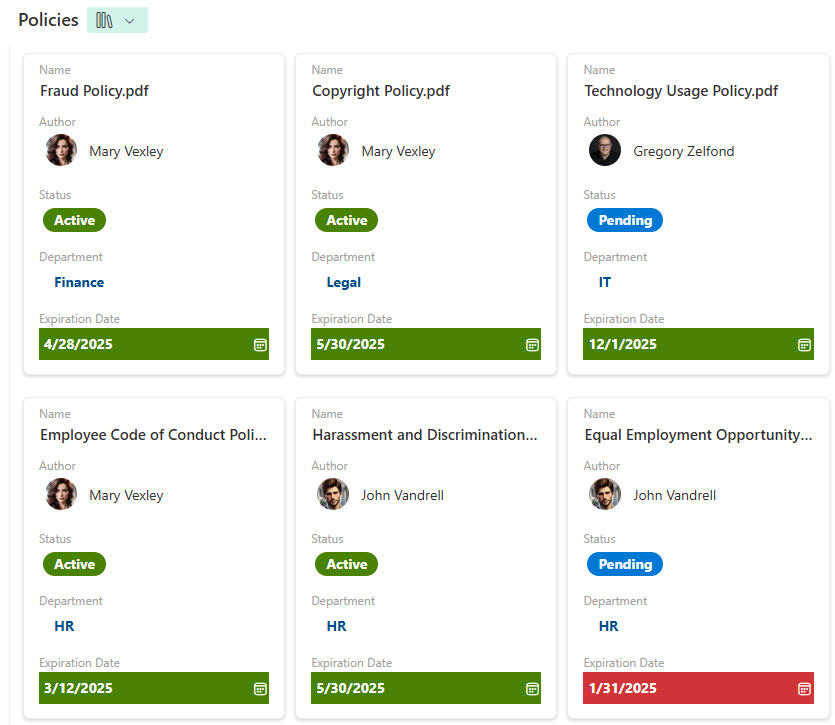
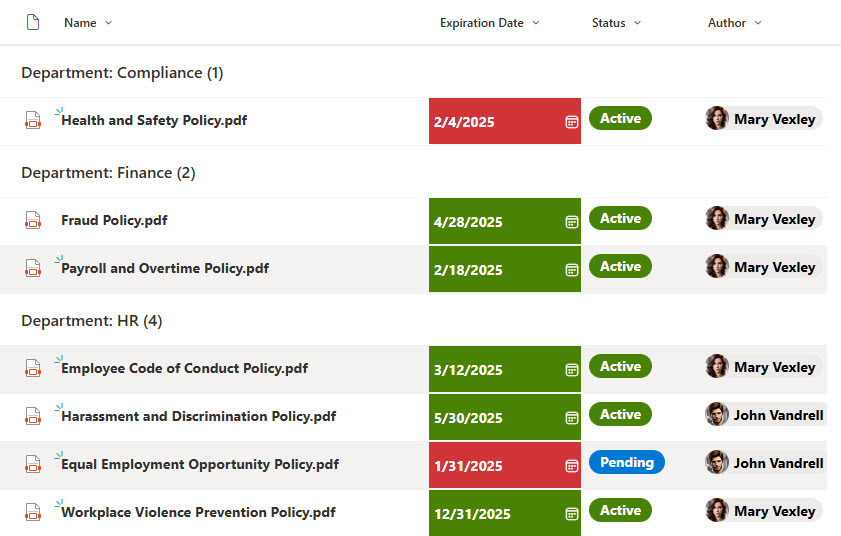
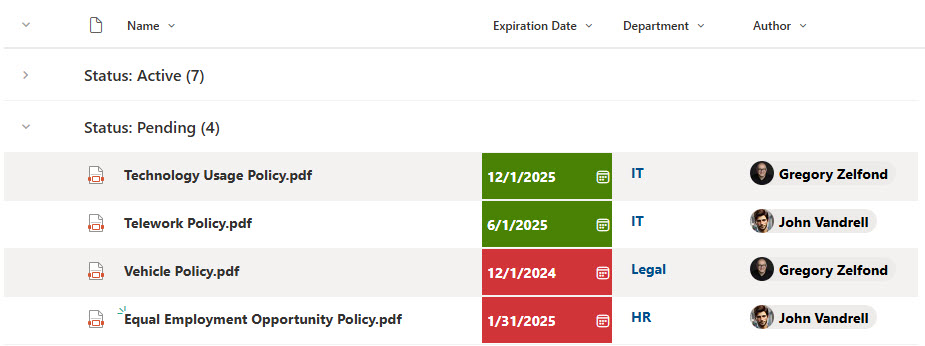
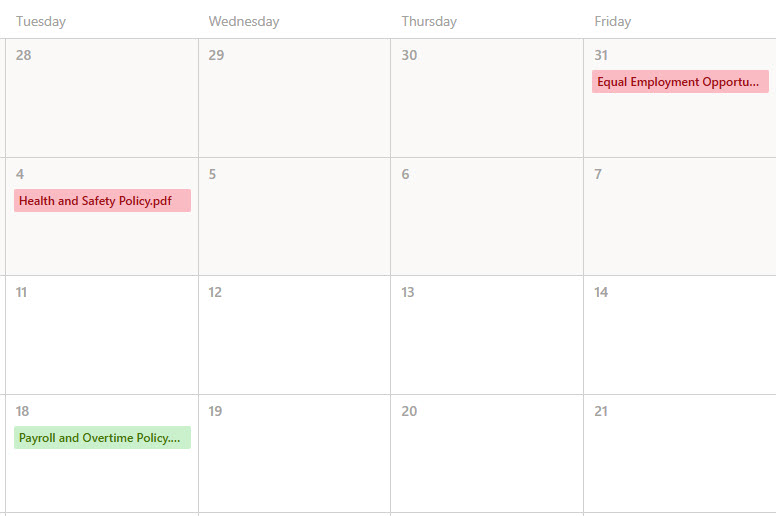
Each policy carries metadata such as Owner, Author, Status, and Expiration Date, with views that group by department or by status, a gallery view, a calendar view, and powerful filtering and keyword search. Version control keeps a complete history of edits, expiry-date reminders prompt timely reviews, and approvals ensure changes are reviewed before they publish.
Does this design use any custom code or third-party tools?
No. Everything is out-of-the-box SharePoint – the document library, metadata columns, views, versioning, reminders, and approvals are all standard Microsoft 365 capabilities. That keeps the library stable, secure, and easy to maintain, and nothing breaks when Microsoft updates SharePoint. Out-of-the-box is the only way Greg builds, which matters when employees rely on always finding the current policy.
Can this library be customized for our organization?
Absolutely. The metadata is where the tailoring happens – policy types, departments, statuses, owners, and review or expiration dates all get aligned to the way your organization governs policy. Greg adapts the structure, views, and reminders so the library matches how your HR, compliance, and operations teams actually create, approve, and retire policies.
How does version control keep policies current?
Every edit is captured in SharePoint version history, so the library always shows the latest approved policy while older versions stay available for audit. Status metadata and expiry-date reminders flag policies that need review, and approvals route changes for sign-off before they go live. Together they give employees one trustworthy version and give compliance teams a clear paper trail.
Can Greg build this library for our organization?
Yes – this is exactly the kind of work Greg Zelfond does. As an independent SharePoint and Microsoft 365 consultant and Microsoft MVP, he designs and builds document and knowledge management solutions like this one, including the metadata, views, and approvals that keep policies organized and compliant. Reach out through the contact page to get started.