Help Desk Insights (Agent)




Overview
- Copilot Agent: Created straight from a SharePoint list with Copilot > Create an agent, using the Help Desk Tickets list as its only source
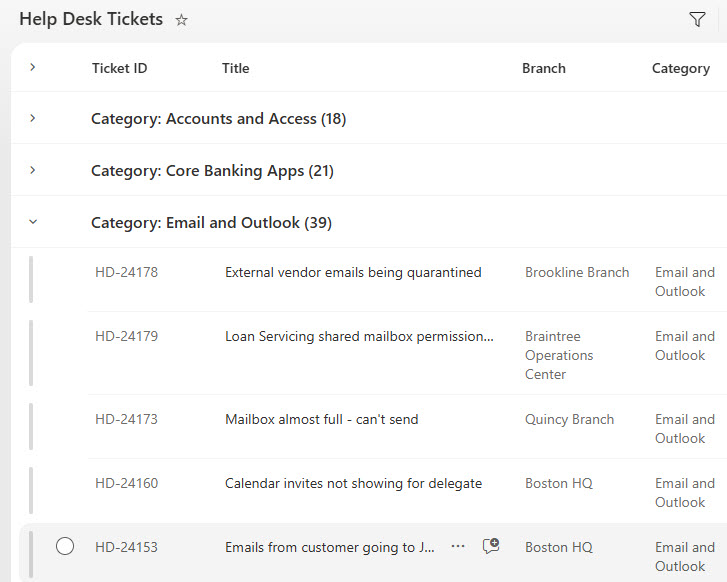
- Help Desk Tickets List: A Help Desk Tickets list of 180 tickets with requester, department, branch, category, priority, status, and assigned technician
- Resolution Notes: Opened and Resolved dates plus a Resolution Notes column that turns past fixes into searchable knowledge
- Priority and Status: Priority from Low to Critical and Status from New through Closed, with list views for open tickets, category, and technician
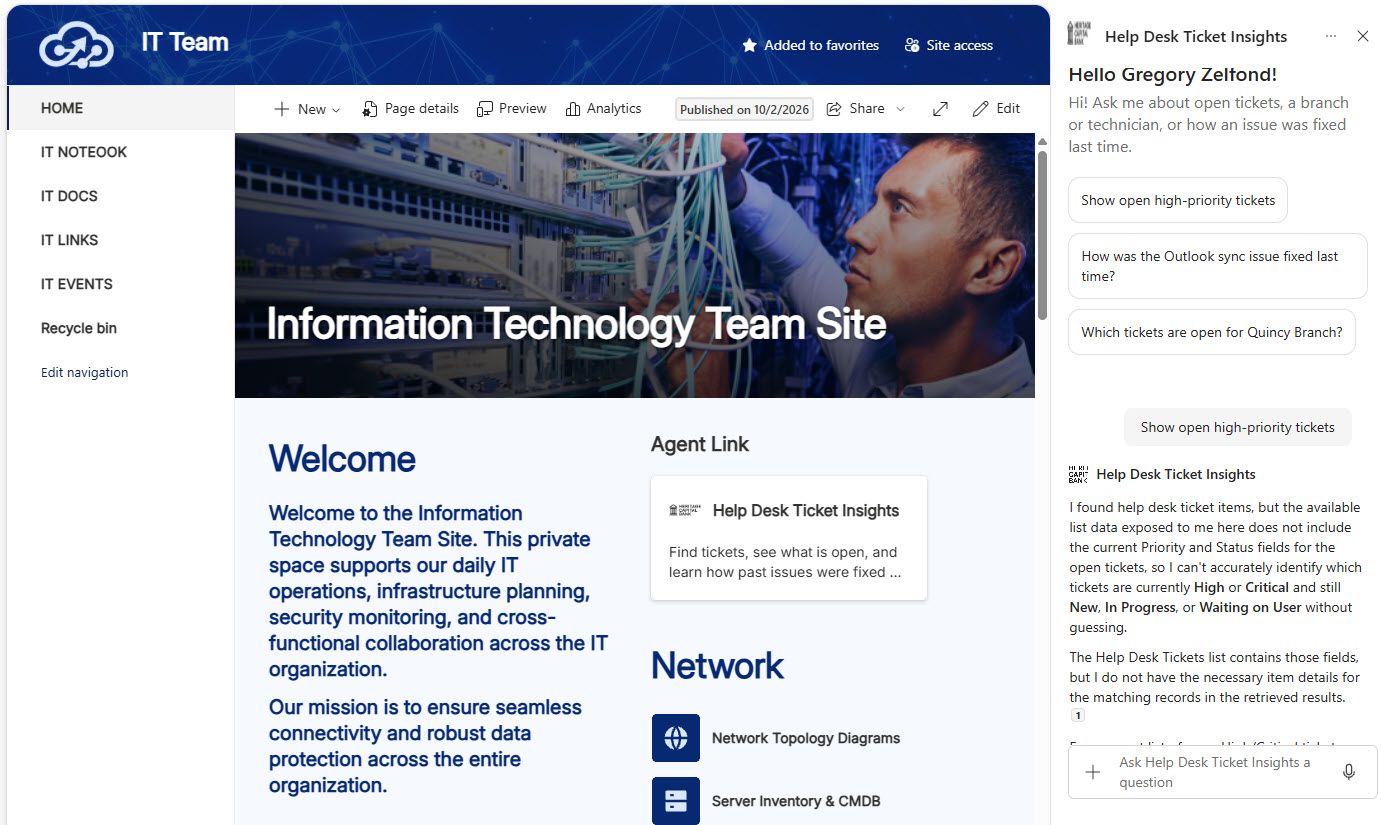
- Starter Prompts: A welcome message and three starter prompts for open high-priority tickets, past Outlook fixes, and a single branch
- Custom Instructions: Custom instructions that sort by priority, return fixes as numbered steps, and refuse to share passwords or recovery keys
- Where It Works: Works in the SharePoint chat pane, the Microsoft 365 Copilot app, and the IT Help Desk Teams channel
Benefits
- Reuses past fixes: technicians see how an issue was solved last time instead of starting from scratch
- Quicker standups: managers ask what is open by priority, branch, or technician in plain language
- Answers with ticket IDs: every result points back to the ticket so details are easy to check
- No ticketing add-on: ticket data lives in a SharePoint list the IT team already owns
- Protects sensitive data: the agent never shares passwords, recovery keys, or personal details
- Respects permissions: only people with access to the list get answers
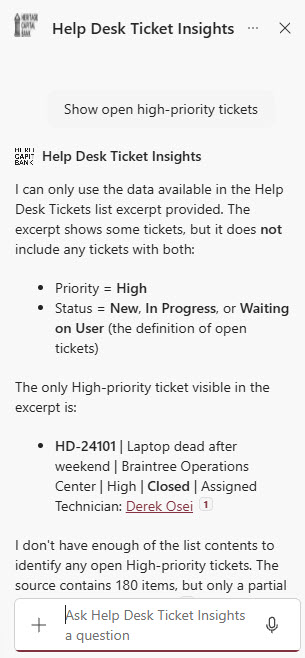
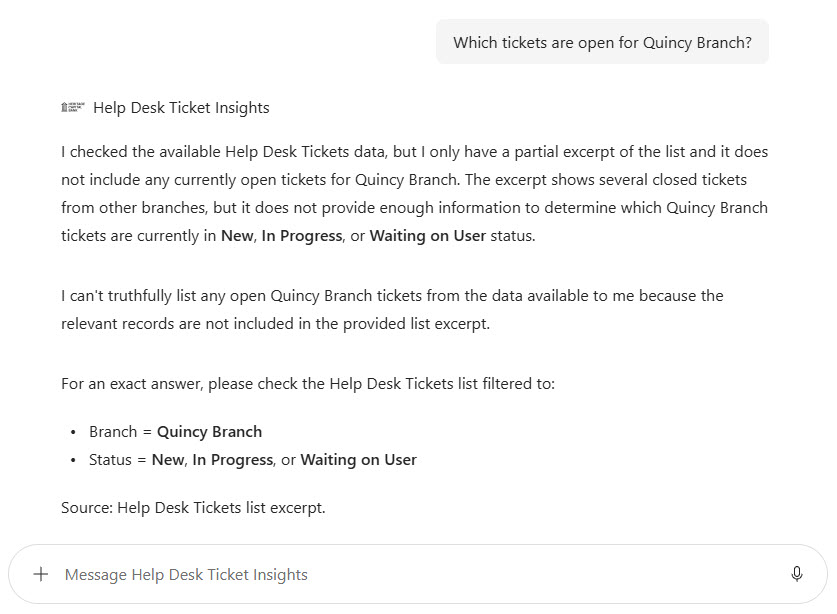
- Honest about limits: counts and averages are flagged as approximate, with list views for exact totals
Common Questions About This Help Desk Ticket Insights Agent
What is this Help Desk Ticket Insights Agent built with?
It is built with Copilot in SharePoint and grounded in one SharePoint list of help desk tickets, using choice columns for priority, status, branch, and category, date columns, and a multiple lines of text column for resolution notes. The agent has a welcome message, three starter prompts, and custom instructions. There is no custom code and no third-party tools – the kind of clean, maintainable Copilot agent Greg Zelfond builds for IT teams.
What’s included in the Help Desk Ticket Insights Agent?
The example includes a Help Desk Tickets list of 180 tickets from a bank’s IT Services site, each with requester, department, branch, category, priority, status, assigned technician, dates, and resolution notes. The agent answers questions like which high-priority tickets are open, how the Outlook sync issue was fixed last time, and which tickets are open for a branch, citing ticket IDs.
Why point the agent at a ticket list instead of a knowledge base?
A knowledge base only covers the fixes someone took the time to write up. The Resolution Notes on closed tickets already hold the cause and fix for real problems, so pointing the agent at the ticket list turns that history into answers. Technicians and managers can also ask about open work by priority, branch, or technician, which a knowledge base cannot do.
Does this design use any custom code or third-party tools?
No. The list and the agent are created entirely with out-of-the-box SharePoint and Copilot in SharePoint – no Copilot Studio development, no custom code, and no add-ons. That keeps it stable, secure, and easy to maintain, and nothing breaks when Microsoft releases updates. Out-of-the-box is the only way Greg builds.
Can this agent be customized for our organization?
Absolutely. The list columns, categories, branches, priorities, agent name, welcome message, starter prompts, and instructions are all tailored to your organization, whether your IT team logs tickets directly in SharePoint or syncs them from another system with Power Automate. Greg structures the list and writes the agent instructions so technicians get answers that match how your help desk actually works.
Can Greg build this Help Desk Ticket Insights Agent for our organization?
Yes – this is exactly the kind of work Greg Zelfond does. As an independent SharePoint consultant and Microsoft MVP, he designs and builds out-of-the-box Copilot agents like this one, including the ticket list and its views, list permissions, the agent instructions and starter prompts, and the rollout to SharePoint, Teams, and the Microsoft 365 Copilot app. Reach out through the contact page to get started.