Fleet Vehicles (Tracker)
Cost: $1,800, including configuration of all metadata columns, views and formatting, plus meetings and training.


Overview
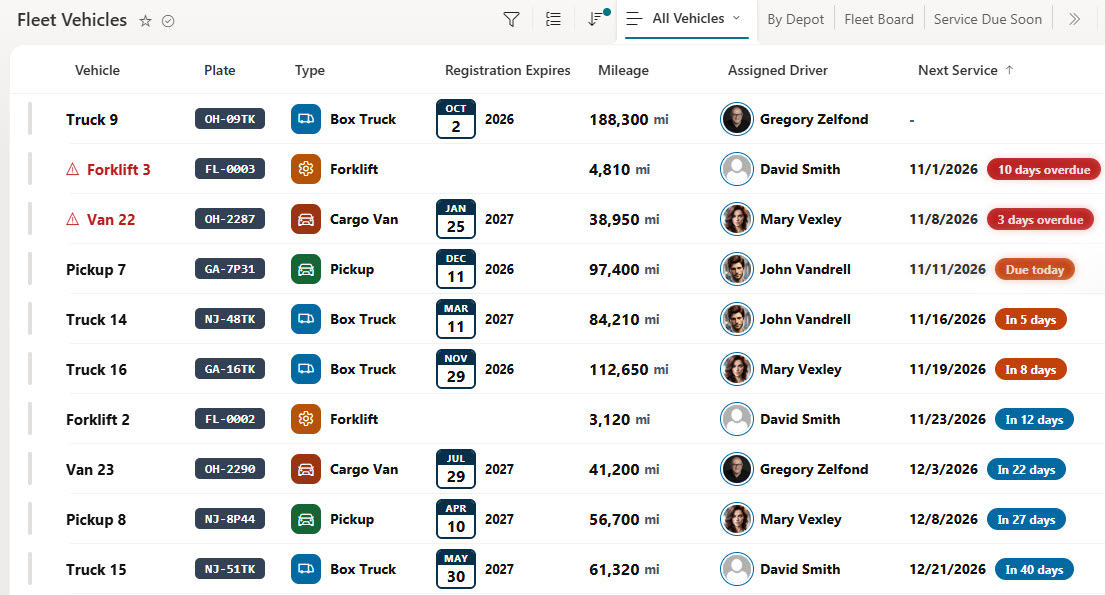
- List Columns: Vehicle, plate, vehicle type, assigned driver, mileage, next service date, registration expiry, status, and depot
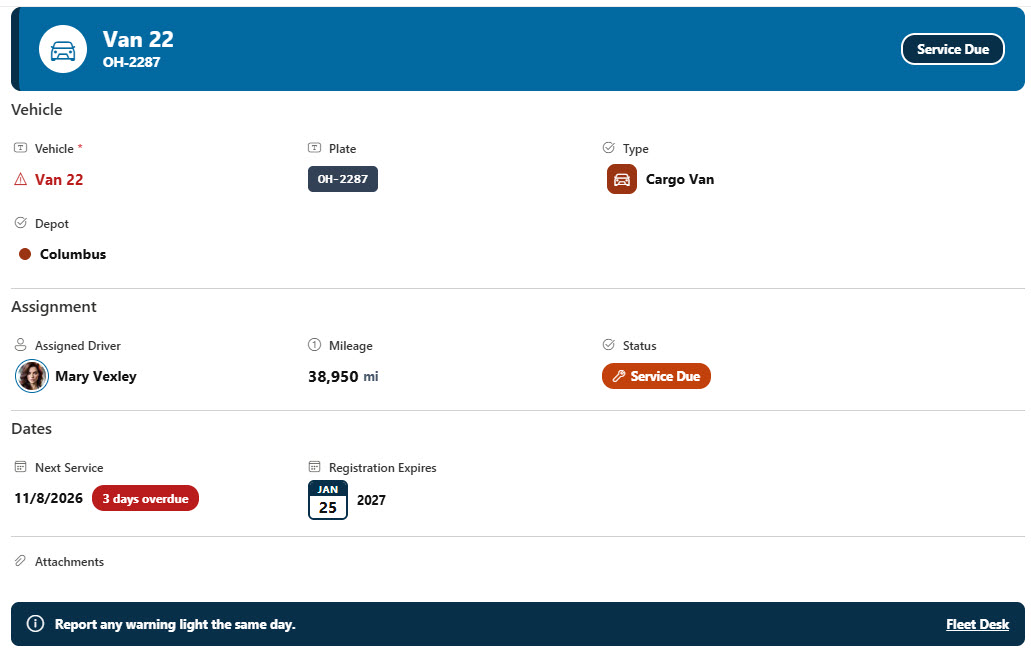
- Type Tiles and Plate Badges: A colored tile with an icon for each vehicle type and a dark plate badge for the license plate
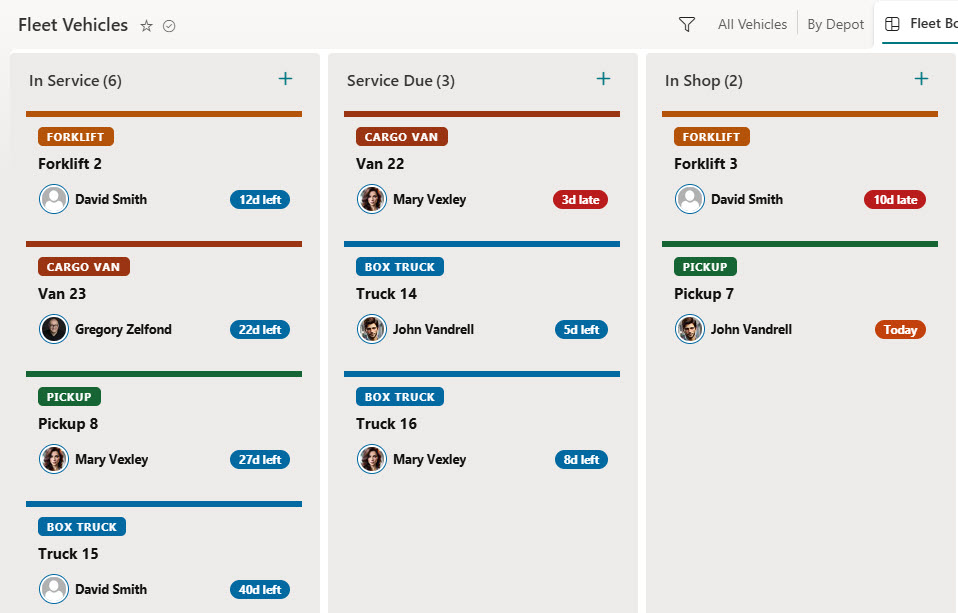
- Service Countdowns: A next service countdown that turns orange when service is close and red when it is overdue, with an overdue warning on the vehicle name
- Color Coding: A calendar tile for registration expiry, driver photos, and solid status pills for in service, service due, in shop, and retired vehicles
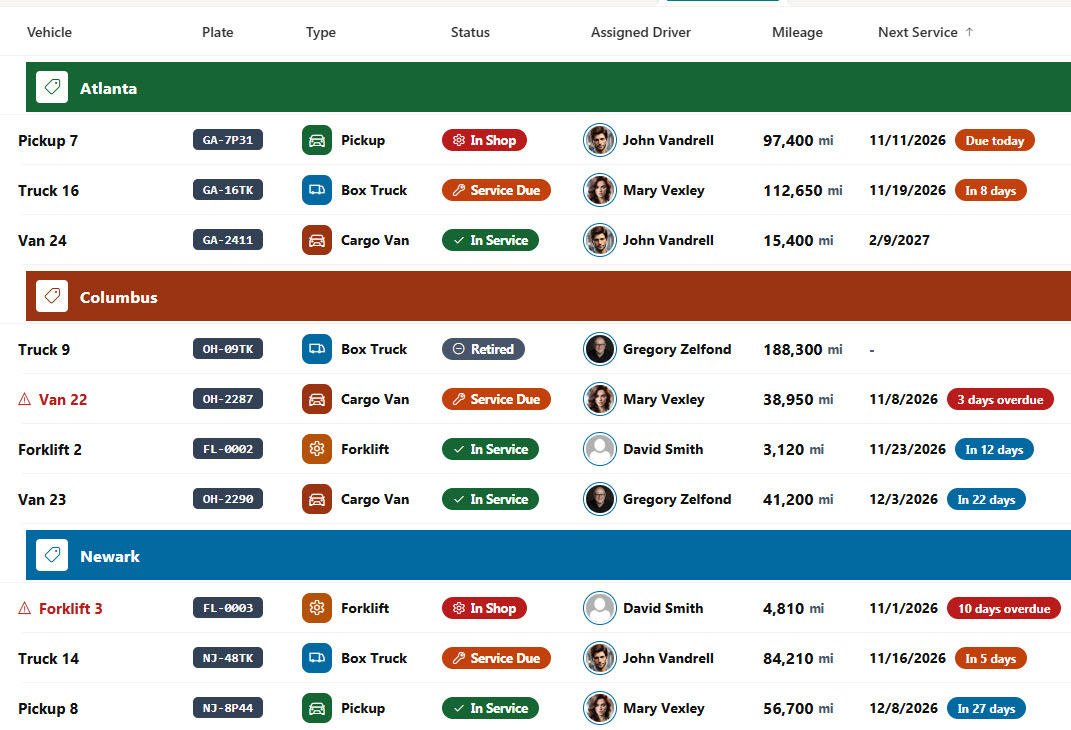
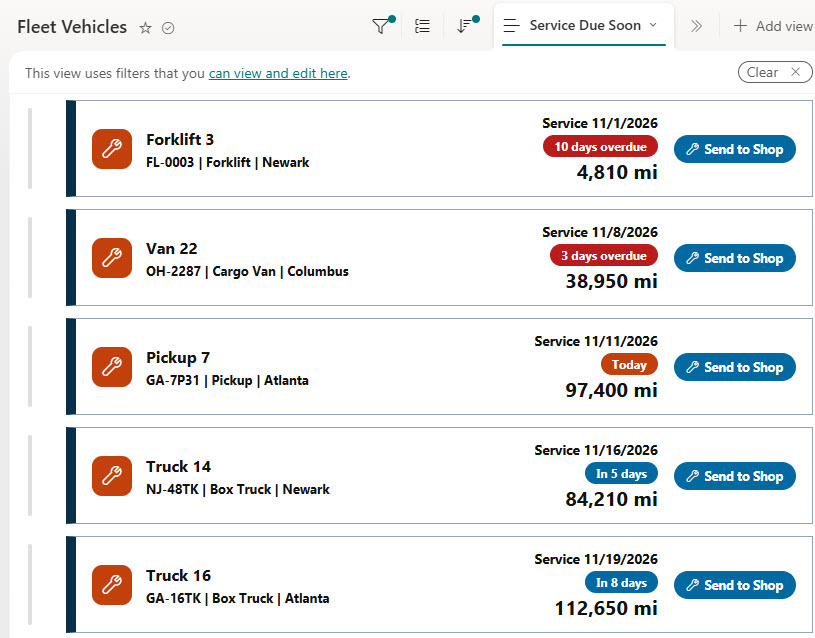
- Action Views: A By Depot view with colored depot bands and a vehicle count, plus a Service Due Soon view of card rows with a Send to Shop button
- Board View: A fleet board with a card for each vehicle in its status column, showing the type, driver, and days left until service
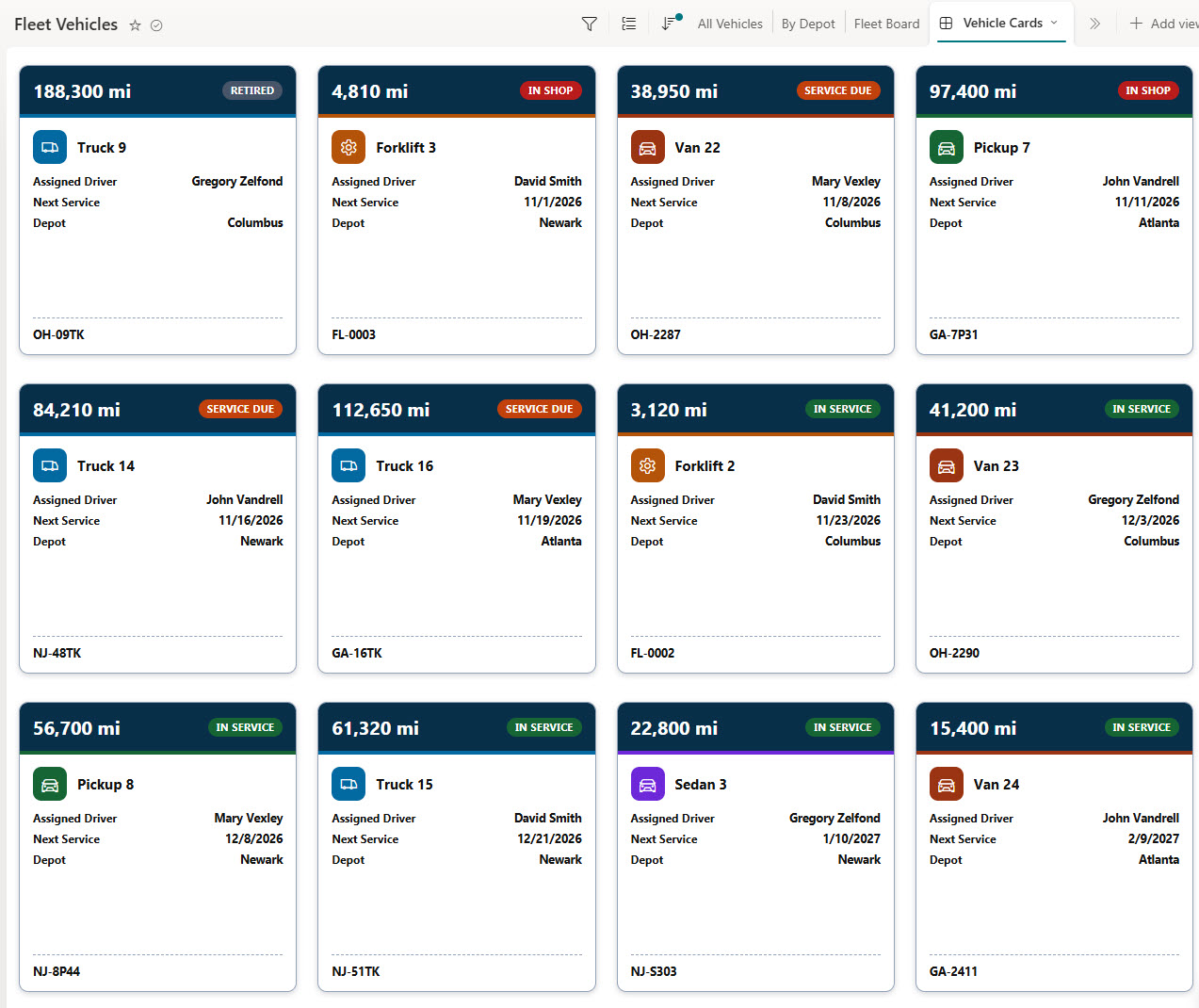
- Gallery and Form: A gallery of vehicle cards with mileage, status, driver, next service, and depot, plus a formatted form with Vehicle, Assignment, and Dates sections
Benefits
- Service Planning: See every vehicle that needs service in the next two weeks
- One-Click Updates: Send a vehicle to the shop with one click
- Clear Assignments: Know who is driving each vehicle and where it is based
- Registration Reminders: Keep registrations from lapsing
- Mileage Tracking: Track mileage across the whole fleet
- Drag-and-Drop Board: Move vehicles between statuses on a drag-and-drop board
List Columns
- Vehicle (Single line of text) - the vehicle name or unit number
- Plate (Single line of text) - the license plate, shown as a dark plate badge
- Type (Choice) - Box Truck, Cargo Van, Pickup, Sedan, or Forklift
- Assigned Driver (Person or Group) - the driver the vehicle is assigned to
- Mileage (Number) - the current odometer reading
- Next Service (Date and Time) - when the next service is due, shown as a countdown
- Registration Expires (Date and Time) - when the registration runs out, shown as a calendar tile
- Status (Choice) - In Service, Service Due, In Shop, or Retired
- Depot (Choice) - the depot or yard the vehicle is based at
Common Questions About This Fleet Vehicles Tracker
What is this fleet vehicles tracker built with?
It is built entirely with out-of-the-box Microsoft Lists in SharePoint: a list with typed columns, list, grouped, board, and gallery views, built-in column and view formatting for the vehicle type tiles, plate badges, service countdowns, status pills, fleet board cards, and vehicle cards, and a formatted form with a header, sections, and a footer. There is no custom code and no third-party tool, which is the kind of clean, maintainable solution Greg Zelfond builds for his clients.
What’s included in the fleet vehicles tracker?
The list stores each vehicle with its plate, type, assigned driver, mileage, next service date, registration expiry, status, and depot. Views show all vehicles, vehicles grouped by depot, vehicles due for service soon, a fleet board by status, and a gallery of vehicle cards.
How does the tracker flag vehicles that need service?
The next service countdown turns orange as the service date gets close and red once it passes, and the vehicle name gets a red warning icon. The Service Due Soon view lists those vehicles as cards with a Send to Shop button that updates the status in one click.
Does this design use any custom code or third-party tools?
No. The vehicle type tiles, plate badges, service countdowns, status pills, fleet board cards, and vehicle cards all use formatting features that ship with SharePoint and Microsoft Lists and are set in the list settings. Nothing is installed or deployed, so the tracker stays stable, secure, and easy to maintain as Microsoft updates the platform. Out-of-the-box is the only way Greg builds.
Can this tracker be customized for our organization?
Absolutely. The vehicle types, statuses, and depots can be changed to match your fleet. The colors can follow your brand, columns can be added or removed to match how your team works, and the views can be adjusted for each team that uses the tracker.
Can Greg build this tracker for our organization?
Yes - this is exactly the kind of work Greg Zelfond does. As an independent SharePoint consultant and Microsoft MVP, he designs and builds out-of-the-box Microsoft Lists like this one, with columns, views, formatting, and forms tailored to how your fleet and operations teams track vehicles, drivers, and service. Reach out through the contact page to talk about your project.
How much does it cost to build this tracker?
This tracker costs a flat $1,800. That includes configuration of all metadata columns, views and formatting, plus meetings and training.