Build Notes: Construction Company SharePoint
Posted on September 10, 2026
By Greg Zelfond, the SharePoint consultant behind LookBook 365.
When I grew up in the former Soviet Union in the 1980s, there was an amazing joke that is still my favorite to this day, as it still accurately portrays the current Russia:
During a summit, Brezhnev was amazed by a lavish dinner Nixon hosted for him.
“Richard, how did you afford this?” Brezhnev asked.
Nixon pointed out the window. “See that bridge? It was budgeted for a million dollars, but we built it for half. The remainder paid for dinner.”
A year later, Nixon visited Brezhnev, greeted by a feast twice as extravagant.
“Leonid, how did you pay for this?” Nixon gasped.
Brezhnev pointed out his window. “See that massive bridge across the river?”
Nixon squinted. “No… I don’t.”
Brezhnev smiled. “That’s our dinner!”
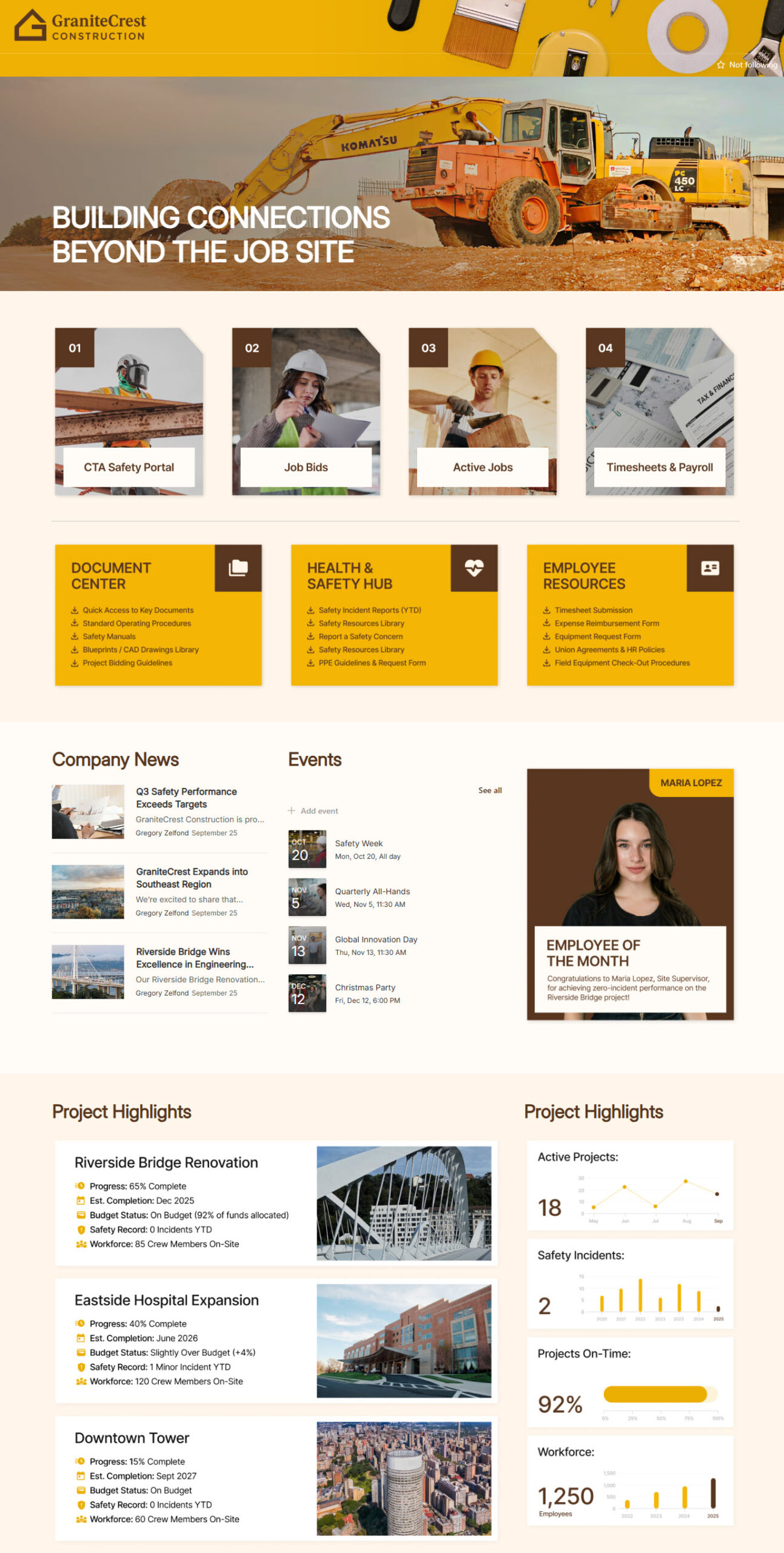
Architecture, engineering, and construction firms are one of my favorite verticals to build an Intranet for, and for a few reasons. First, you can drive past their work. There is something great about a client who can point at a bridge or a hospital wing and say, “We built that”. Second, they are sitting on beautiful photography (job site shots, excavators, drone photos), and that makes for a good-looking homepage. Third, they have a genuinely hard communication problem, because half of the company is at a desk and the other half is standing in the mud. In this edition of Build Notes, I want to walk through my decision-making on the design set I published on LookBook 365 as Construction Intranet, and explain why each piece of that homepage is there.
Build at a glance
- Scope of work: Intranet homepage, Field quick link tiles, Document center, Health and safety hub, Employee resources, Project highlight cards, Project KPI panel
- Build time: 6-8 weeks
- Custom code: None. Standard SharePoint only, no SPFx and no third-party tools.
- Also good for: Architecture and engineering firms, civil contractors, specialty trades and facilities services companies
Branded Header & Hero
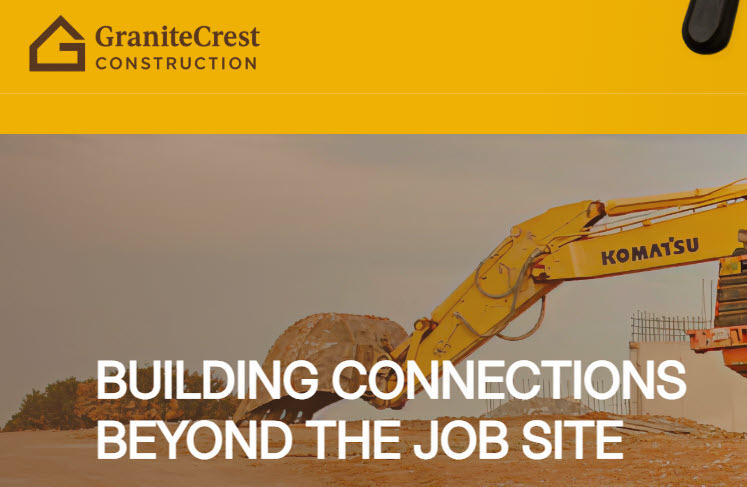
Construction firms put their logo on everything: hard hats, trucks, site fences, the sign at the gate. So a portal that looks like plain vanilla SharePoint is a hard sell to that crowd. I used the site header with the company logo and a background image, a custom theme in the company colors, custom fonts, and then a full-width hero image with the tagline sitting right underneath.
→ Learn More: Header
Frequent Links
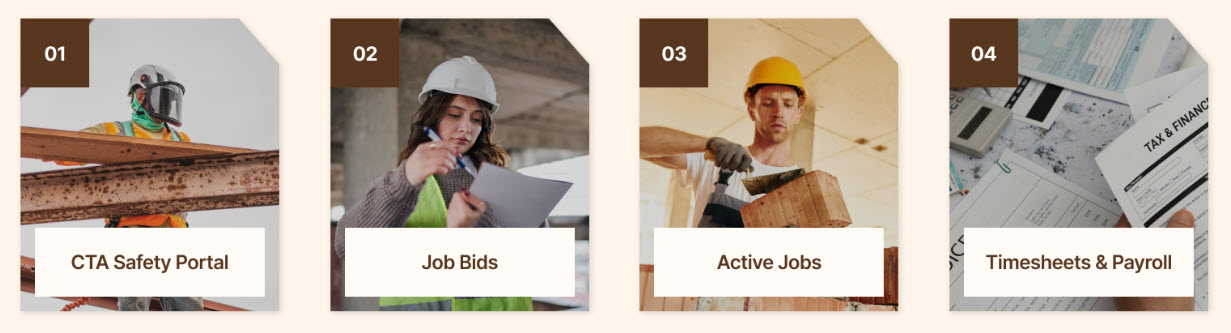
Field staff is not browsing. They open the Intranet on a phone, in a truck, wearing gloves, and they want 4 things: the safety portal, job bids, active jobs, and their timesheet. So the first thing under the hero is a row of 4 large linked tiles in a 4-column flexible section, each one an Image web part with a real photo behind it. Big targets and numbered 01 through 04, so nobody has to read anything to hit the right one.
→ Learn More: Image Web Part
Document Center, Safety & Employee Resources
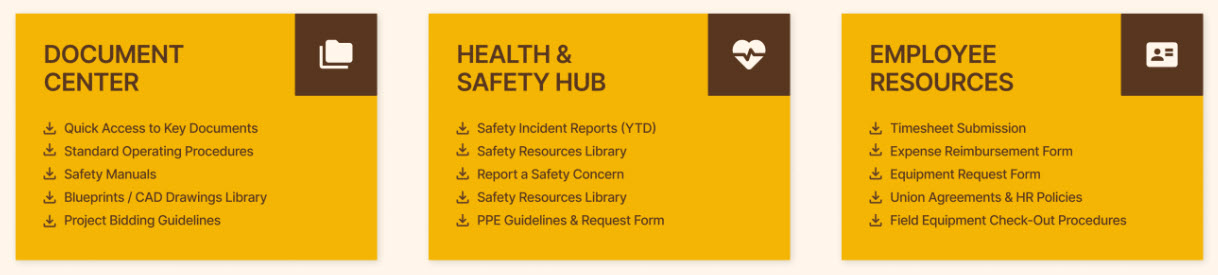
Every construction firm has the same 3 buckets of paperwork: drawings and project documents, safety, and HR/payroll. So instead of 1 long list of links, I grouped them into 3 Text web parts side by side (Document Center, Health & Safety Hub, Employee Resources), with the links spelled out under each heading. The grouping matters more than it sounds. Somebody looking for the PPE request form should never have to guess whether that lives under Safety or under HR.
→ Learn More: Text Web Part
Company News
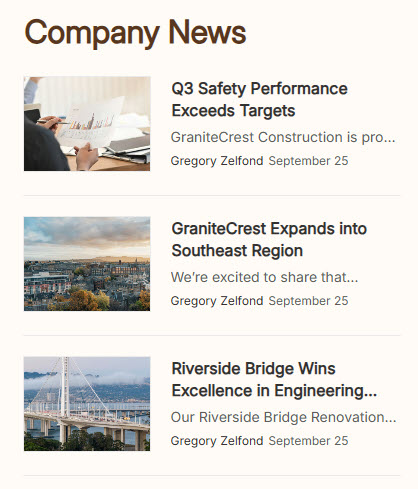
Crews are spread across job sites, and most of them will never walk past the bulletin board at the head office. A News web part in List layout is a perfect fit here: it keeps the section narrow enough that News, Events, and the Employee of the Month spotlight all sit in 1 row.
→ Learn More: News Web Part
Firm Calendar
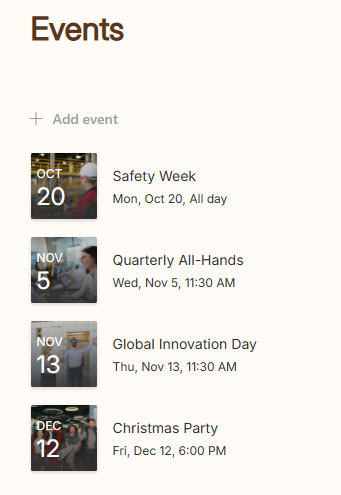
Safety Week, the quarterly all-hands, the holiday party. Those are the few dates a distributed workforce actually needs to know about. The Events web part in Compact layout is a way to go here, since it fits a narrow middle column and still shows the date, time, and title at a glance.
→ Learn More: Events Web Part
Employee of the Month
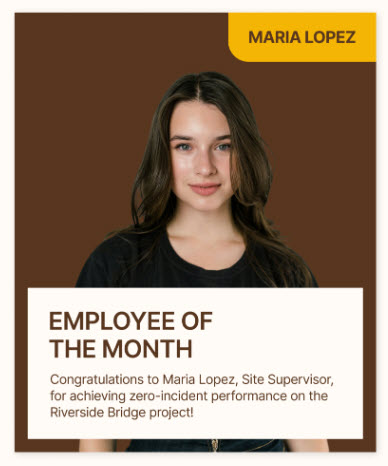
Recognition goes a long way in this industry, and it is one of the few things a field crew notices coming out of the head office. Finishing a job with zero incidents is a real achievement, and it deserves a face and a name on the homepage, not a line at the bottom of a newsletter. This is just an Image web part and a Text web part, swapped out once a month by whoever owns the site. Another alternative is to use an out-of-the-box Editorial Web Part, though it won’t look as good as the example below.
→ Learn More: Image Web Part
Project Cards
Ask anyone at a construction firm about a job, and you get the same 5 questions: how far along is it, when does it finish, is it on budget, has anybody been hurt, and how many crew are on site. So each active project gets 1 card answering exactly those 5, with a photo of the job next to it. I built these as Text web parts instead of rolling them up from a list, because the point here is a headline. The detail belongs on the project site.
→ Learn More: Text Web Part
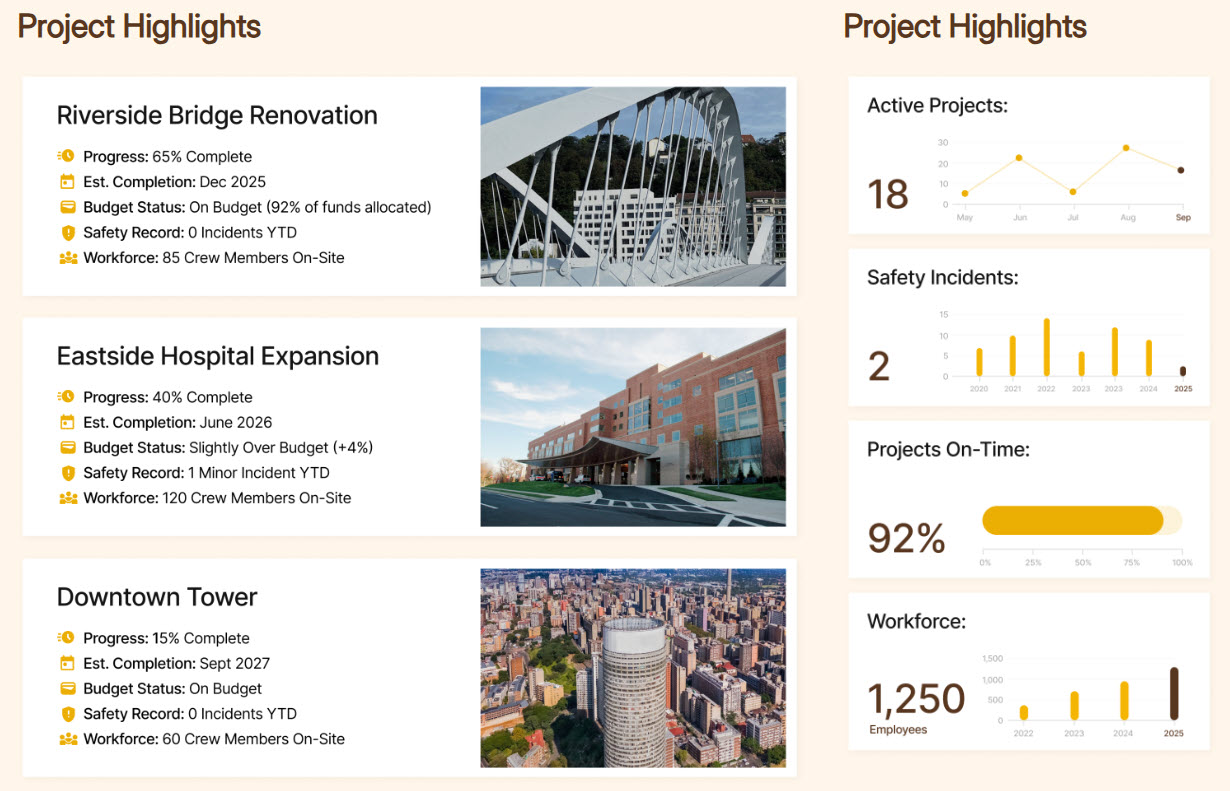
Project KPIs
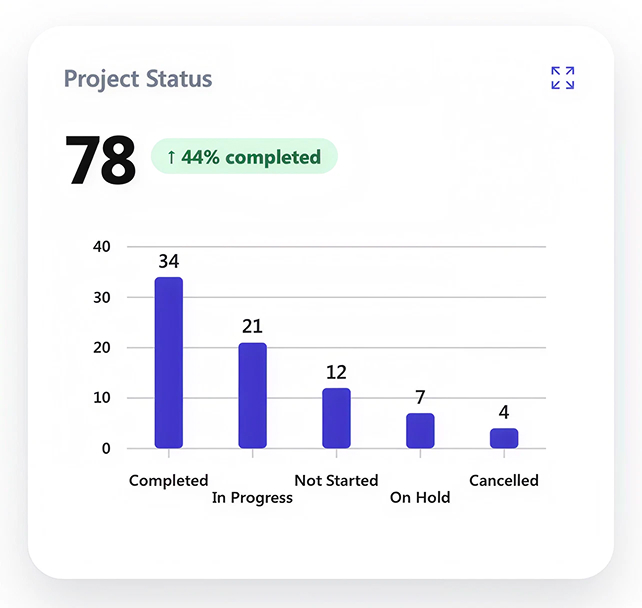
Leadership wants the same picture 1 level up. Active projects, safety incidents, projects on time, and total workforce sit in the right-hand column of the same section. For this, you can use several options: Quick Chart Web Part, Chart (AI) Web Part, Power BI Web Part, or the new HTML Dashboard capability using Copilot. I show all these examples here.
→ Learn More: Project Portfolio (Dashboard)