Client Lookup (Agent)




Overview
- Copilot Agent: Created straight from a SharePoint list with Copilot > Create an agent, using the Clients list as its only source
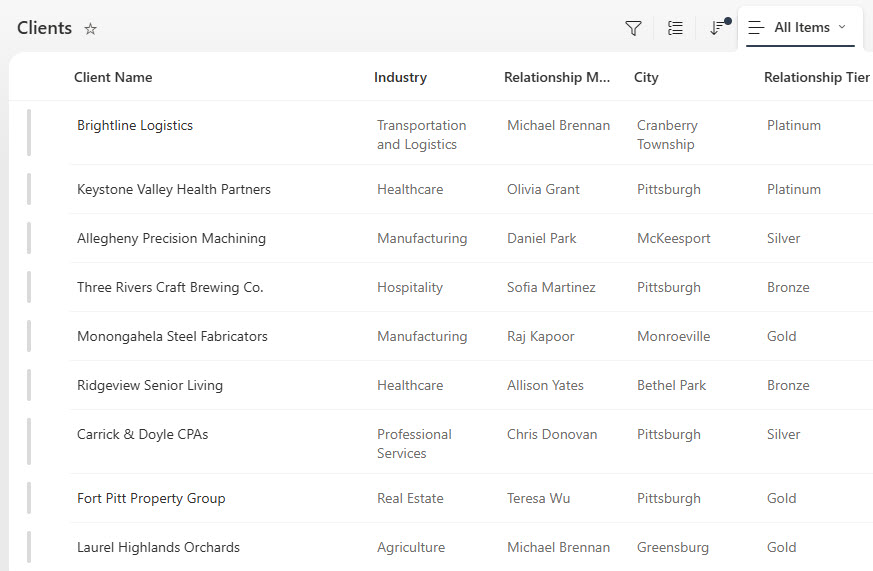
- Clients List: A Clients list of 100 commercial banking relationships with industry, relationship manager, city, products held, total relationship, and tier
- Review and Contact Dates: Next Review Date, Last Contact Date, Status, and relationship notes so the agent can answer renewal and at-risk questions
- Tiers and Status: Relationship tiers from Bronze to Platinum and a Status column for Active, At Risk, and Inactive clients
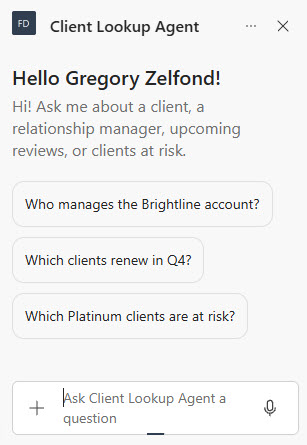
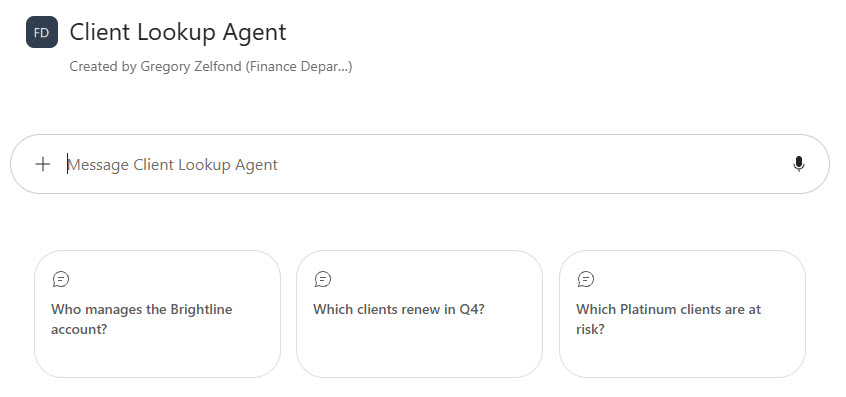
- Starter Prompts: A welcome message and three starter prompts for account owners, Q4 reviews, and at-risk Platinum clients
- Custom Instructions: Custom instructions that return sorted tables, use exact dates and dollar amounts, and refuse to share account numbers or make credit decisions
- Where It Works: Works in the SharePoint chat pane, the Microsoft 365 Copilot app, and a Teams channel for the commercial banking team
Benefits
- Faster client prep: bankers get the manager, products, and recent notes before a call without filtering columns
- No CRM license needed: the client data stays in a SharePoint list the team already maintains
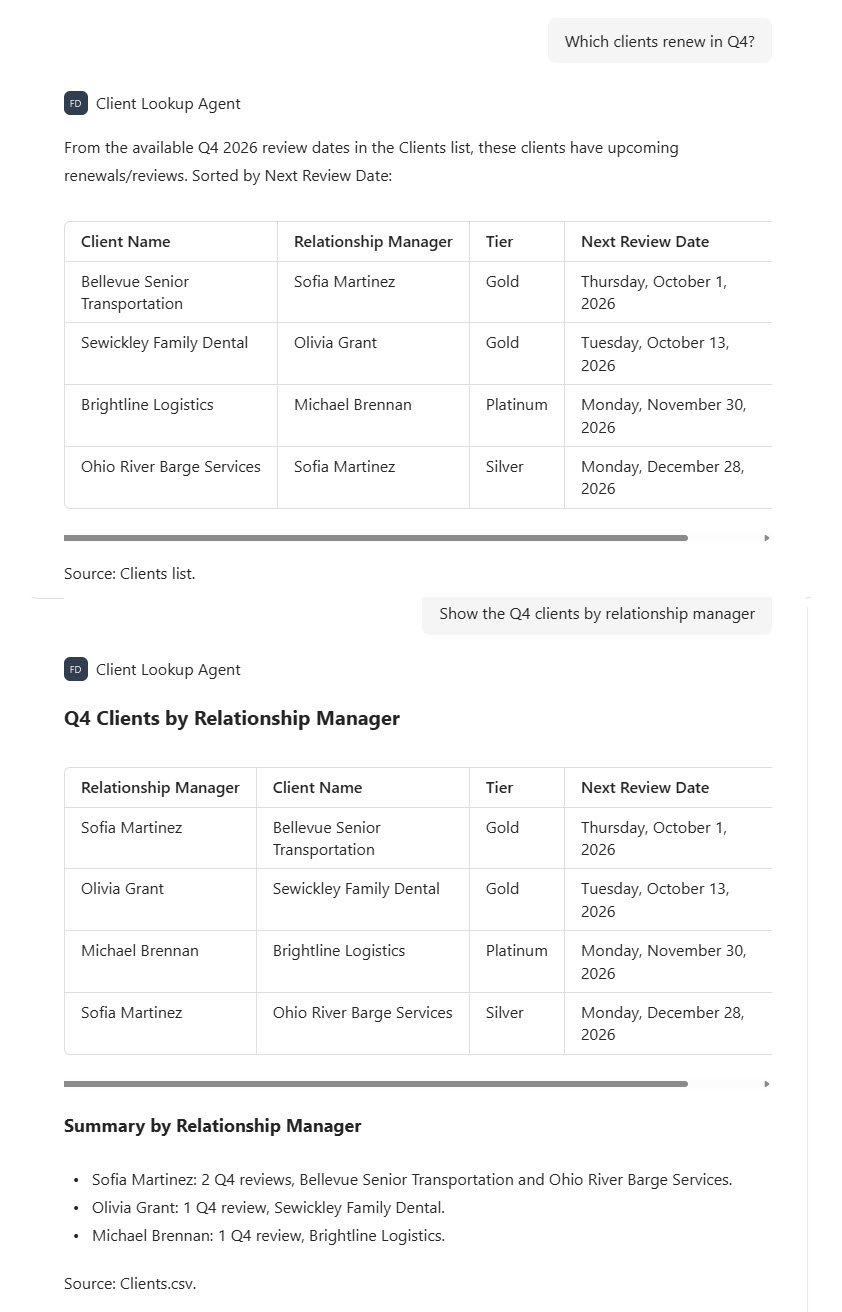
- Clear renewal pipeline: upcoming reviews are listed by date and grouped by relationship manager on request
- Early warning: at-risk clients surface in plain answers so managers can act before a competitor does
- Protects sensitive data: the agent never shares account numbers, tax IDs, or credit opinions
- Respects permissions: only the commercial banking, credit, and treasury teams with list access get answers
- Easy upkeep: relationship managers update the list after each client touch and the agent follows
Common Questions About This Client Lookup Agent
What is this Client Lookup Agent built with?
It is built with Copilot in SharePoint and grounded in one SharePoint list of commercial banking clients, using choice, currency, and date columns for tier, status, relationship value, and review dates. The agent has a welcome message, three starter prompts, and custom instructions. There is no custom code and no third-party tools – the kind of clean, maintainable Copilot agent Greg Zelfond builds for banks and financial services firms.
What’s included in the Client Lookup Agent?
The example includes a Clients list of 100 commercial banking relationships with industry, relationship manager, city, products held, total relationship, tier, next review date, status, last contact date, and notes. The agent answers questions like who manages the Brightline account, which clients renew in Q4, and which Platinum clients are at risk, and it returns lists as sorted tables with the source cited.
Why use a SharePoint list instead of a CRM?
Many community and regional banks already track commercial relationships in a SharePoint list rather than a full CRM. Client data is structured – manager, tier, dates, status – so a list is a natural home for it. Creating the agent from that one list gives bankers a plain-language lookup tool with no extra licensing, while the list itself stays the system of record.
Does this design use any custom code or third-party tools?
No. The list and the agent are created entirely with out-of-the-box SharePoint and Copilot in SharePoint – no Copilot Studio development, no custom code, and no add-ons. That keeps it stable, secure, and easy to maintain, and nothing breaks when Microsoft releases updates. Out-of-the-box is the only way Greg builds.
Can this agent be customized for our organization?
Absolutely. The list columns, tiers, statuses, agent name, welcome message, starter prompts, and instructions are all tailored to your organization, whether you manage commercial banking clients, wealth management households, or accounts at a professional services firm. Greg structures the list and writes the agent instructions so your team gets answers that match how you actually manage client relationships.
Can Greg build this Client Lookup Agent for our organization?
Yes – this is exactly the kind of work Greg Zelfond does. As an independent SharePoint consultant and Microsoft MVP, he designs and builds out-of-the-box Copilot agents like this one, including the SharePoint list and its columns, list permissions, the agent instructions and starter prompts, and the rollout to SharePoint, Teams, and the Microsoft 365 Copilot app. Reach out through the contact page to get started.