Employee Offboarding (Checklist)
Cost: $1,800, including configuration of all metadata columns, views and formatting, plus meetings and training.


Overview
- List Columns: Columns for task, departing employee, department responsible, phase, status, assigned to, due date, last working day, security critical, asset tag, completed on, and notes
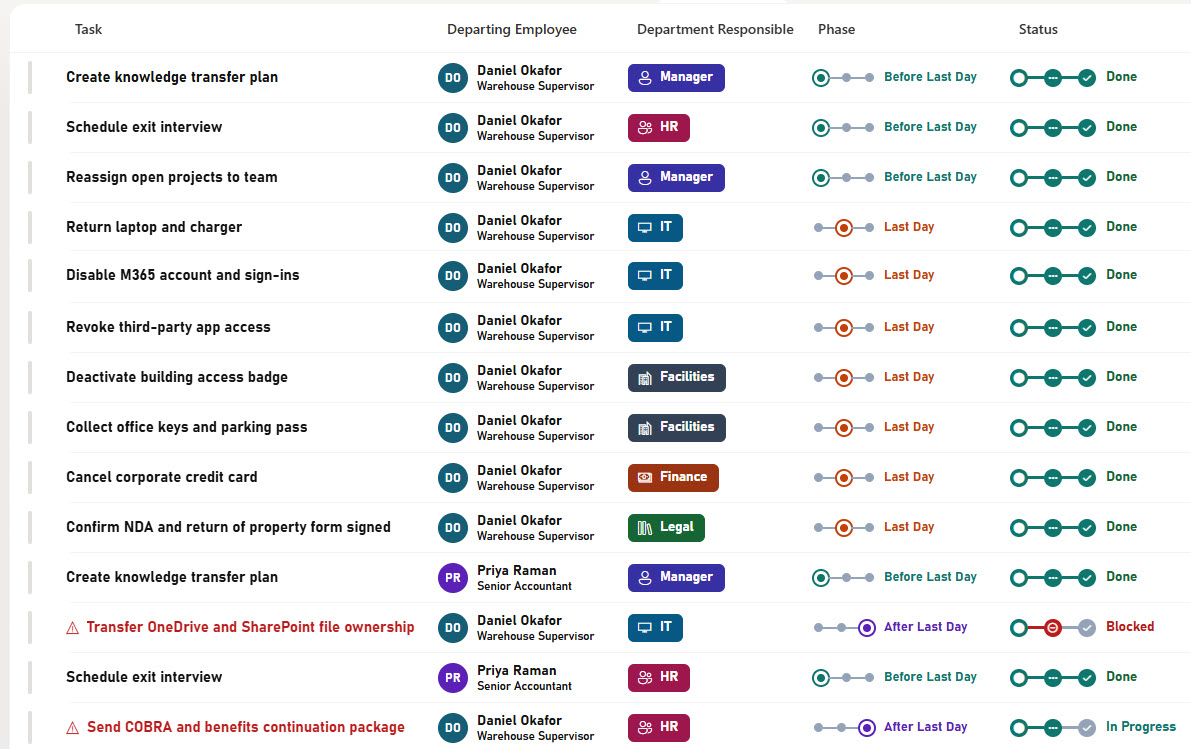
- Formatted Columns: Formatted columns with employee initials and job titles, department chips, a three-step phase bar, a status step tracker, assignee photos, due date countdowns, and an overdue warning on the task name
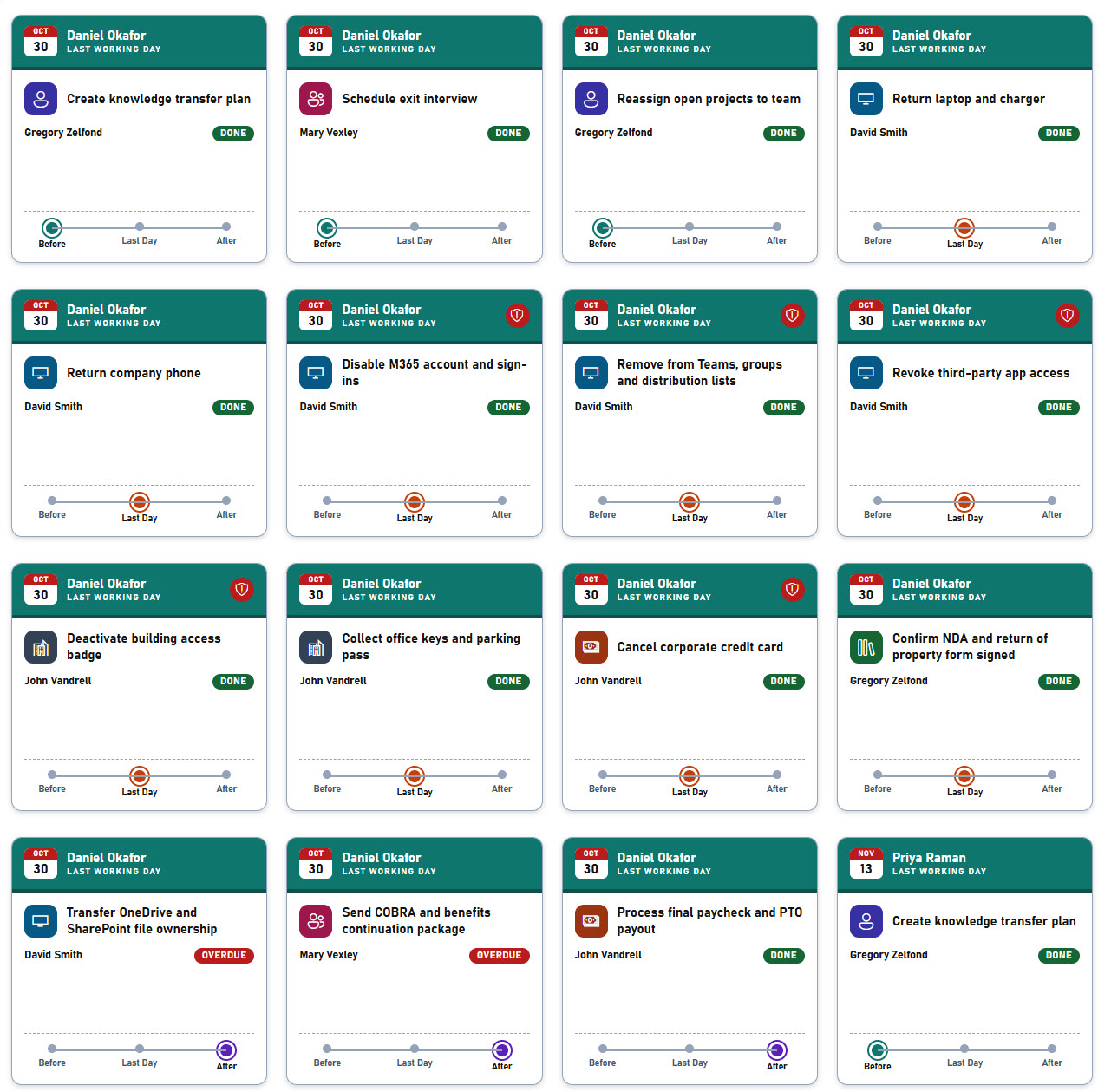
- Dates and Actions: A calendar tile for the last working day, security flags, asset tag badges, and a Mark Done button that records the completion date
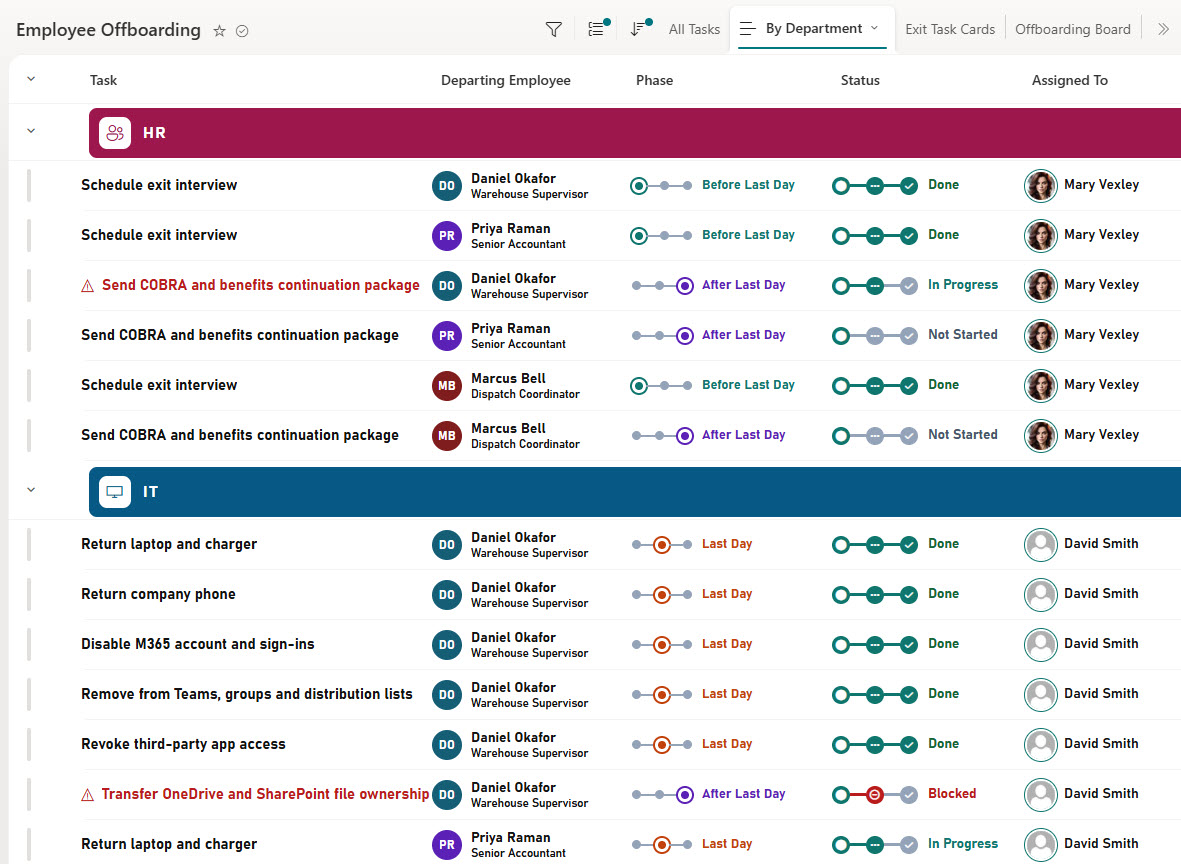
- Grouped View: A By Department view with colored department bands and a task count
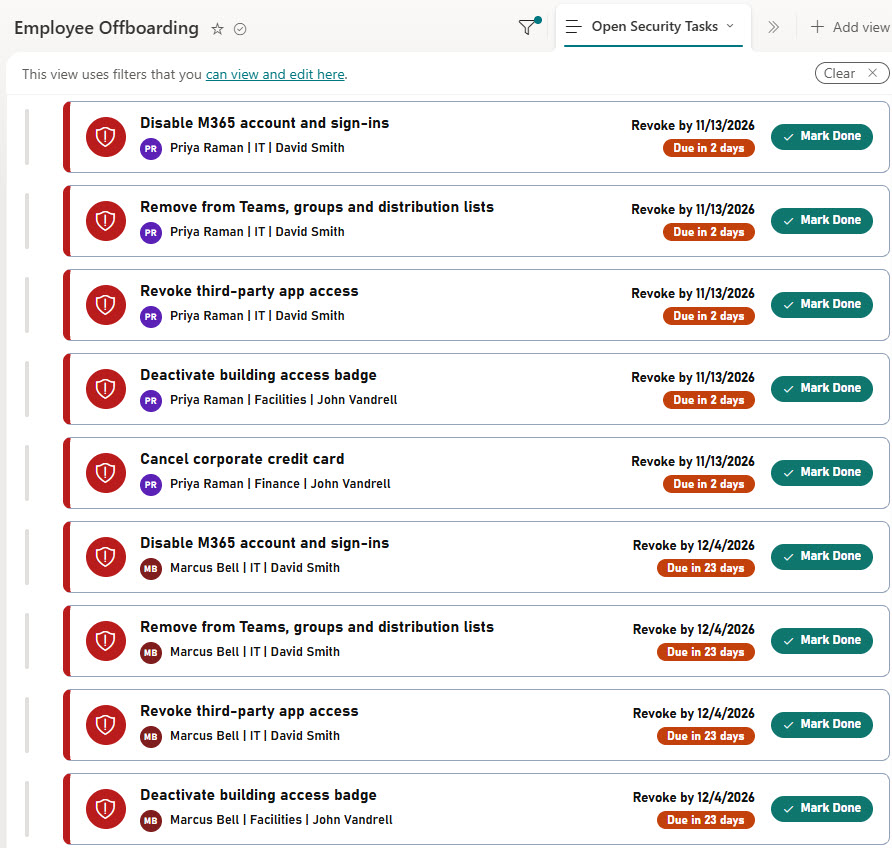
- Security View: An Open Security Tasks view of card rows for account, access, and data tasks that are not done yet
- Offboarding Board: An offboarding board with a card for each task in its status column, showing the department, employee, and days left
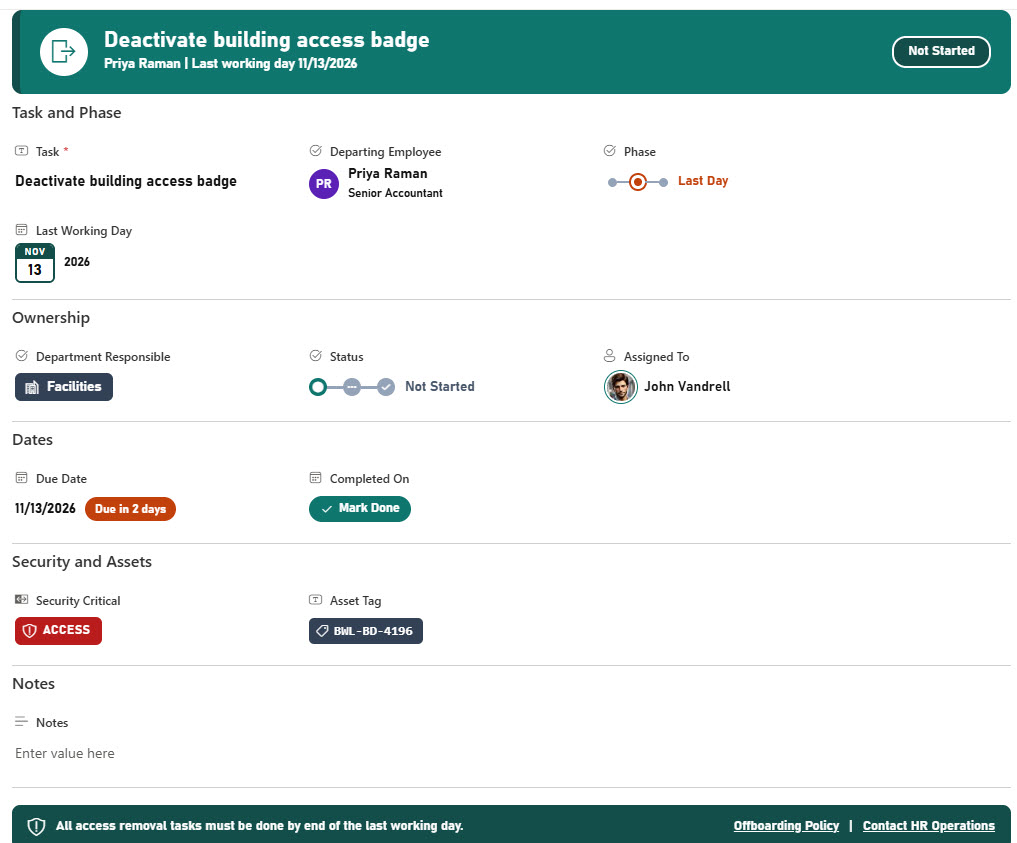
- Exit Task Cards and Form: A gallery of exit task cards, plus a formatted form with Task and Phase, Ownership, Dates, Security and Assets, and Notes sections
Benefits
- Consistent Process: Run every offboarding the same way, every time
- Clear Ownership: See which department owns each exit task
- Security First: Make sure accounts and access are shut off on the last day
- Asset Recovery: Get laptops, phones, and badges back
- One-Click Updates: Mark a task done with one click
- Every Exit on One Board: Track every departing employee on one board
List Columns
- Task (Single line of text) - the offboarding task
- Departing Employee (Choice) - the employee who is leaving, shown with initials and job title
- Department Responsible (Choice) - HR, Manager, IT, Finance, Facilities, or Legal
- Phase (Choice) - Before Last Day, Last Day, or After Last Day
- Status (Choice) - Not Started, In Progress, Blocked, or Done
- Assigned To (Person or Group) - the person who owns the task
- Due Date (Date and Time) - when the task is due, shown as a countdown
- Last Working Day (Date and Time) - the employee’s last day, shown as a calendar tile
- Security Critical (Yes/No) - a flag for account, access, and data tasks
- Asset Tag (Single line of text) - the tag of the laptop, phone, or other item to return
- Completed On (Date and Time) - when the task was finished, with a Mark Done button
- Notes (Multiple lines of text) - details or blockers for the task
Common Questions About This Employee Offboarding Checklist
What is this employee offboarding checklist built with?
It is built entirely with out-of-the-box Microsoft Lists in SharePoint: a list with typed columns, list, grouped, board, and gallery views, built-in column and view formatting for the department chips, phase bars, status trackers, security flags, board cards, and exit task cards, and a formatted form with a header, sections, and a footer. There is no custom code and no third-party tool, which is the kind of clean, maintainable solution Greg Zelfond builds for his clients.
How does the checklist protect company data when someone leaves?
Account, access, and data tasks are marked Security Critical and show a red flag. The Open Security Tasks view lists every one of those tasks that is not done yet as a card with the employee, department, owner, and due date, so IT can close them out on the last day.
Can the checklist handle several departing employees at once?
Yes. Each task is tied to a departing employee and a last working day, so the same list can track several exits at the same time. The board and the gallery show every employee’s tasks side by side, and the By Department view shows what each team still owes.
Does this design use any custom code or third-party tools?
No. The department chips, phase bars, status trackers, security flags, board cards, and exit task cards all use formatting features that ship with SharePoint and Microsoft Lists and are set in the list settings. Nothing is installed or deployed, so the checklist stays stable, secure, and easy to maintain as Microsoft updates the platform. Out-of-the-box is the only way Greg builds.
Can this checklist be customized for our organization?
Absolutely. The departments, phases, and task list can be changed to match your offboarding process. The colors can follow your brand, columns can be added or removed to match how your team works, and the views can be adjusted for each team that uses the checklist.
Can Greg build this checklist for our organization?
Yes - this is exactly the kind of work Greg Zelfond does. As an independent SharePoint consultant and Microsoft MVP, he designs and builds out-of-the-box Microsoft Lists like this one, with columns, views, formatting, and forms tailored to how your HR, IT, and managers handle employee exits. Reach out through the contact page to talk about your project.
How much does it cost to build this checklist?
This checklist costs a flat $1,800. That includes configuration of all metadata columns, views and formatting, plus meetings and training.