Project Deliverables Submission (Intake Form)
Cost: $1,800, including configuration of all metadata columns, views and formatting, plus meetings and training.



Overview
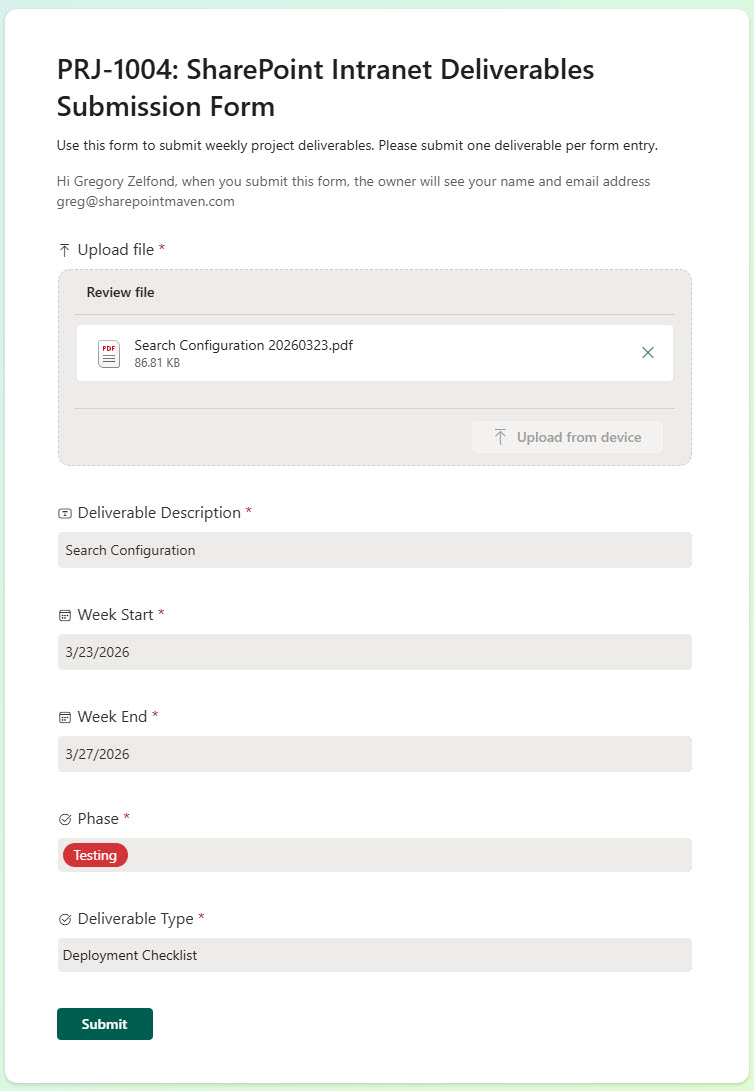
- Enables users to upload project deliverables through a structured SharePoint intake form
- Captures key metadata, including description, project phase, and reporting week period
- Automatically routes submissions into a centralized SharePoint document library for processing
- Creates project-specific folders to organize and store deliverables for each project
- Maintains a clean and scalable structure without the need for multiple libraries
- Supports filtering and calendar views for easy navigation of submissions over time
Benefits
- Standardizes the intake process for project deliverables across teams
- Improves organization with project-specific folders and consistent metadata tagging
- Enhances visibility through filtering and calendar-based tracking of submissions
- Reduces administrative overhead for project managers with centralized storage
- Enables better tracking of deliverables by phase and weekly reporting cycles
- Leverages out-of-the-box SharePoint functionality with no custom development required
Common Questions About This Project Deliverables Submission Form
What is this Project Deliverables Submission Form built with?
It is built with Microsoft Forms for the intake experience and a SharePoint document library for storage, with folders and metadata columns that organize every submission. There is no custom code and there are no third-party tools. It is the kind of clean, maintainable document management Greg Zelfond builds for project teams.
What information does the form capture?
Each submission captures the deliverable file along with a description, the project phase, and the reporting week it belongs to. Those answers become metadata on the file in SharePoint, so deliverables can be sorted, filtered, and grouped by project, phase, or week without opening each one.
Where do submitted deliverables go?
Every submission lands in one central SharePoint document library and is sorted into a project-specific folder. Project managers work from a single organized location instead of chasing email attachments, and each project’s deliverables stay together.
Does this design use any custom code or third-party tools?
No. Microsoft Forms, the SharePoint document library, folders, and metadata columns are all standard capabilities included with Microsoft 365. That keeps the solution stable and easy to maintain, and nothing breaks when Microsoft updates the platform.
Can the form be customized for our projects?
Yes. The questions, the list of project phases, the reporting period, and the folder structure are all tailored to how your organization runs projects. The same pattern also works for other recurring submissions, such as status reports, timesheets, or vendor documents.
Can Greg build this submission form for our organization?
Yes – this is exactly the kind of work Greg Zelfond does. As an independent SharePoint and Microsoft 365 consultant and Microsoft MVP, he builds document management solutions like this one, including the forms, library structure, and metadata that make them work. Reach out through the contact page to get started.
How much does it cost to build this submission form?
This submission form costs a flat $1,800. That includes configuration of all metadata columns, views and formatting, plus meetings and training.