NDAs (Document Library)
Cost: $1,800, including configuration of all metadata columns, views and formatting, plus meetings and training.


Overview
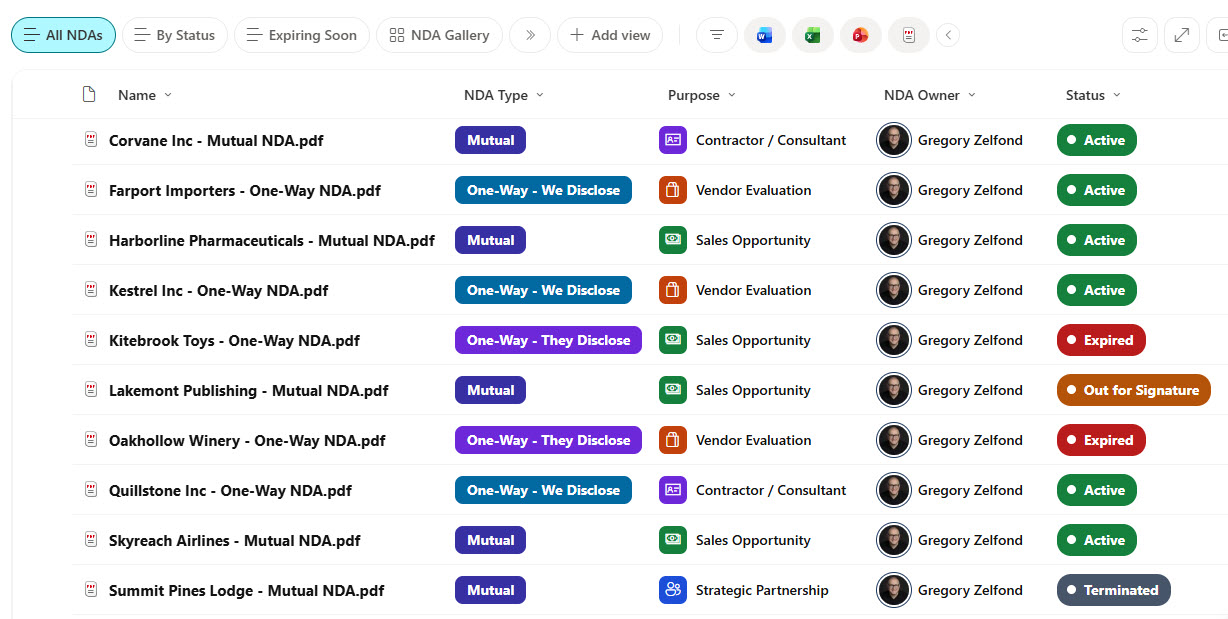
- Metadata Columns: Counterparty, Non-Disclosure Agreement (NDA) type, purpose, status, owner, department, governing law, and effective and expiration dates
- Color Coding: Color-coded status pills, outlined type and department tags, purpose icons, and owner photos in every list view
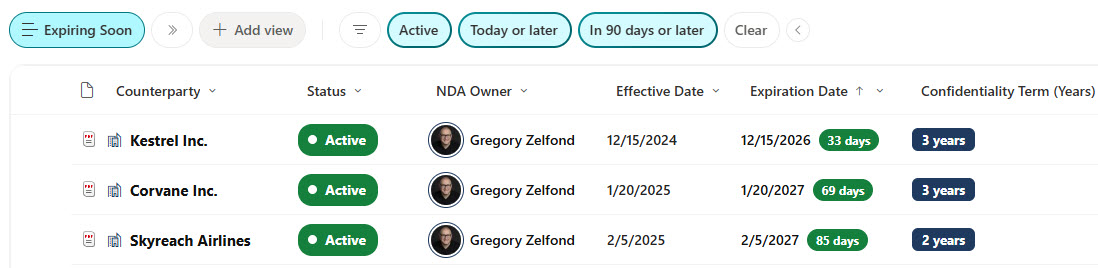
- Expiration Countdowns: Countdown badges that turn from green to amber to red as an NDA nears or passes its end date
- Action Views: Expiring Soon and Pending Signature views that surface the agreements that need action
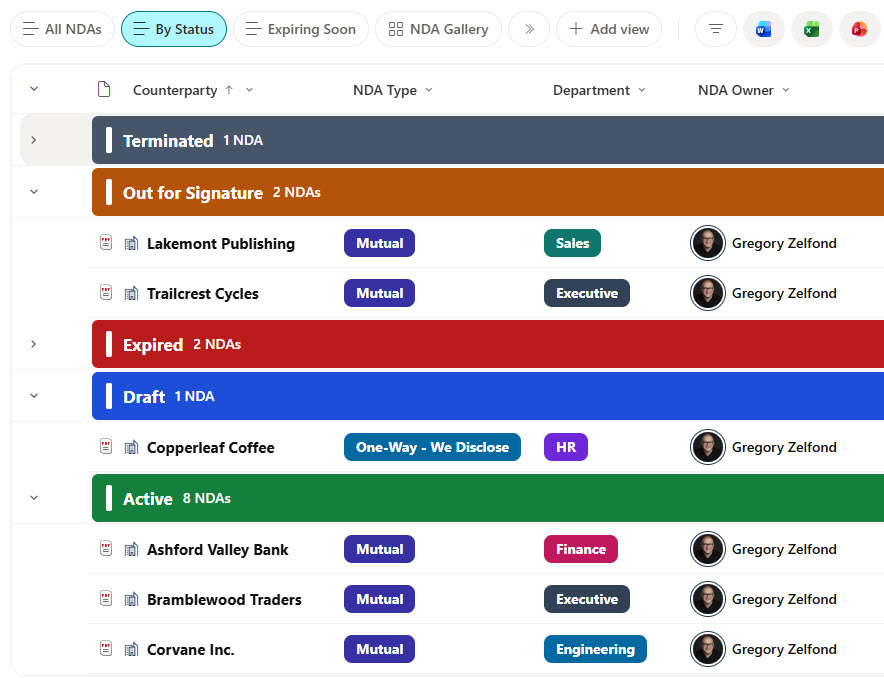
- Grouped Status View: A By Status view with color-coded group headers and a running count for each status
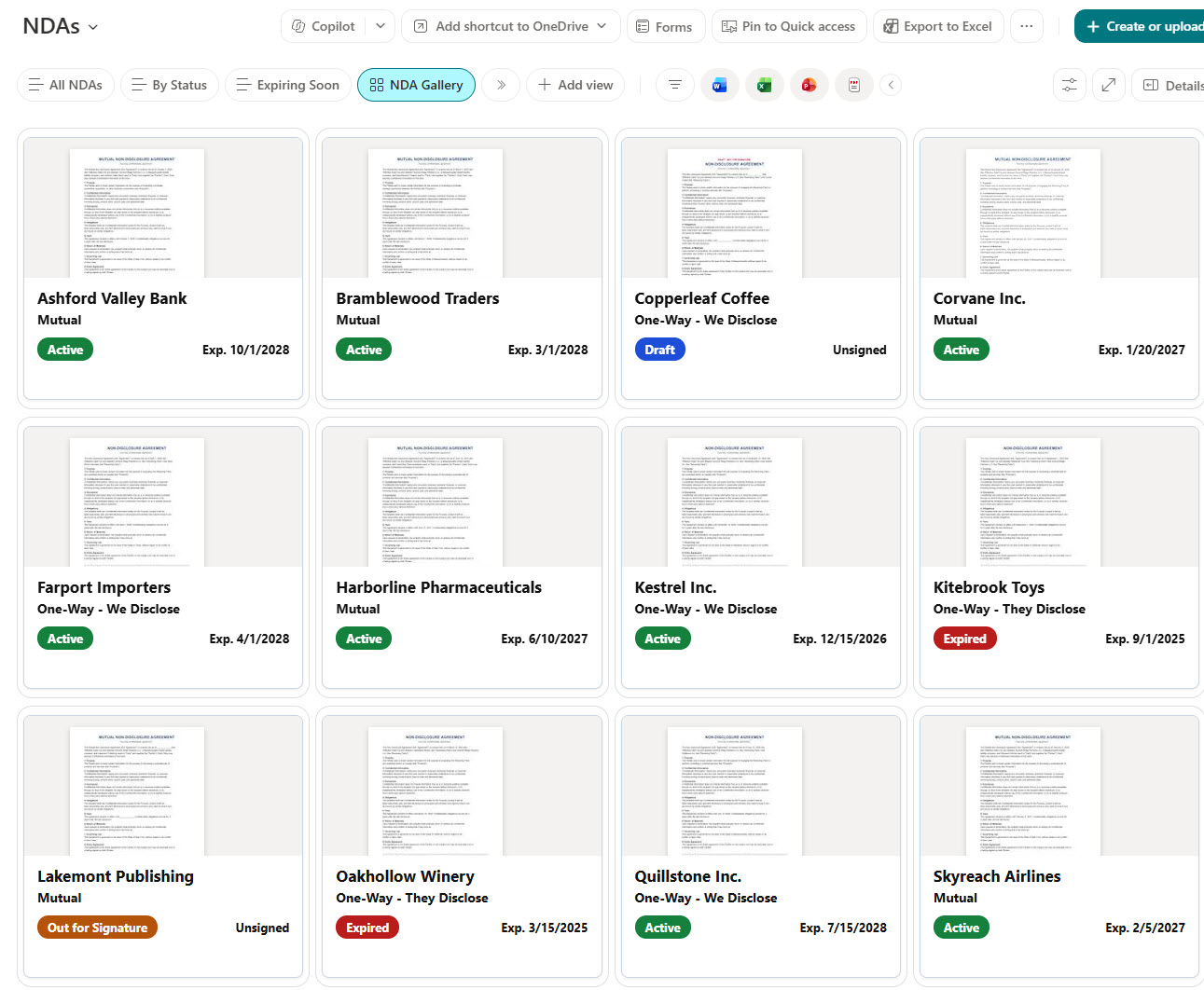
- Gallery View: Document cards with a file preview, status pill, and expiration date
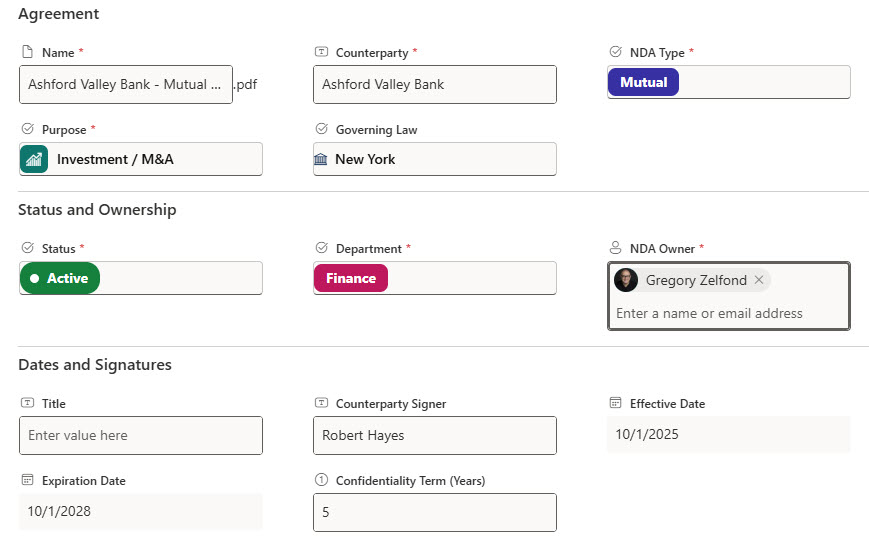
- Sectioned Form: A properties form with Agreement, Status and Ownership, and Dates and Signatures sections
Benefits
- Fast Search: Find any NDA in seconds by counterparty, type, purpose, or status
- Early Warnings: Catch renewals and expirations early instead of discovering them after the fact
- Signature Follow-Up: Keep drafts and agreements out for signature from falling through the cracks
- Clear Ownership: Give every agreement a clear owner the business can go to
- At-a-Glance Scanning: Scan the library at a glance with color, icons, and cards instead of plain text
- Audit Trail: Keep a full version history of every agreement for audits and disputes
Library Columns
- Counterparty (Single line of text) - the company on the other side of the agreement
- NDA Type (Choice) - Mutual, One-Way - We Disclose, or One-Way - They Disclose
- Purpose (Choice) - why the NDA exists, such as a sales opportunity, vendor evaluation, partnership, contractor engagement, or investment
- Status (Choice) - Draft, Out for Signature, Active, Expired, or Terminated
- Department (Choice) - the business area that requested the NDA
- NDA Owner (Person or Group) - the employee accountable for the agreement
- Counterparty Signer (Single line of text) - the person who signed for the other party
- Effective Date (Date and Time) - the date the agreement takes effect
- Expiration Date (Date and Time) - the date the agreement ends, used for the countdown and the Expiring Soon view
- Confidentiality Term (Years) (Number) - how long confidentiality obligations survive
- Governing Law (Choice) - the state whose laws govern the agreement
Common Questions About This NDAs Library
What is this NDAs library built with?
It is built entirely with out-of-the-box SharePoint: a document library with choice, date, number, person, and text metadata columns, list, grouped, and gallery views, built-in column and view formatting for the color coding and cards, and a sectioned properties form. There is no custom code and no third-party tool, which is the kind of clean, maintainable document management Greg Zelfond builds for legal and operations teams.
What’s included in the NDAs library?
The library tracks every NDA with its counterparty, type, purpose, status, owner, department, governing law, and key dates. An All NDAs view shows color-coded status pills and expiration countdowns, Expiring Soon and Pending Signature views surface the agreements that need action, a By Status view groups NDAs under colored headers, and a gallery shows each agreement as a document card.
Does this design use any custom code or third-party tools?
No. Everything here, including the colored pills, icons, countdown badges, group headers, and cards, uses formatting features that ship with SharePoint and are configured in the library settings. Nothing is installed or deployed, so the library stays stable, secure, and easy to maintain, and it keeps working as Microsoft updates SharePoint. Out-of-the-box is the only way Greg builds.
Can this library be customized for our organization?
Absolutely. The NDA types, purposes, statuses, departments, and governing law choices can all be changed to match how your legal team works, and the colors can follow your brand. Columns can be added for things like renewal terms or related matters, and the same approach extends to contracts, vendor agreements, and other document types.
How does the library flag NDAs that are about to expire?
Each NDA carries an expiration date, and the list shows a countdown badge next to it that is green when the date is a few months out, amber in the last month, and red once the agreement has expired. An Expiring Soon view lists only the active NDAs ending in the next 90 days.
Can Greg build this library for our organization?
Yes - this is exactly the kind of work Greg Zelfond does. As an independent SharePoint consultant and Microsoft MVP, he designs and builds out-of-the-box document libraries like this one, with metadata, views, formatting, and forms tailored to how your team manages agreements. Reach out through the contact page to talk about your project.
How much does it cost to build this library?
This library costs a flat $1,800. That includes configuration of all metadata columns, views and formatting, plus meetings and training.