IT Asset Lookup (Agent)




Overview
- List-based agent: created straight from a SharePoint list
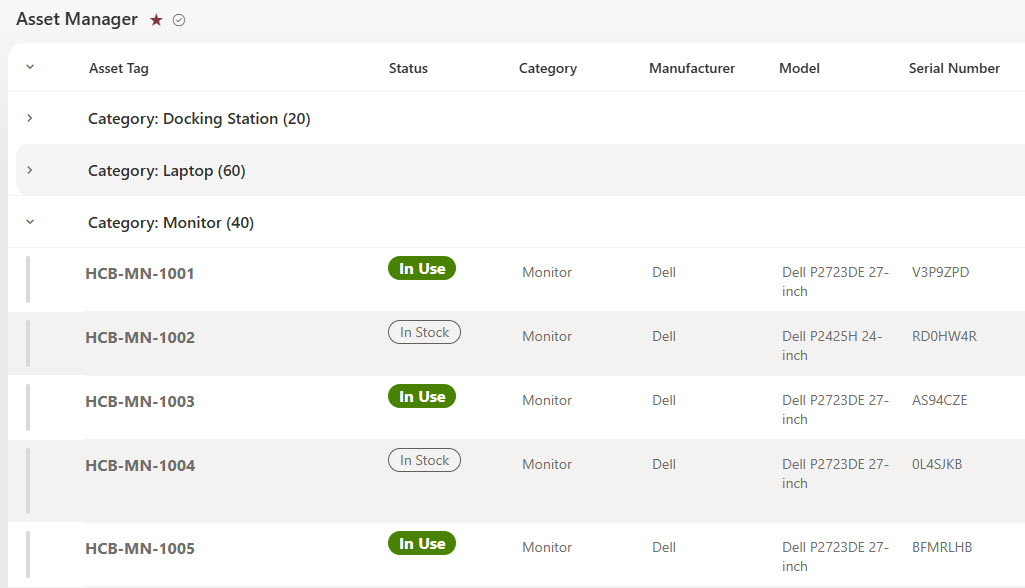
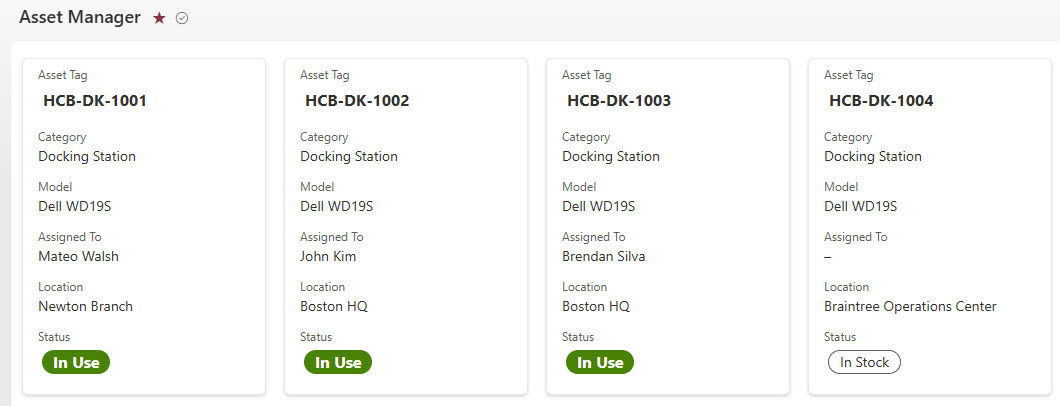
- Asset list: laptops, monitors, docking stations, phones, and printers with asset tag, model, serial number, assigned person, department, location, and status
- List views: grouped by asset type and shown as gallery cards, with color-coded status from In Use to Retired
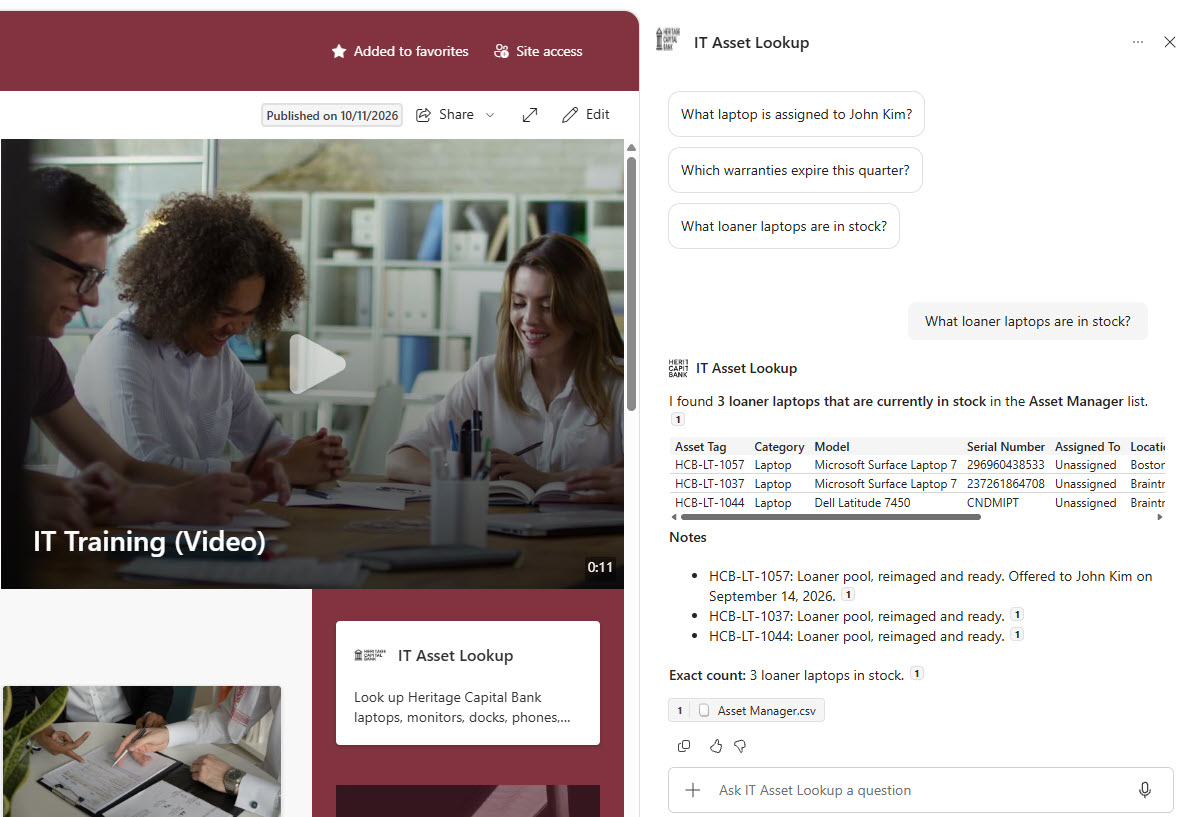
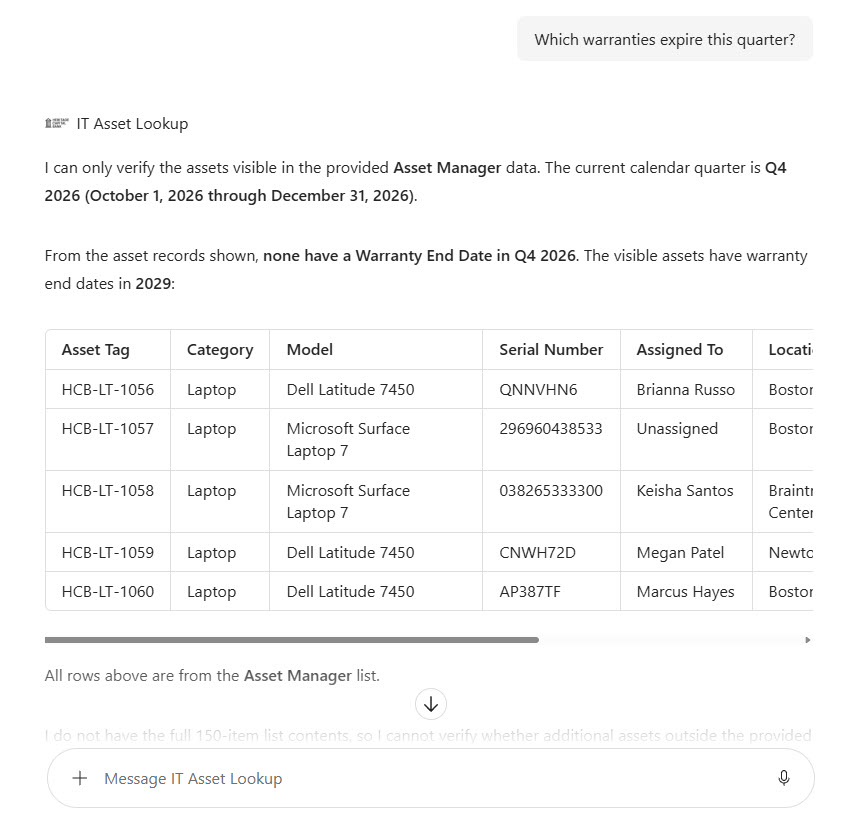
- Starter prompts: a welcome message and three starter prompts for a person’s laptop, warranties ending this quarter, and loaners in stock
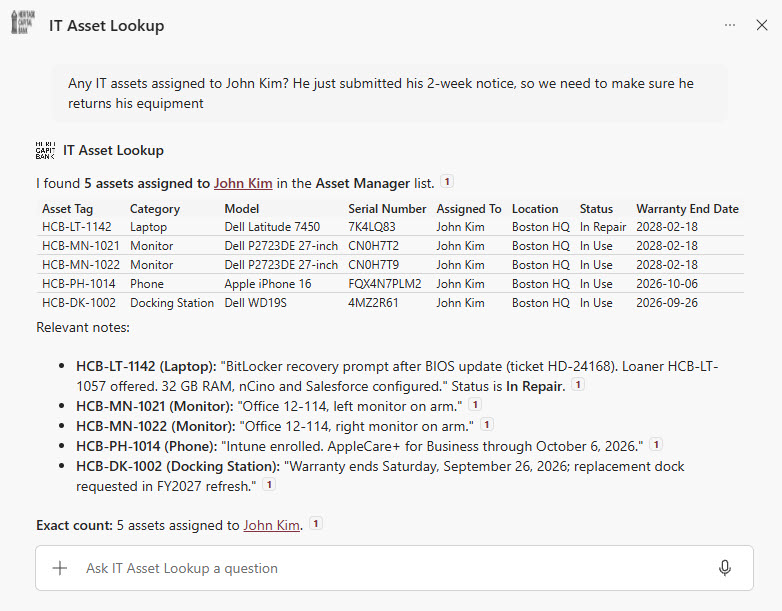
- Custom instructions: list all of a person’s assets, state the date range used, and refuse to change records or share passwords and recovery keys
- Works where people are: the SharePoint chat pane, the Microsoft 365 Copilot app, and the IT Help Desk Teams channel
Benefits
- Faster offboarding: list every device a departing employee needs to return in one question
- Fewer warranty surprises: see which devices are coming off warranty before they fail
- Quicker loaner handoffs: find in-stock loaners and their locations while the user waits
- No asset management add-on: inventory lives in a SharePoint list the IT team already owns
- Answers with asset tags: every result points back to the list item so details are easy to check
- Read-only by design: the agent answers questions but never changes or promises changes to records
- Respects permissions: only people with access to the list get answers
Common Questions About This IT Asset Lookup Agent
What is this IT Asset Lookup Agent built with?
It is built with Copilot in SharePoint and grounded in one SharePoint list of IT assets, using choice columns for asset type, location, and status, date columns for purchase and warranty end dates, a person column for the assigned user, and a notes column. The agent has a welcome message, three starter prompts, and custom instructions. There is no custom code and no third-party tools – the kind of clean, maintainable Copilot agent Greg Zelfond builds for IT teams.
What’s included in the IT Asset Lookup Agent?
The example includes an asset list of devices from a bank’s IT team, each with asset tag, model, serial number, assigned person, department, location, purchase and warranty dates, status, and notes. The agent answers questions like which equipment a departing employee needs to return, which warranties end this quarter, and which loaner laptops are in stock, citing the list for every answer.
Why use a SharePoint list for IT asset tracking?
Asset records are structured data with dates, locations, and status values, so a list is a natural home for them and imports straight from an existing Excel inventory. The IT team gets sortable, filterable views for day-to-day work, and the agent turns the same list into plain-language answers. If assets come from another system, Power Automate can keep the list in sync.
Does this design use any custom code or third-party tools?
No. The list and the agent are created entirely with out-of-the-box SharePoint and Copilot in SharePoint – no Copilot Studio development, no custom code, and no add-ons. That keeps it stable, secure, and easy to maintain, and nothing breaks when Microsoft releases updates. Out-of-the-box is the only way Greg builds.
Can this agent be customized for our organization?
Absolutely. The asset types, columns, locations, departments, status values, agent name, welcome message, starter prompts, and instructions are all tailored to your organization, whether you track a few dozen laptops or thousands of devices across many offices. Greg structures the list and writes the agent instructions so technicians and managers get answers that match how your IT team actually works.
Can Greg build this IT Asset Lookup Agent for our organization?
Yes – this is exactly the kind of work Greg Zelfond does. As an independent SharePoint consultant and Microsoft MVP, he designs and builds out-of-the-box Copilot agents like this one, including the asset list and its views, list permissions, the agent instructions and starter prompts, and the rollout to SharePoint, Teams, and the Microsoft 365 Copilot app. Reach out through the contact page to get started.