Legal Contracts Library


Overview
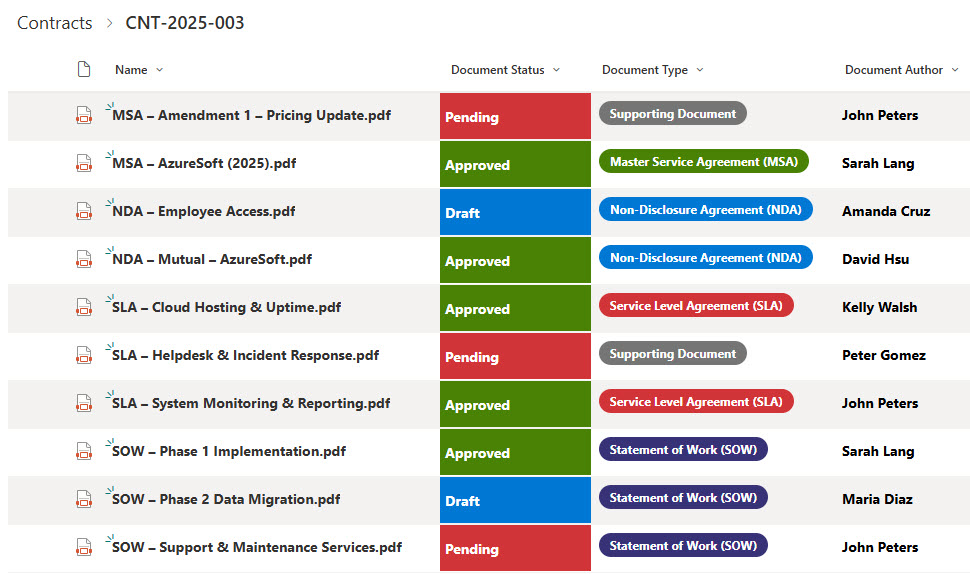
- Structured Contract Documentation: Each contract folder is a Document Set, capturing the full “contract event” (SOW, MSA, or NDA + supporting attachments)
- Rich Metadata: Metadata at the Document Set level (e.g., Counterparty Name, Contract Type, Start Date, End Date, Renewal Date, Status) + metadata within each file (e.g., Document Type = “SOW,” “NDA”, “Amendment,” etc.) for full traceability
- Supports All File Types: Store Word docs, PDFs, scanned originals, exhibits, amendment logs—everything lives inside the Doc Set
- Governance & Audit-Ready: Built to support versioning, approvals (via Power Automate), lifecycle tracking (renewals, expirations), retention, and audit readiness
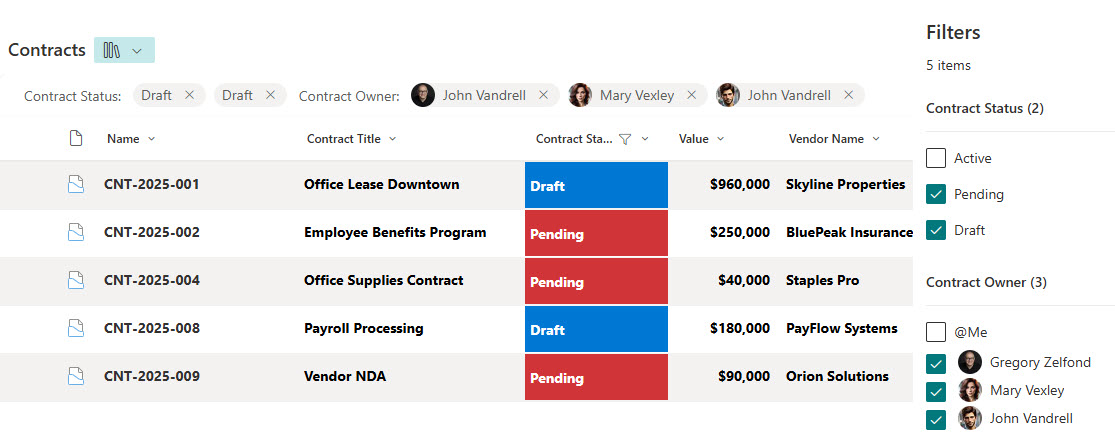
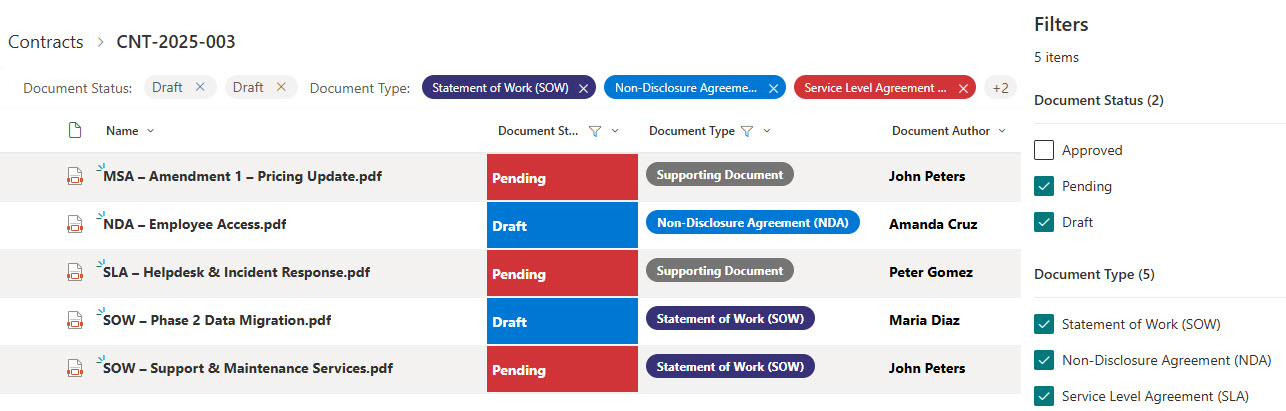
- Enhanced Search & Filters: Surface contracts by key metadata (Client, Effective Date, Contract Type, or Expiration) for fast lookup and reporting
Benefits
- Replaces chaotic file shares and nested folder hierarchies with a centralized, consistent contract repository
- Enables fast retrieval of the complete contract “bundle” (all files + metadata) instead of hunting across folders
- Offers much better visibility into key contract events: renewals due, expirations upcoming, missing supporting docs
- Strengthens compliance, risk-management, and legal oversight through metadata-driven views, alerts, and workflows
- Reduces risk of missed renewals or expired agreements through automated alerts and Power Automate reminders
- Simplifies the onboarding of new legal staff. Everything is organized by consistent structure and naming conventions
Common Questions About This Legal Contracts Library
What is this Legal Contracts Library built with?
The library is built with a standard SharePoint document library and Document Sets – the out-of-the-box feature that turns each contract into its own container with shared metadata. There is no custom code and there are no third-party tools. It is the kind of clean, maintainable document management Greg Zelfond builds for legal teams and law firms.
What’s included in the Legal Contracts Library?
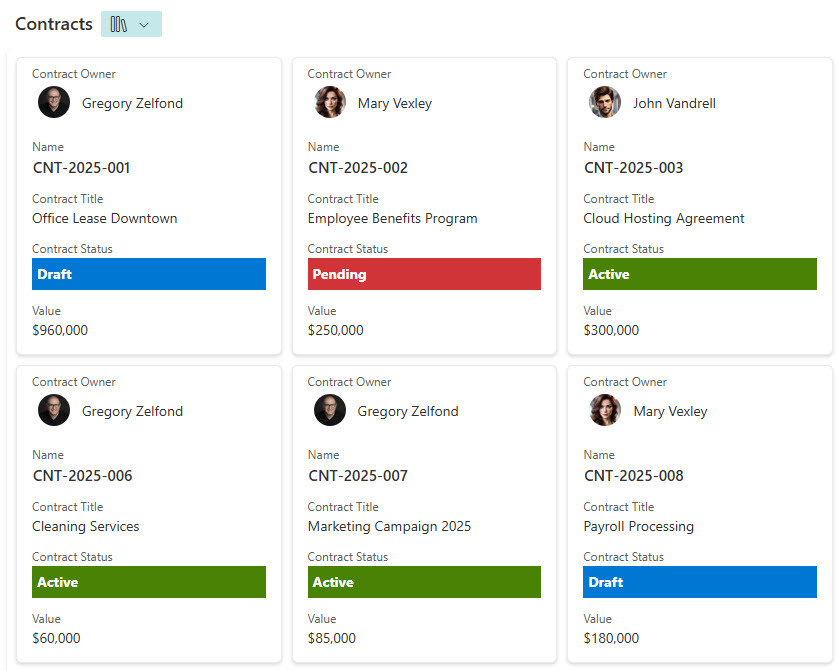
Each contract lives in its own Document Set carrying metadata like Counterparty, Contract Type, Start Date, End Date, Renewal Date, and Status, with every file inside tagged by Document Type – SOW, NDA, amendment, and more. The library includes folder, document, and gallery views, grouping by contract type or status, and filtering at both the contract and document level.
Does this design use any custom code or third-party tools?
No. Everything is out-of-the-box SharePoint – the document library, Document Sets, metadata columns, and views are all standard Microsoft 365 capabilities. That keeps the library stable, secure, and easy to maintain, and nothing breaks when Microsoft updates SharePoint. Out-of-the-box is the only way Greg builds, which matters even more for content as sensitive as legal contracts.
Can this library be customized for our team?
Absolutely. The metadata is where the tailoring happens – counterparties, contract types, key dates, statuses, and document types all get aligned to the way your team manages agreements. Greg adapts the structure for in-house legal departments and law firms, and the same design scales cleanly as contracts move from active to renewed to expired.
What is the advantage of Document Sets over folders?
Folders hide documents; Document Sets describe them. Each contract still behaves like a folder your team can open, but it also carries metadata – Counterparty, Contract Type, Renewal Date, Status – that the files inside inherit automatically, reducing manual tagging. That means you can group contracts by type, filter by renewal date, or report on status – things plain folders simply cannot do.
Can Greg build this library for our organization?
Yes – this is exactly the kind of work Greg Zelfond does. As an independent SharePoint and Microsoft 365 consultant and Microsoft MVP, he designs and builds document management solutions like this one for legal teams and law firms, including the Document Set structure and metadata that make them work. Reach out through the contact page to get started.