Lesson Plans (Document Library)
Cost: $1,800, including configuration of all metadata columns, views and formatting, plus meetings and training.


Overview
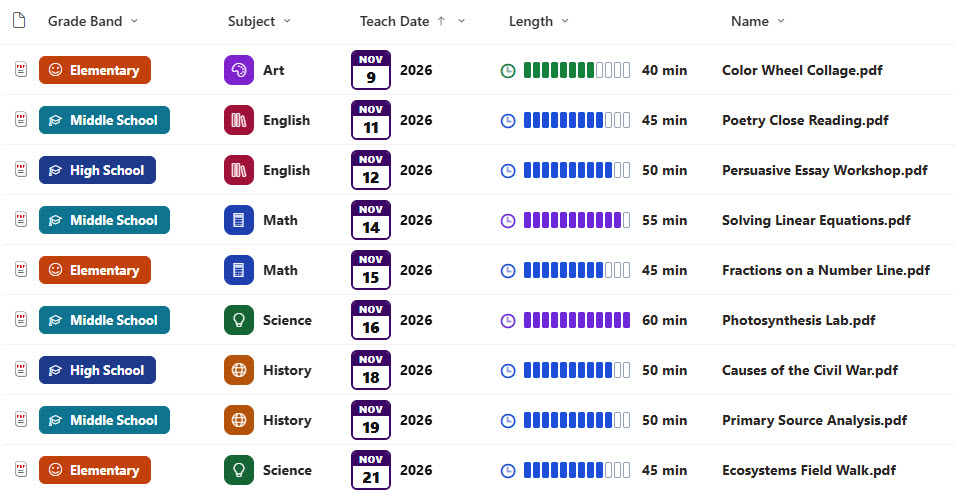
- Metadata Columns: Name, subject, grade band, unit, length, teach date, status, and teacher
- Subject Tiles: Bold black file names and unit names, subject tiles with an icon for math, science, English, history, and art, and grade band chips
- Length Meter: A lesson length meter in five-minute blocks, colored by length, and calendar tiles for the teach date
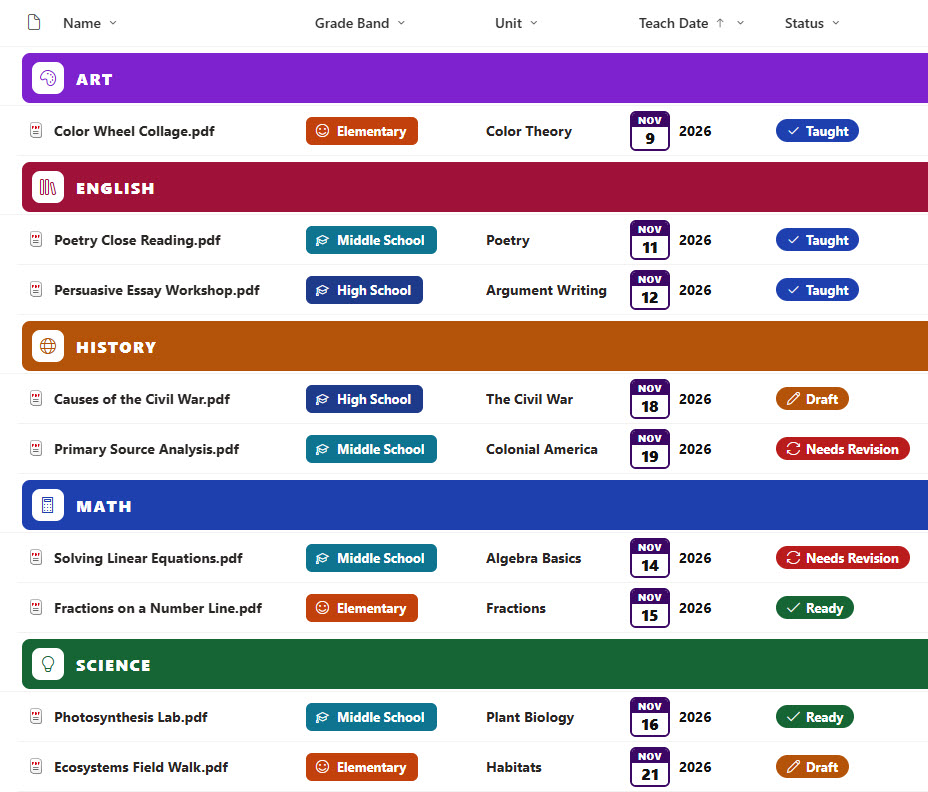
- Status Pills: Status pills for draft, ready, taught, and needs revision, plus teacher photos
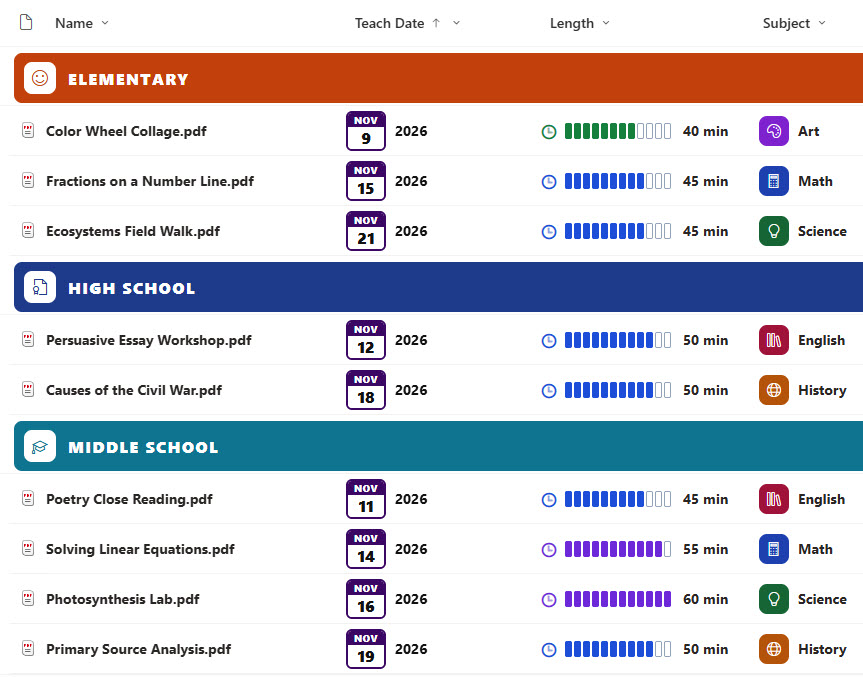
- Filtered and Grouped Views: Needs Revision and Ready to Teach views, plus By Subject and By School views with colored bands and a lesson count
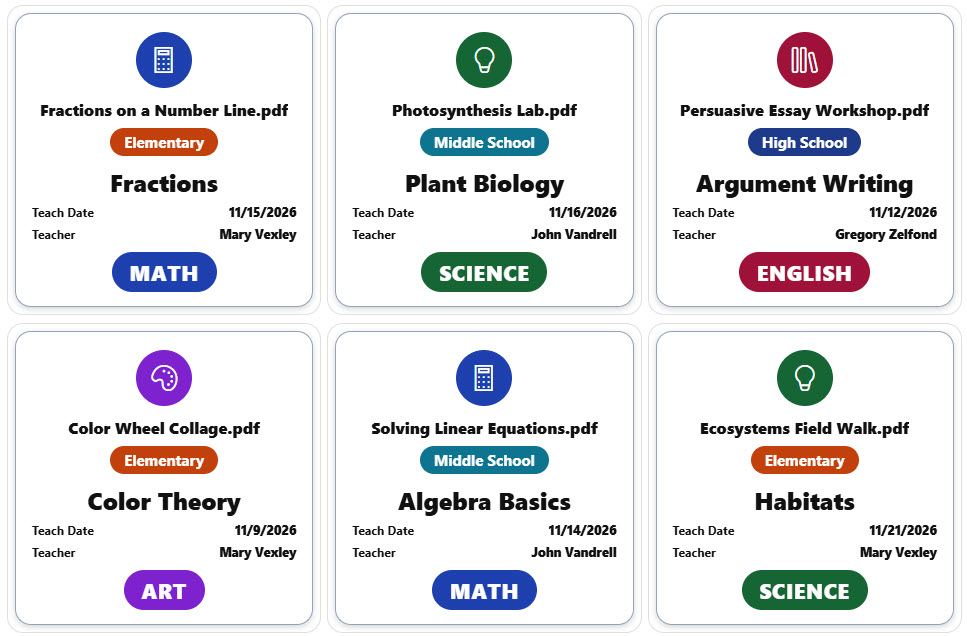
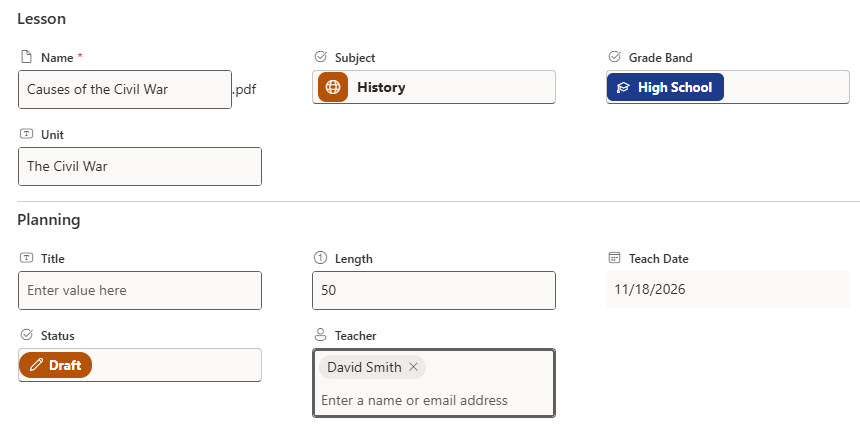
- Gallery and Form: A gallery of lesson cards with the unit, grade band, subject, teach date, and teacher, plus a properties form with Lesson and Planning sections
Benefits
- One Place for Lessons: Give every teacher one place to find and share lessons
- Weekly Readiness: See which lessons are ready for the week ahead
- Revision Flags: Flag lessons that need revision after teaching
- Easy Lesson Search: Find lessons by subject, grade band, or unit
- Lesson Reuse: Reuse lessons that worked well last time
- New Teacher Support: Support new teachers with ready-made plans
Library Columns
- Name (Single line of text) - the lesson plan file name
- Subject (Choice) - Math, Science, English, History, or Art
- Grade Band (Choice) - Elementary, Middle School, or High School
- Unit (Single line of text) - the unit the lesson belongs to
- Length (Number) - the lesson length in minutes
- Teach Date (Date and Time) - when the lesson will be taught, shown as a calendar tile
- Status (Choice) - Draft, Ready, Taught, or Needs Revision
- Teacher (Person or Group) - the teacher who owns the lesson
Common Questions About This Lesson Plans Library
What is this lesson plans library built with?
It is built entirely with out-of-the-box SharePoint: a document library with metadata columns, list, grouped, and gallery views, built-in column and view formatting for the subject tiles, grade band chips, teach date tiles, status pills, and lesson cards, and a sectioned properties form. There is no custom code and no third-party tool, which is the kind of clean, maintainable document management Greg Zelfond builds for his clients.
How do teachers flag lessons that need work?
After teaching, a teacher can set the status to Needs Revision. The Needs Revision view lists only those lessons, with the subject, grade band, unit, teacher, and teach date, and the teacher sets the status back to Ready once the lesson has been updated. Department heads can also use the view to see which units need attention.
Can teachers find lessons for a subject and grade band?
Yes. The By Subject view groups every lesson under a colored subject band with a count, and the grade band chip and unit name on each row make it easy to find lessons for the class in front of you. Taught lessons stay in the library, so teachers can reuse them next year.
Does this design use any custom code or third-party tools?
No. The subject tiles, grade band chips, teach date tiles, status pills, and lesson cards all use formatting features that ship with SharePoint and are set in the library settings. Nothing is installed or deployed, so the library stays stable, secure, and easy to maintain as Microsoft updates SharePoint. Out-of-the-box is the only way Greg builds.
Can this library be customized for our organization?
Absolutely. The subjects, grade bands, and statuses can be changed to match your school or district. The colors can follow your brand, columns can be added or removed to match how your team works, and the views can be adjusted for each team that uses the library. The same approach can also be reused for other document types across your organization.
Can Greg build this library for our organization?
Yes - this is exactly the kind of work Greg Zelfond does. As an independent SharePoint consultant and Microsoft MVP, he designs and builds out-of-the-box document libraries like this one, with metadata, views, formatting, and forms tailored to how your teachers plan, share, and improve lessons. Reach out through the contact page to talk about your project.
How much does it cost to build this library?
This library costs a flat $1,800. That includes configuration of all metadata columns, views and formatting, plus meetings and training.