Lessons Learned (Agent)




Overview
- Copilot Agent: Using the Lessons Learned list as its only source
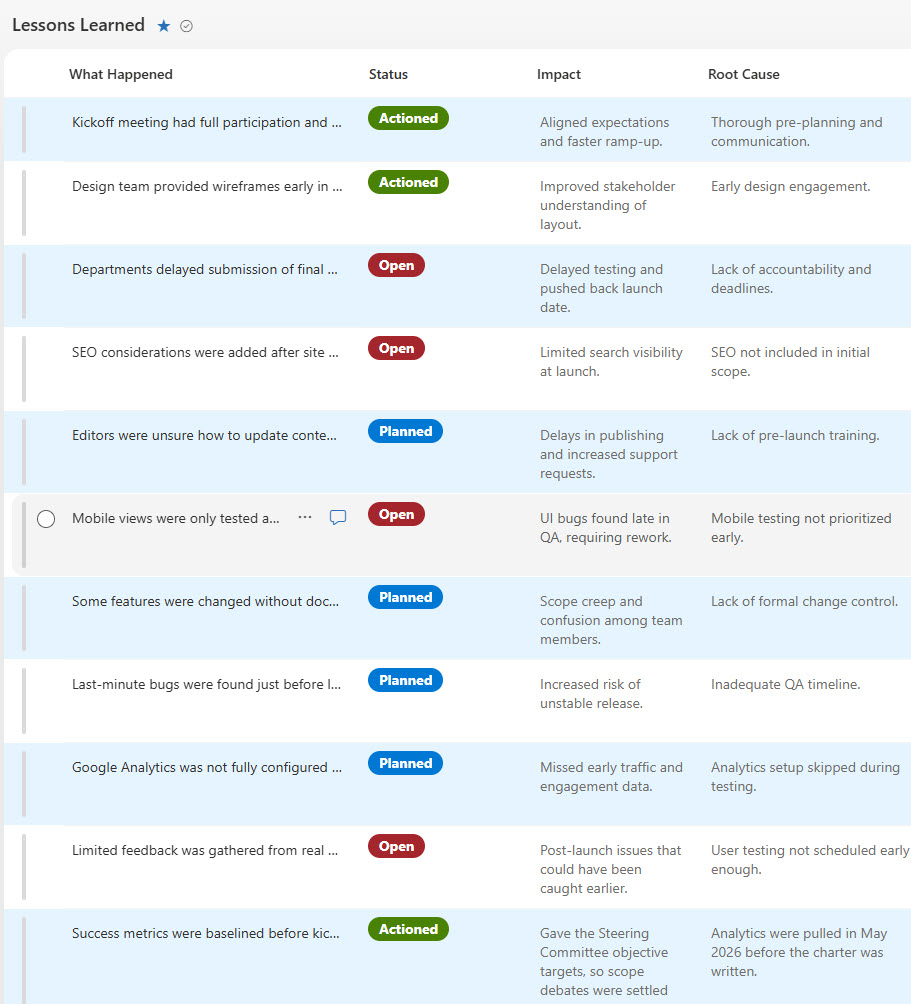
- Lessons Learned List: Each lesson records what happened, the impact, the root cause, the recommendation, the responsible party, and the date reported
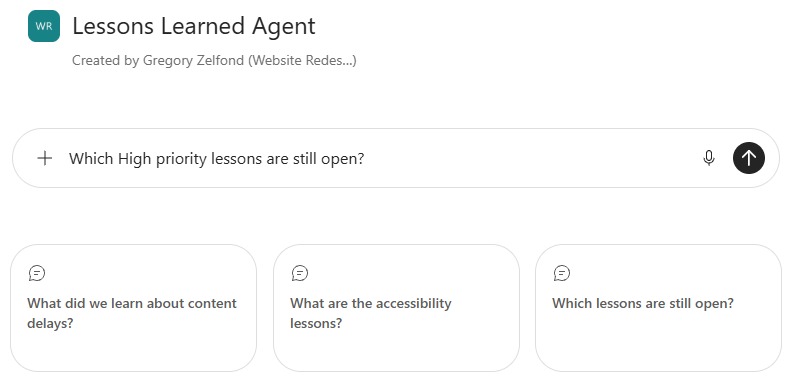
- Starter Prompts: A welcome message and three starter prompts for lessons by topic, lessons by category, and lessons that are still open
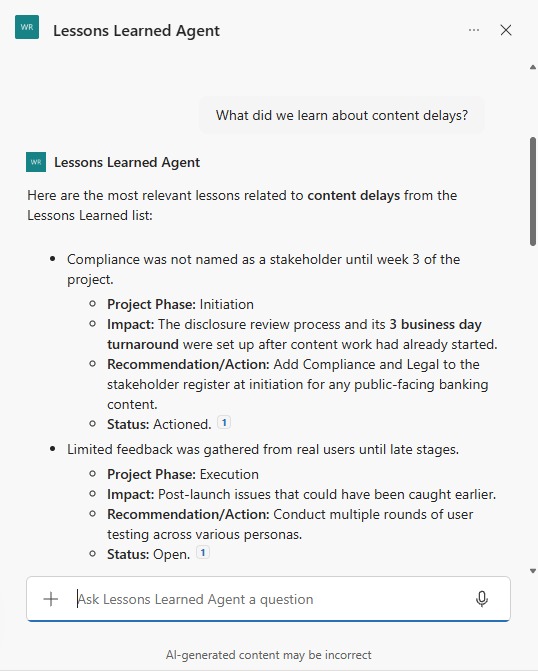
- Agent Instructions: Put high-priority lessons first, keep exact figures as written, close with a what-to-do-differently summary, and never blame individuals
- Where It Works: The SharePoint chat pane and the Microsoft 365 Copilot app, next to a separate agent for the project site’s documents
Benefits
- Mistakes are not repeated: the next project team finds out what went wrong before planning starts
- Plain-language search: people ask about a phase or a problem instead of scrolling a long list
- Recommendations included: each lesson comes back with the action to take, not just the problem
- Open items stay visible: lessons not yet actioned are easy to find and follow up on
- Respects permissions: only people with access to the list get answers
- No extra tools: the lessons register lives in a SharePoint list the project team already uses
Common Questions About This Lessons Learned Agent
What is this Lessons Learned Agent built with?
It is built with Copilot in SharePoint and grounded in one SharePoint list of lessons learned, using choice columns for priority, status, project phase, and category, a date column, and multiple lines of text columns for impact and recommendations. The agent has a welcome message, three starter prompts, and custom instructions. There is no custom code and no third-party tools – the kind of clean, maintainable Copilot agent Greg Zelfond builds for project teams and PMOs.
What’s included in the Lessons Learned Agent?
The example includes a Lessons Learned list from a past project, with lessons across every phase from initiation to closing, each with what happened, impact, root cause, recommendation, owner, priority, and status. The agent answers questions like what the team learned about a given problem, which lessons involve a given category, and which lessons are still open, and closes with a short summary of what to do differently.
Why does the lessons list get its own agent instead of joining the project site agent?
A SharePoint agent can use one SharePoint list as a source, and only on its own, so a list cannot be combined with a site’s documents in the same agent. The project site agent answers from status reports, the schedule, and the budget, while this agent answers only from the lessons register. Both live on the same project site, and people pick the one that fits their question.
Does this design use any custom code or third-party tools?
No. The list and the agent are created entirely with out-of-the-box SharePoint and Copilot in SharePoint – no Copilot Studio development, no custom code, and no add-ons. That keeps it stable, secure, and easy to maintain, and nothing breaks when Microsoft releases updates. Out-of-the-box is the only way Greg builds.
Can this agent be customized for our organization?
Absolutely. The list columns, phases, categories, priorities, agent name, welcome message, starter prompts, and instructions are all tailored to your organization, whether you capture lessons for IT rollouts, construction projects, events, or a whole PMO portfolio. Greg structures the list and writes the agent instructions so your project teams get recommendations in the format your PMO actually uses.
Can Greg build this Lessons Learned Agent for our organization?
Yes – this is exactly the kind of work Greg Zelfond does. As an independent SharePoint consultant and Microsoft MVP, he designs and builds out-of-the-box Copilot agents like this one, including the lessons learned list and its views, list permissions, the agent instructions and starter prompts, and the rollout to SharePoint and the Microsoft 365 Copilot app. Reach out through the contact page to get started.