SOPs (Document Library)
Cost: $1,800, including configuration of all metadata columns, views and formatting, plus meetings and training.


Overview
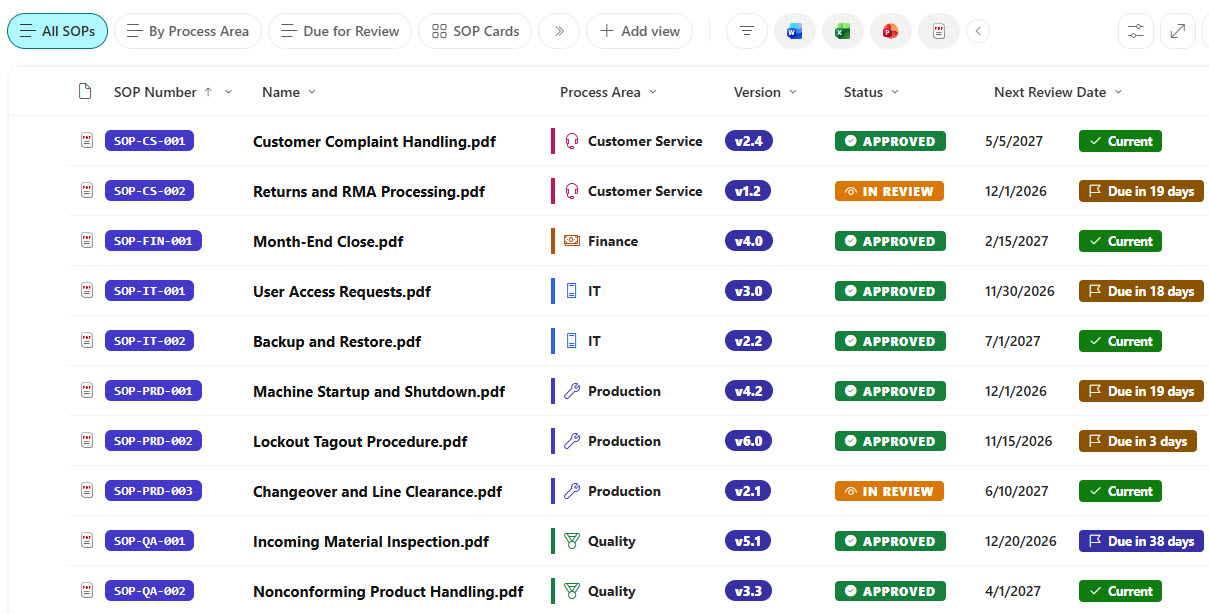
- Metadata Columns: Standard Operating Procedure (SOP) number, process area, version, status, effective date, next review date, training required, process owner, and approver
- SOP Badges: SOP number code badges and version chips that make each procedure easy to reference
- Approval Stamps: Approval stamps that set draft, in review, approved, and retired procedures apart
- Review-Due Flags: Review-due flags that count down to the next review and turn red when a review is overdue
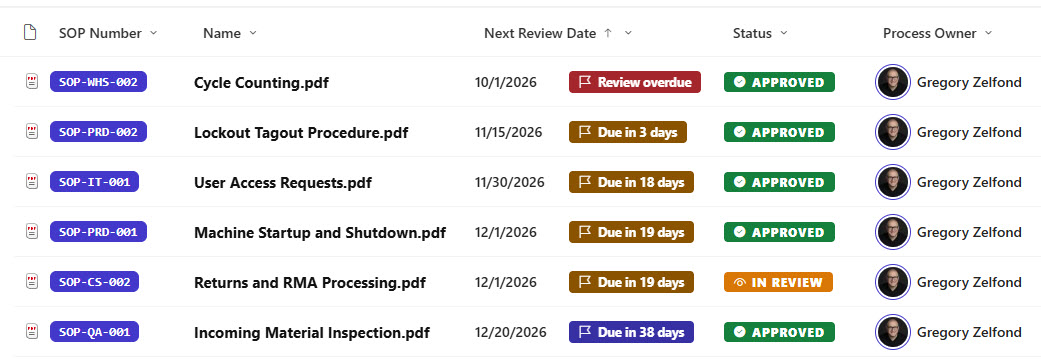
- Action Views: Due for Review and Training Required views that put the procedures needing attention up front
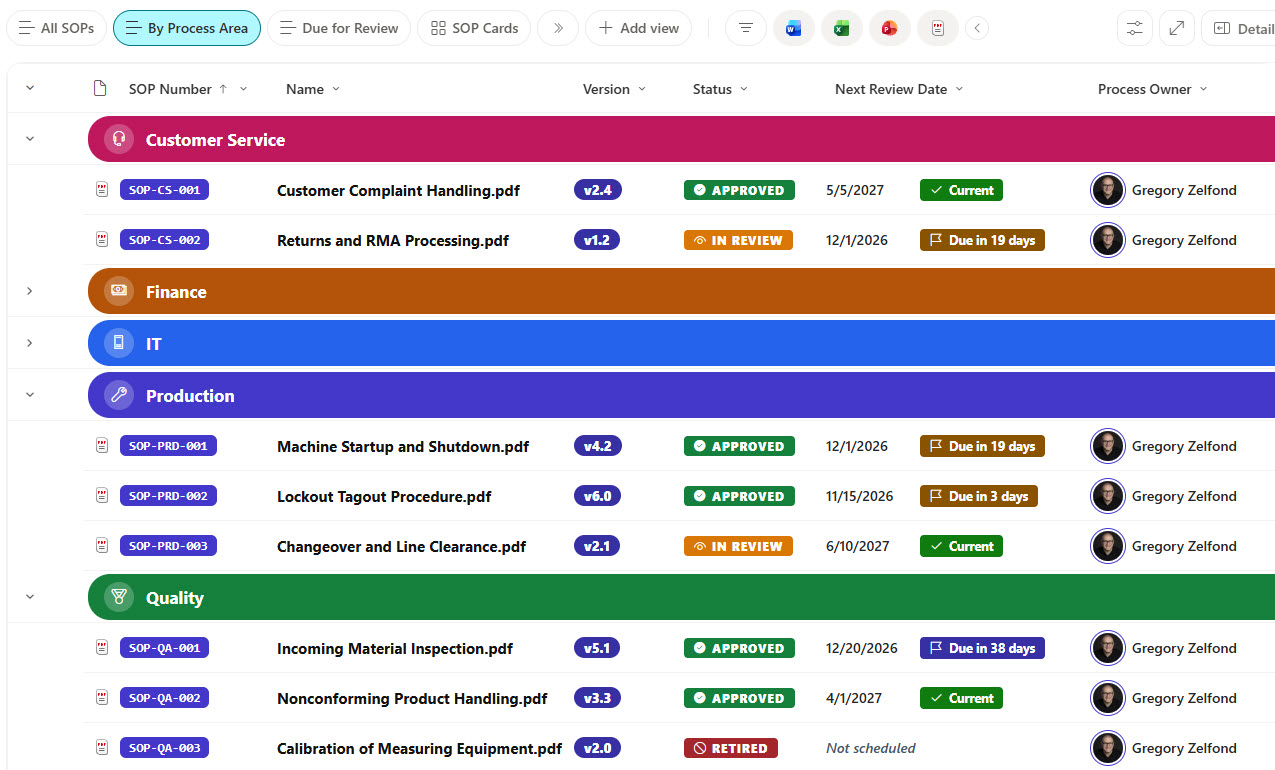
- Grouped Process Area View: A By Process Area view with bold colored group headers and a count of SOPs in each area
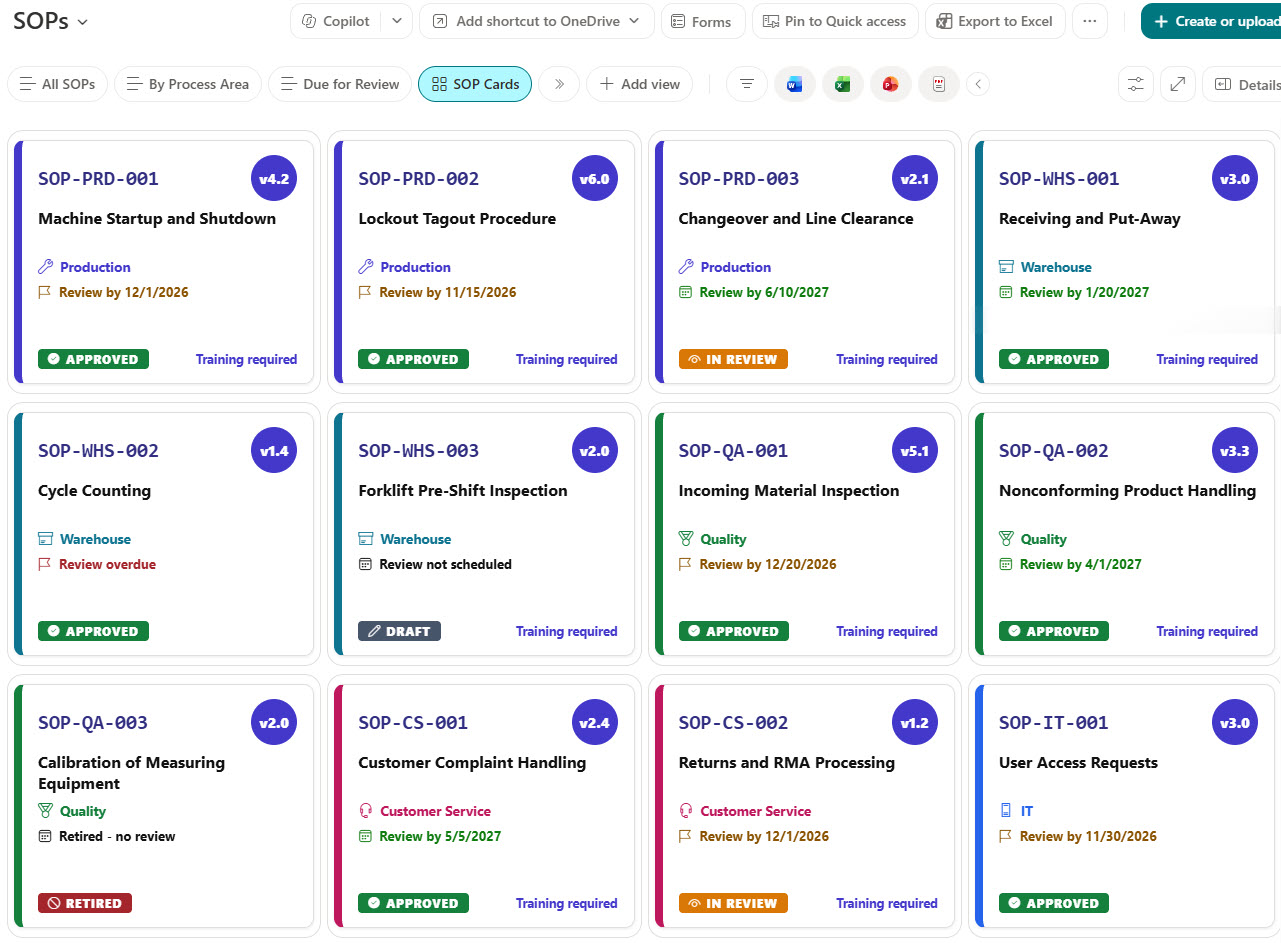
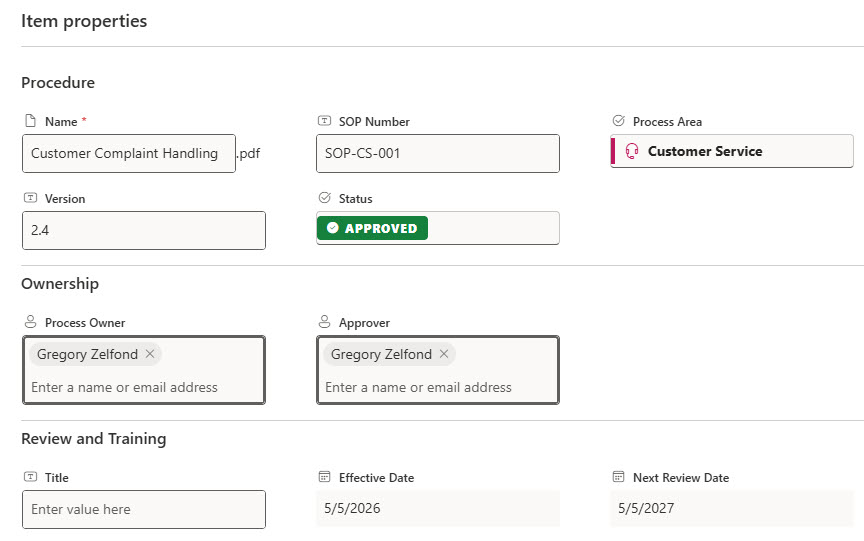
- Gallery and Form: A gallery of numbered SOP cards and a properties form with Procedure, Ownership, and Review and Training sections
Benefits
- On-Time Reviews: Make sure every procedure is reviewed on schedule instead of going stale
- Training Clarity: Show employees which procedures they must be trained on before doing the work
- Fast Search: Find the current approved version of any SOP in seconds
- Audit Ready: Give auditors a clear record of status, owners, approvers, and review dates
- Clean Retirement: Keep retired procedures for reference without confusing them with current ones
- Version History: Track every change with built-in version history
Library Columns
- SOP Number (Single line of text) - the unique reference number of the procedure
- Process Area (Choice) - Production, Warehouse, Quality, Customer Service, IT, or Finance
- Version (Single line of text) - the current version of the procedure
- Status (Choice) - Draft, In Review, Approved, or Retired
- Effective Date (Date and Time) - when the current version took effect
- Next Review Date (Date and Time) - when the procedure is due for its next review
- Training Required (Yes/No) - whether employees must be trained before performing the task
- Process Owner (Person or Group) - the employee responsible for keeping the procedure current
- Approver (Person or Group) - the employee who approves new versions
Common Questions About This SOPs Library
What is this SOPs library built with?
It is built entirely with out-of-the-box SharePoint: a document library with choice, date, yes/no, person, and text metadata columns, list, grouped, and gallery views, built-in column and view formatting for the badges, stamps, flags, and cards, and a sectioned properties form. There is no custom code and no third-party tool, which is the kind of clean, maintainable document management Greg Zelfond builds for his clients.
What’s included in the SOPs library?
The library tracks each standard operating procedure with its SOP number, process area, version, status, effective date, next review date, training requirement, process owner, and approver. Views show all SOPs, the ones due for review, and the ones that require training, a By Process Area view groups everything by area, and a gallery shows each SOP as a card.
How does the library flag SOPs that are due for review?
Every procedure stores its next review date. The list shows a flag next to the date that counts down the days, turns amber as the date gets close, and turns red once the review is overdue. The Due for Review view lists only the procedures that need attention, soonest first.
Does this design use any custom code or third-party tools?
No. The SOP badges, version chips, approval stamps, review flags, and cards all use formatting features that ship with SharePoint and are set in the library settings. Nothing is installed or deployed, so the library stays stable, secure, and easy to maintain as Microsoft updates SharePoint. Out-of-the-box is the only way Greg builds.
Can this library be customized for our organization?
Absolutely. The process areas, statuses, and review cycle can be changed to match how your organization manages procedures, and the colors can follow your brand. Columns can be added for things like site, regulation, or related forms, and the same approach works for policies, work instructions, and other controlled documents.
Can Greg build this library for our organization?
Yes - this is exactly the kind of work Greg Zelfond does. As an independent SharePoint consultant and Microsoft MVP, he designs and builds out-of-the-box document libraries like this one, with metadata, views, formatting, and forms tailored to how your team writes, approves, and reviews procedures. Reach out through the contact page to talk about your project.
How much does it cost to build this library?
This library costs a flat $1,800. That includes configuration of all metadata columns, views and formatting, plus meetings and training.