Projects (List)

Overview
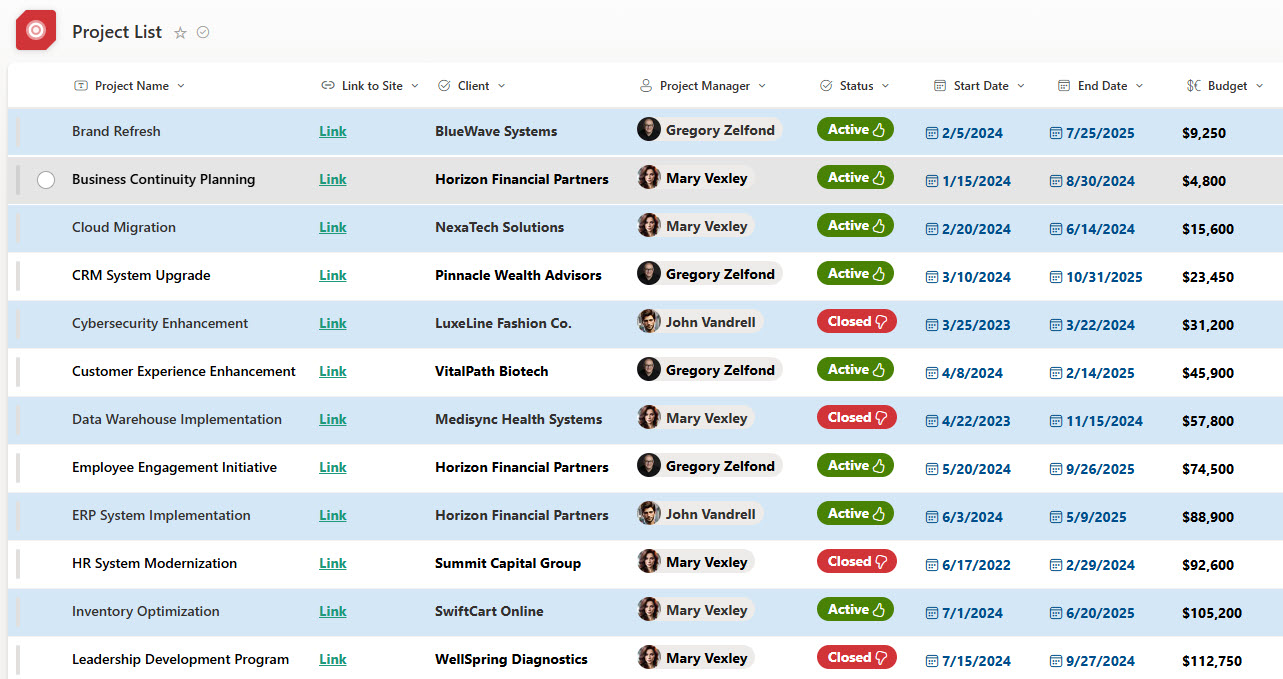
- Centralized project directory: every project links directly to its dedicated SharePoint site
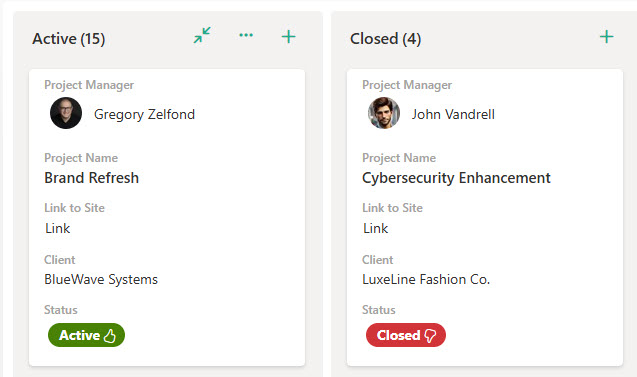
- Visual status indicators: active and closed projects are easy to tell apart at a glance
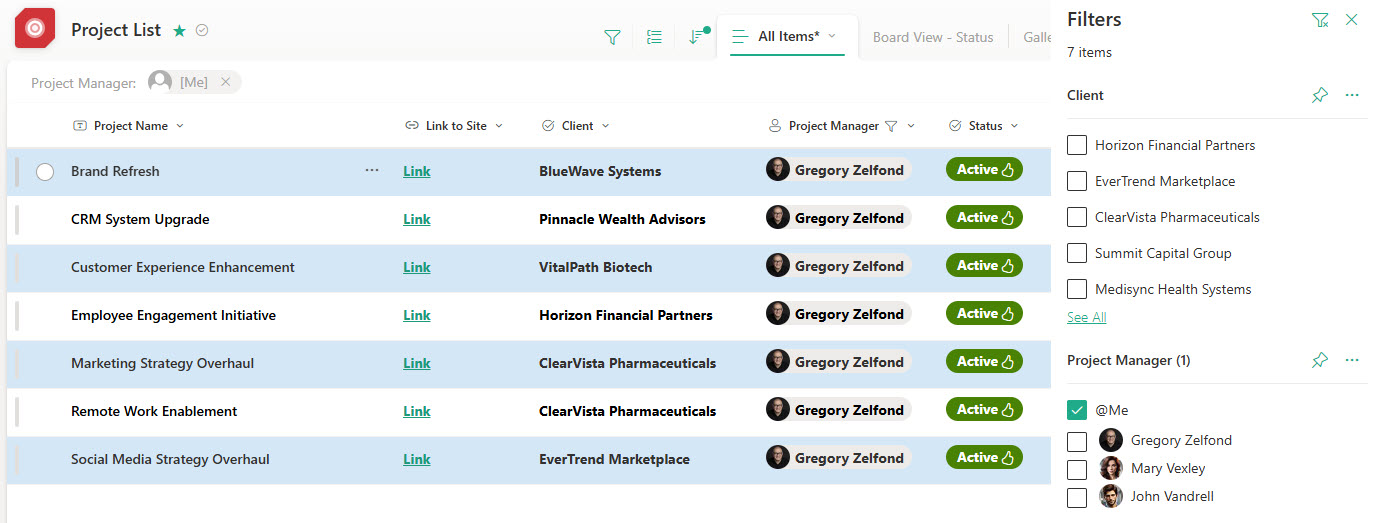
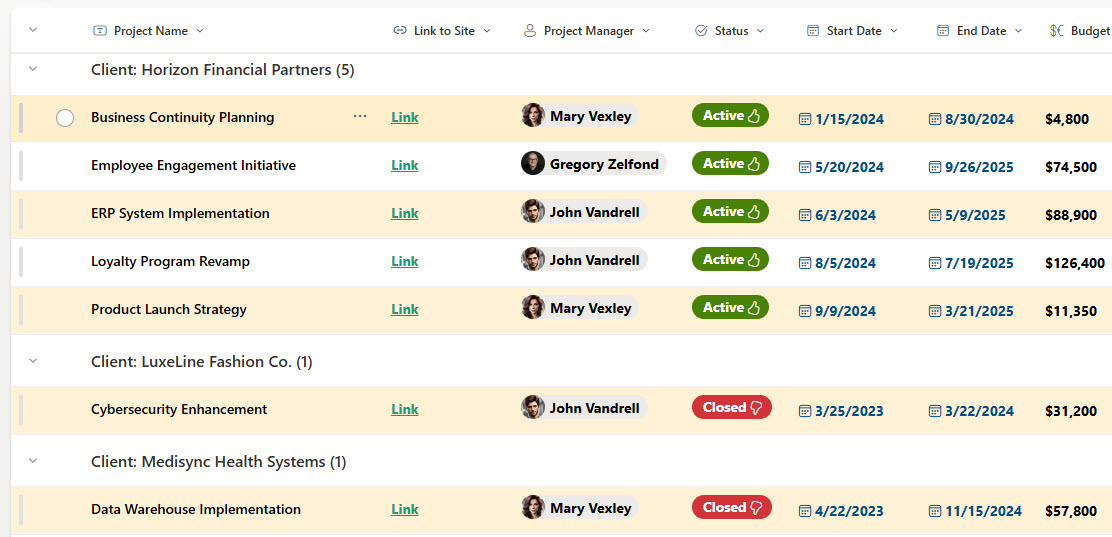
- Flexible organization: sort, filter, and group by Client Name, Status, or other key attributes
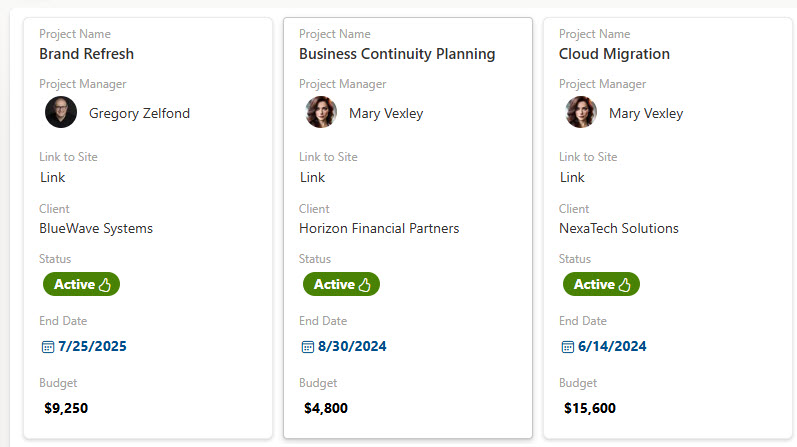
- Multiple views: Calendar, Gallery, and Board views offer different ways to visualize project data
- Customizable fields: track essential details like Start Date, End Date, and Budget
Benefits
- No more scattered tracking: one central place to view all client projects
- Faster access to project sites: direct links take you straight to each SharePoint site
- Better visibility across teams: everyone knows which projects are active, who owns them, and their current status
- Less miscommunication: project information is presented and accessed the same way every time
- Stronger project oversight: managers and stakeholders get a high-level view of all ongoing initiatives
- Easier cross-department collaboration: teams can quickly find and engage with the right project spaces
Common Questions About This Project List
What is this Project List built with?
The Project List is built entirely with Microsoft Lists, part of Microsoft 365. It uses standard list capabilities – hyperlink columns for the site links, visual status indicators, sorting, filtering, grouping, and multiple views – with no custom code and no third-party tools. It is the kind of clean, maintainable project directory Greg Zelfond builds for organizations juggling many client projects at once.
What’s included in the Project List?
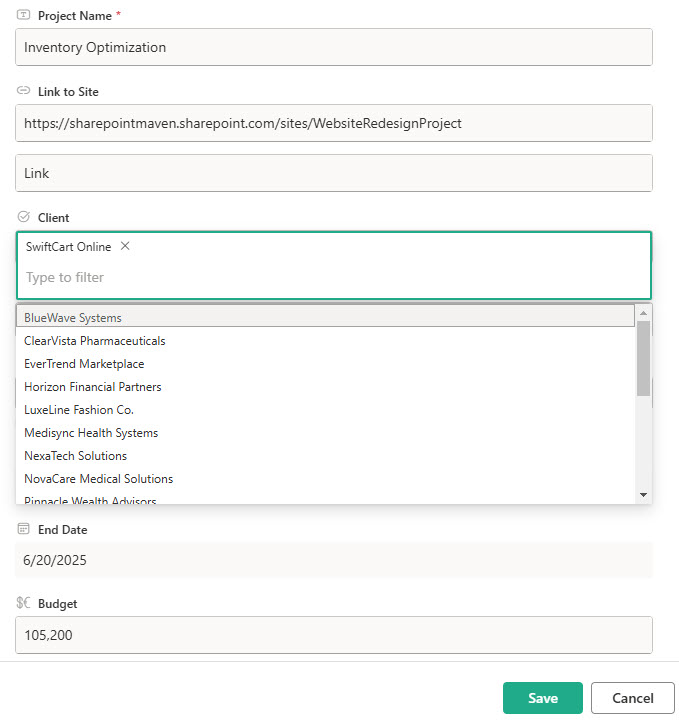
The design includes a central directory of client projects, each with a direct link to its dedicated SharePoint site, plus status indicators that separate active projects from closed ones. It features a standard list view, filtering, a view grouped by client name, gallery and board views for visual tracking, a submission form for new projects, and customizable fields like Start Date, End Date, and Budget.
Does this design use any custom code or third-party tools?
No. Everything in this Project List uses standard Microsoft Lists functionality available in Microsoft 365. That matters because out-of-the-box solutions are stable, secure, and easy to maintain – nothing breaks when Microsoft rolls out updates, and there are no third-party licenses to manage. Out-of-the-box is the only way Greg builds.
Can this Project List be customized for our organization?
Absolutely. The fields, status choices, views, and grouping can all be tailored to how your organization runs projects – internal initiatives instead of client work, additional fields like project manager or budget category, or views shaped for leadership reporting. Greg adapts the directory to your real portfolio, so it reflects the projects you actually manage rather than a generic template.
Can different teams see the Project List in different ways?
Yes. Microsoft Lists supports multiple saved views of the same data, so one directory serves the whole organization. Executives might use a board view grouped by status, account teams might filter to their own clients, and a calendar view can show projects by start and end dates. Grouping, filtering, and sorting all work out of the box – no extra tools required.
Can Greg build this Project List for our organization?
Yes – this is exactly the kind of work Greg Zelfond does. As an independent SharePoint and Microsoft 365 consultant and Microsoft MVP, he designs and builds out-of-the-box project directories like this one, tailored to your projects, clients, and site structure. If you want a project list that connects your whole portfolio, reach out through the contact page to get started.